FOR MEETINGS, TUTORIALS, AND LIVE DEMOS

Read naturally. Keep your script invisible.
FlowPrompter is a desktop teleprompter for Zoom calls, tutorials, and live demos. Your notes stay visible to you and hidden in screen sharing, recordings, and screenshots.

WHY PEOPLE DOWNLOAD DESKTOP
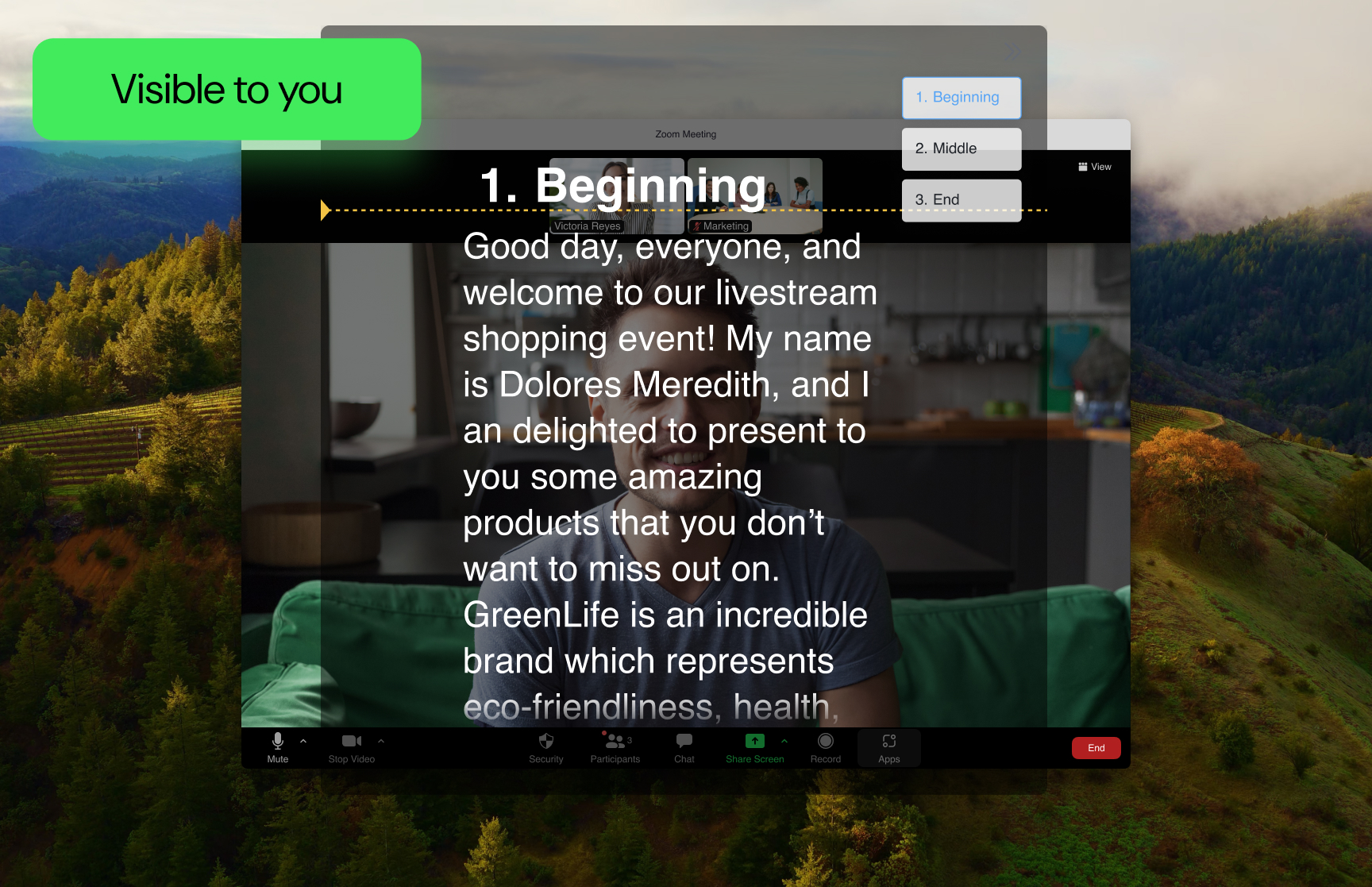
Your script stays visible only to you
FlowPrompter turns a teleprompter into a safe desktop overlay for meetings, recordings, and live demos.
Invisible during screen sharing
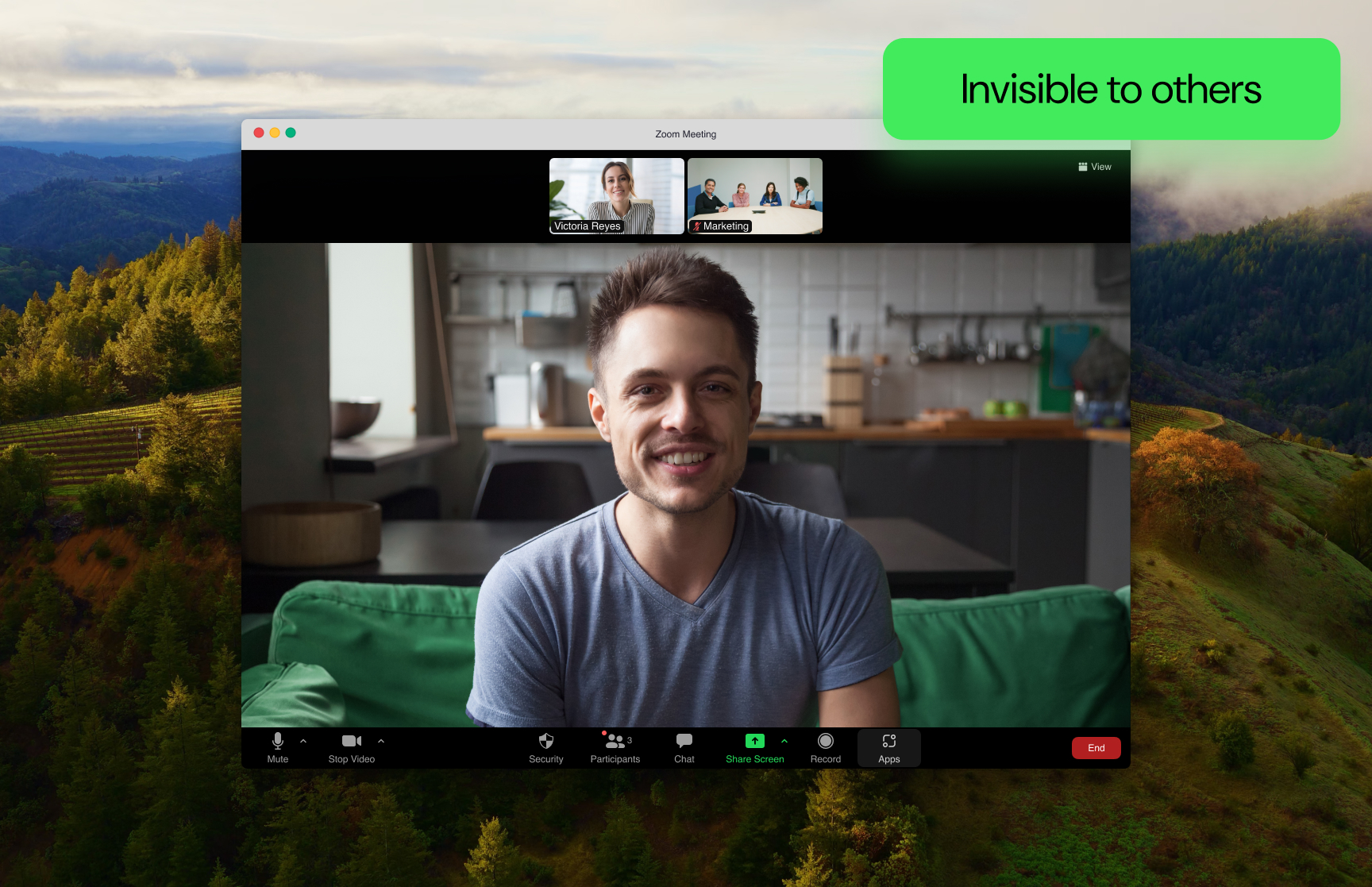
Show your slides, product demo, or meeting screen while your prompt stays hidden from everyone else.
Smooth reading without breaking flow
Scroll naturally and keep your delivery steady when you need to stay composed on camera.
Edit fast before you go live
Tighten your script, jump between sections, and get presentation-ready before the meeting or recording starts.
Invisible during screen sharing
Show your slides, product demo, or meeting screen while your prompt stays hidden from everyone else.
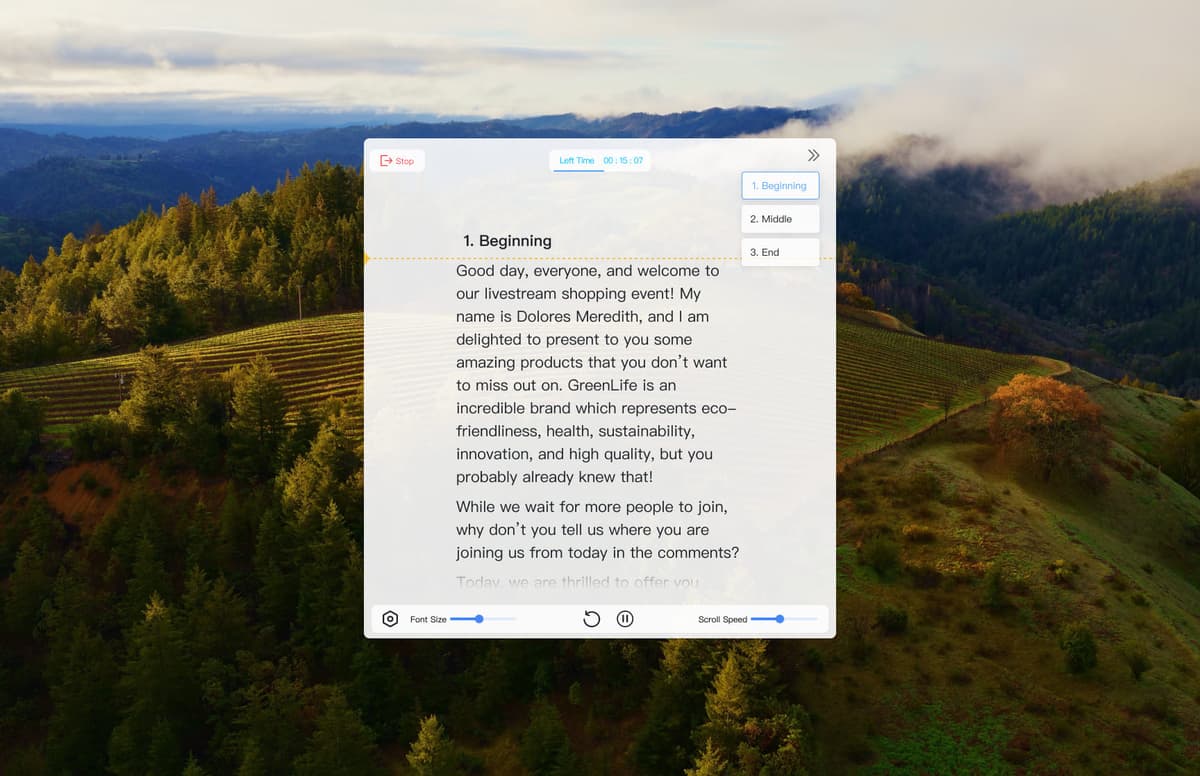
Smooth reading without breaking flow
Scroll naturally and keep your delivery steady when you need to stay composed on camera.
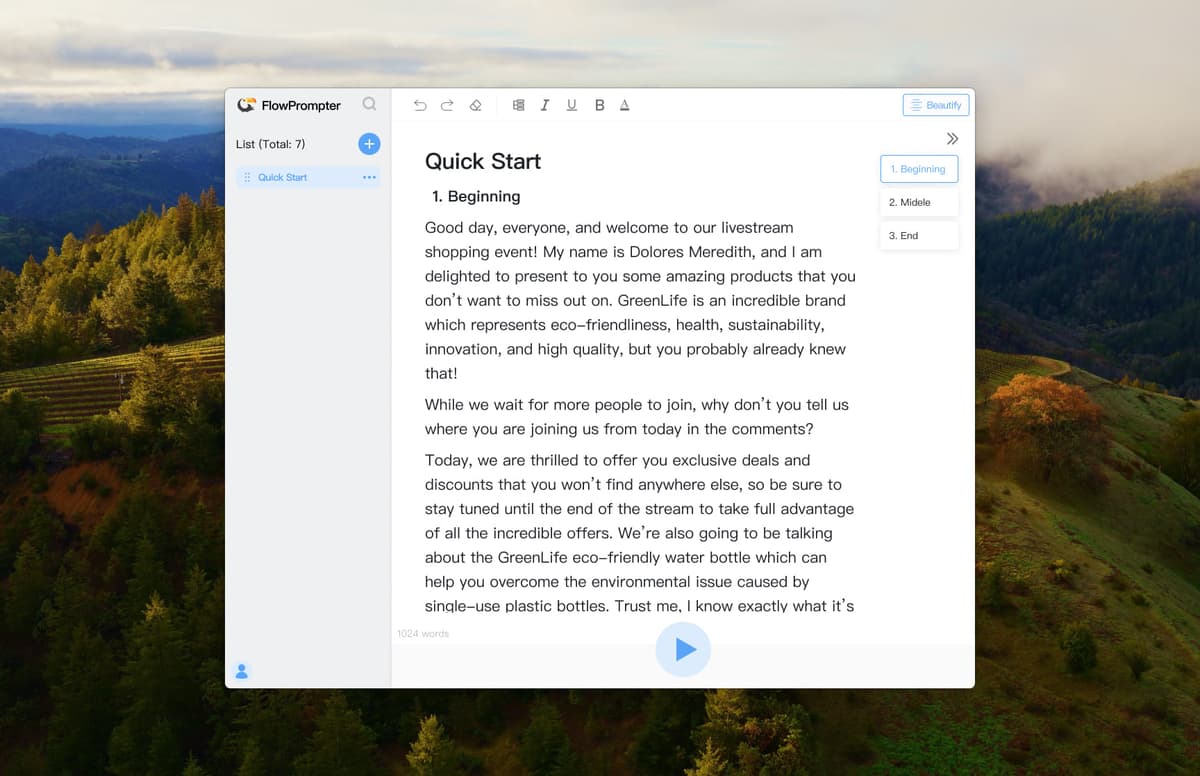
Edit fast before you go live
Tighten your script, jump between sections, and get presentation-ready before the meeting or recording starts.
Why FlowPrompter works best on desktop
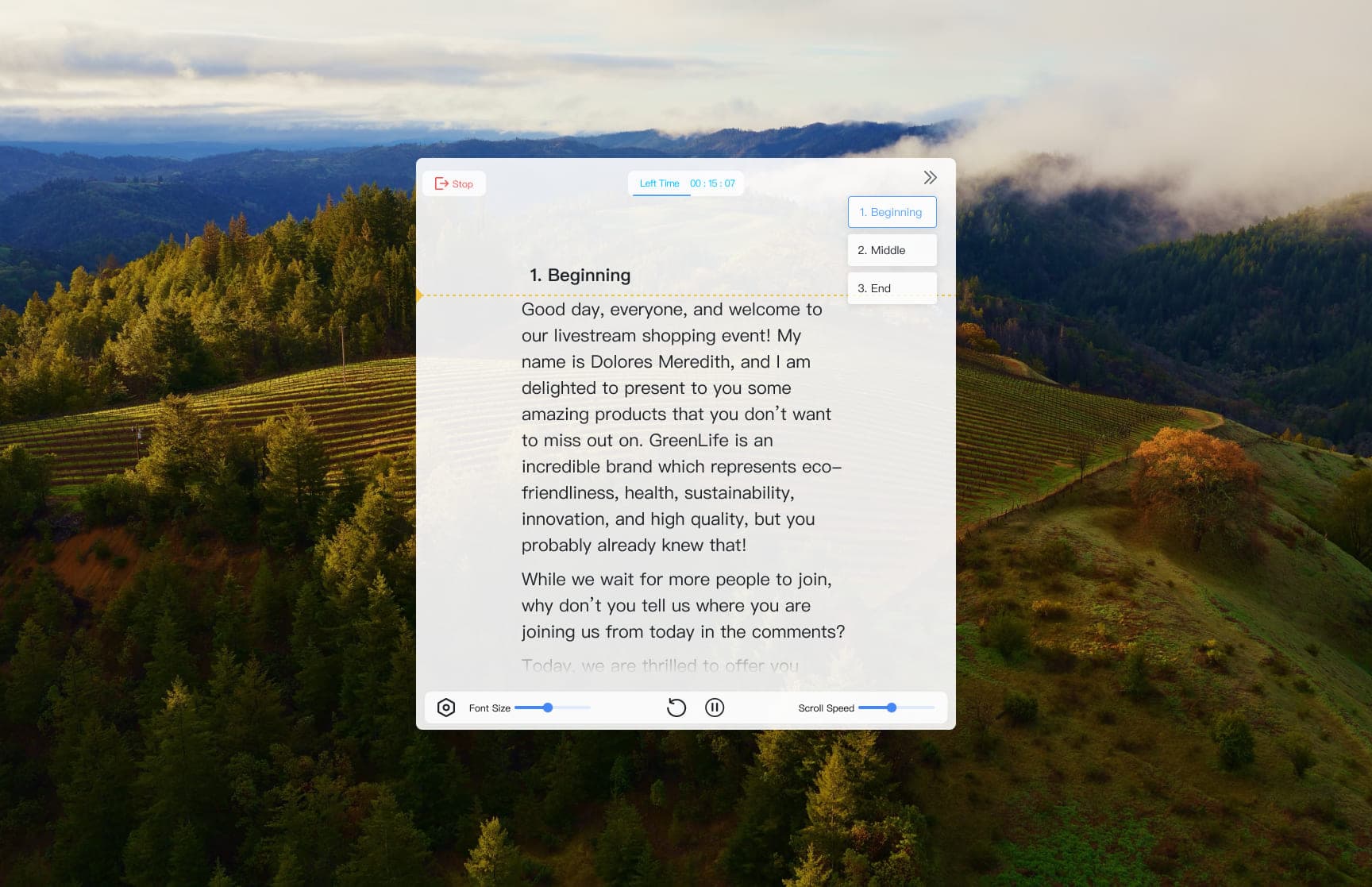
Outline Switching
Jump to the next section instantly so live demos, lessons, and presentations never lose momentum.
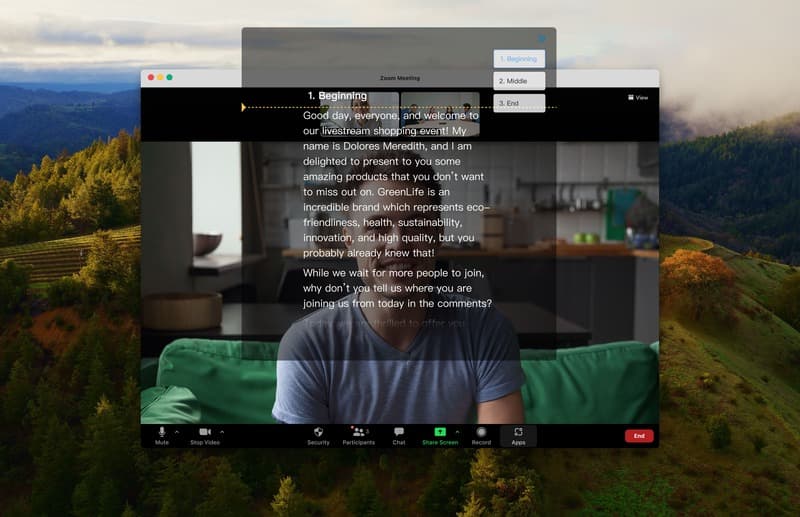
Invisible Window
Keep your notes visible to you and hidden during screen sharing, recording, and screenshots.
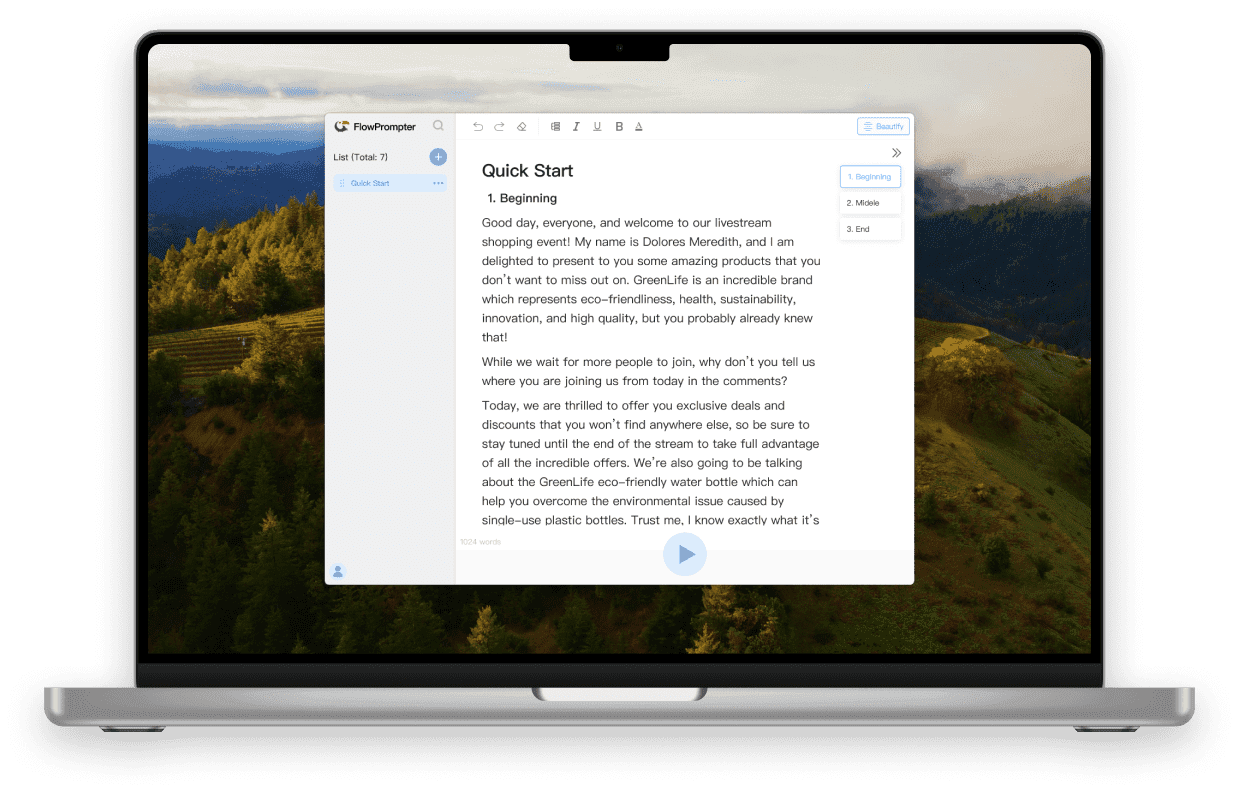
Seamless Multi-Device Sync
Start drafting anywhere, then open the same script on desktop when you need the invisible overlay for real delivery.
Used in the moments where visible notes are a problem
Safer screen sharing
I can keep my talking points on screen during Zoom without worrying that the teleprompter will show up while I share my slides.

Cleaner tutorial recordings
I can follow a script while recording a lesson and still look natural because the prompt layer stays out of the final capture.

Hanna Wolfe
Frequently Asked Questions
What is the difference between Online and Desktop?+
Online is the fastest way to draft and practice. Desktop is where FlowPrompter's invisible window becomes useful for real meetings, recordings, and screen sharing.
Can people see the teleprompter during screen sharing?+
On desktop, FlowPrompter is designed so your prompt stays visible to you while remaining hidden during screen sharing, recording, and screenshots.
Should I start with the desktop app?+
If your goal is a Zoom call, tutorial recording, live presentation, or any shared-screen workflow, start with Desktop. If you only want to draft or rehearse quickly, Online is a good first step.
Do my scripts sync between devices?+
Yes. FlowPrompter is built to keep your scripts available across devices, so you can draft in one place and deliver from desktop when it is time to present.
Is FlowPrompter free to use?+
Yes. You can start free, then upgrade when you need longer sessions, more control, or the full desktop workflow for professional delivery.
How to get help?+
You can contact us by email hi@flowprompter.app at any time.
What is the difference between Online and Desktop?
Online is the fastest way to draft and practice. Desktop is where FlowPrompter's invisible window becomes useful for real meetings, recordings, and screen sharing.
Can people see the teleprompter during screen sharing?
On desktop, FlowPrompter is designed so your prompt stays visible to you while remaining hidden during screen sharing, recording, and screenshots.
Should I start with the desktop app?
If your goal is a Zoom call, tutorial recording, live presentation, or any shared-screen workflow, start with Desktop. If you only want to draft or rehearse quickly, Online is a good first step.
Do my scripts sync between devices?
Yes. FlowPrompter is built to keep your scripts available across devices, so you can draft in one place and deliver from desktop when it is time to present.
Is FlowPrompter free to use?
Yes. You can start free, then upgrade when you need longer sessions, more control, or the full desktop workflow for professional delivery.
How to get help?
You can contact us by email hi@flowprompter.app at any time.