FlowPrompter + OBS Studio
Your script on screen, invisible to your viewers.
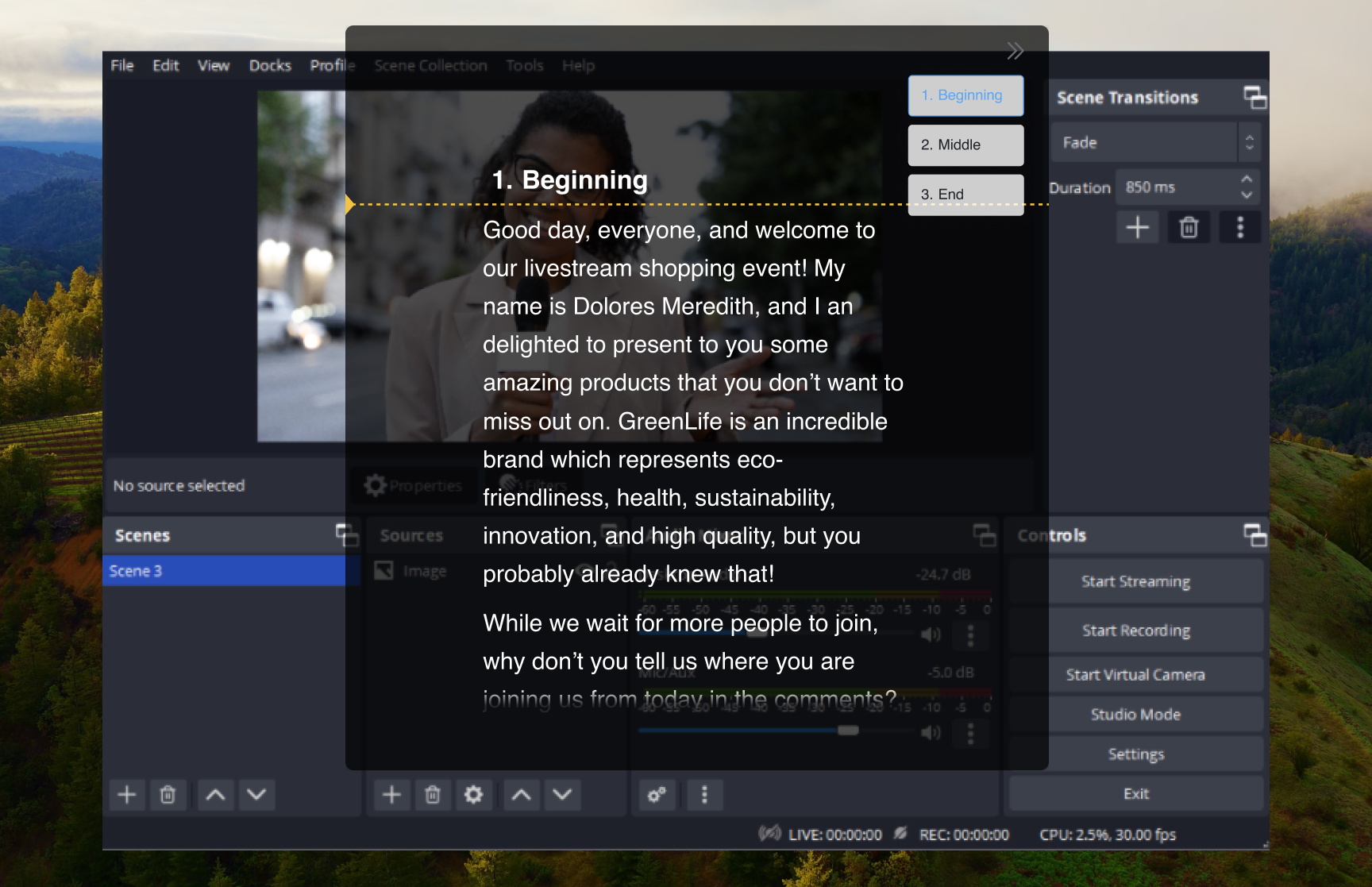
FlowPrompter works with OBS by giving you a readable script on your own monitor while OBS records or streams the scene you choose. If your OBS setup captures only your camera, the prompt is never part of the video feed. If you use display capture or window capture, turn on Window Privacy before going live so the prompt window is excluded from the captured output. That distinction matters: OBS workflows vary, so the safest setup is camera near the prompt plus Window Privacy for any screen capture.
How to Set Up
Open OBS Studio and set up your scene as usual
Open FlowPrompter and load your script
Enable transparent overlay mode in FlowPrompter
Position the overlay on top of your OBS preview window
Start recording or streaming — the overlay is visible only to you
Pro Tips
- 💡The overlay does NOT appear in your OBS recording/stream output — it's monitor-only
- 💡Use FlowPrompter's keyboard shortcuts to control scrolling without switching windows
- 💡For streaming: prepare sponsor reads and segment transitions as separate scripts
- 💡For recording: use auto-scroll at your natural speaking pace
Common questions about FlowPrompter + OBS Studio
- Will OBS record the FlowPrompter window?
- Camera-only OBS scenes will not record the prompt because OBS only receives your camera feed. For display capture or window capture, enable Window Privacy in FlowPrompter so the prompt is excluded from the capture.
- Where should I put FlowPrompter when streaming with OBS?
- Put the prompt near your camera or just above the OBS preview, then keep controls reachable through keyboard shortcuts. This lets you read sponsor reads, intros, and transitions without switching windows.
- Can I use FlowPrompter for live sponsor reads in OBS?
- Yes. Keep each sponsor read or segment intro as a separate script, then use shortcuts to start, pause, or move between sections while OBS continues streaming.
Best Use Cases for FlowPrompter + OBS Studio
- →YouTube video recording with scripted content
- →Live streaming with sponsor reads
- →Tutorial and educational content
- →Podcast video recording
- →Gaming commentary with talking points
Download FlowPrompter for Desktop and keep OBS recordings clean
Download Desktop for invisible screen sharing. Use Online when you only need a quick draft.