
Read naturally. Keep your script invisible.
FlowPrompter is a desktop teleprompter for Zoom calls, tutorials, and live demos. Your notes stay visible to you and hidden in screen sharing, recordings, and screenshots.
Download the desktop app for the invisible window. Use Online if you only want to draft or practice first.
 Windows
 macOS
macOS Android
WHY PEOPLE DOWNLOAD DESKTOP
Your script stays visible only to you
FlowPrompter turns a teleprompter into a safe desktop overlay for meetings, recordings, and live demos.
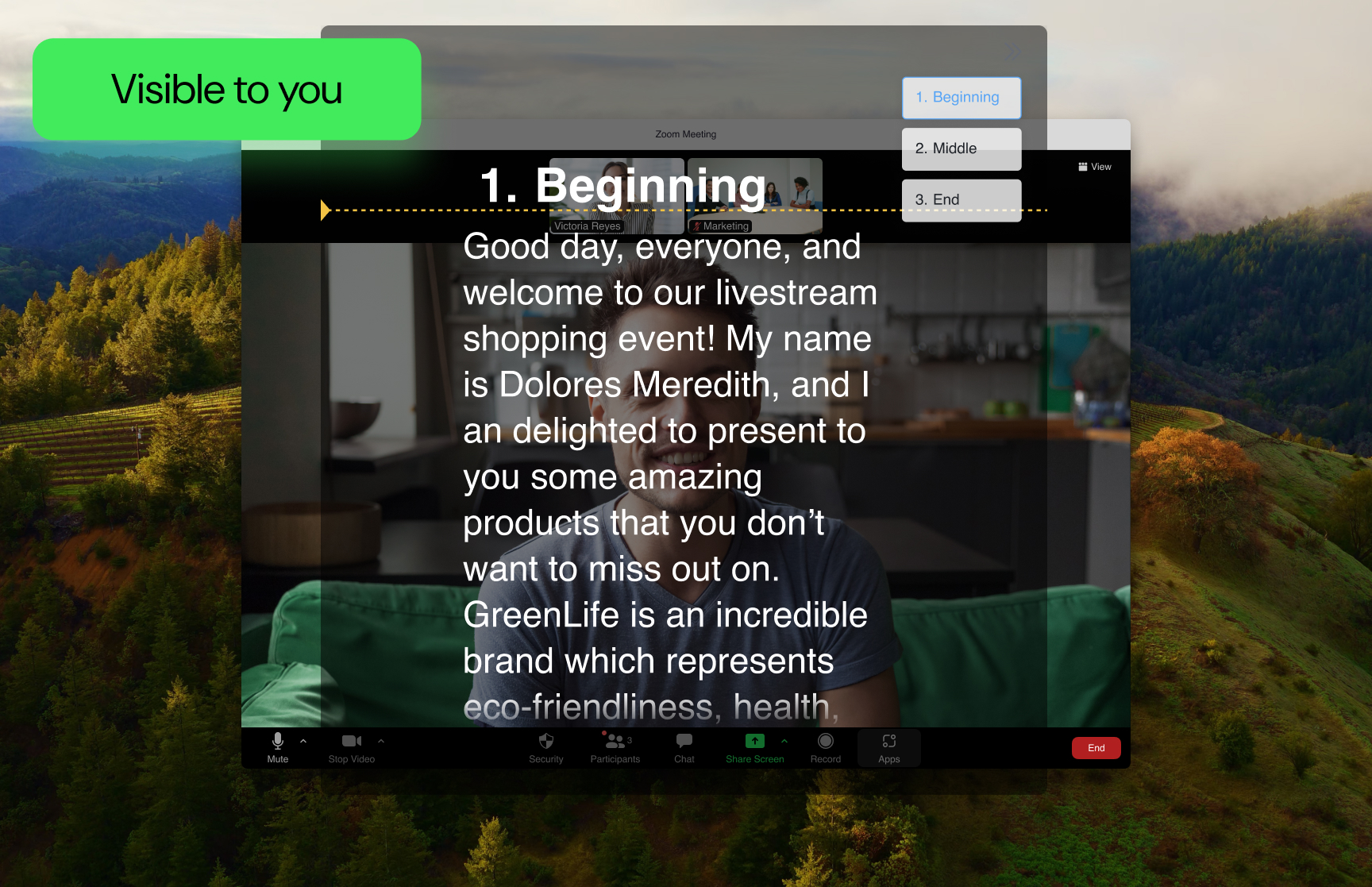
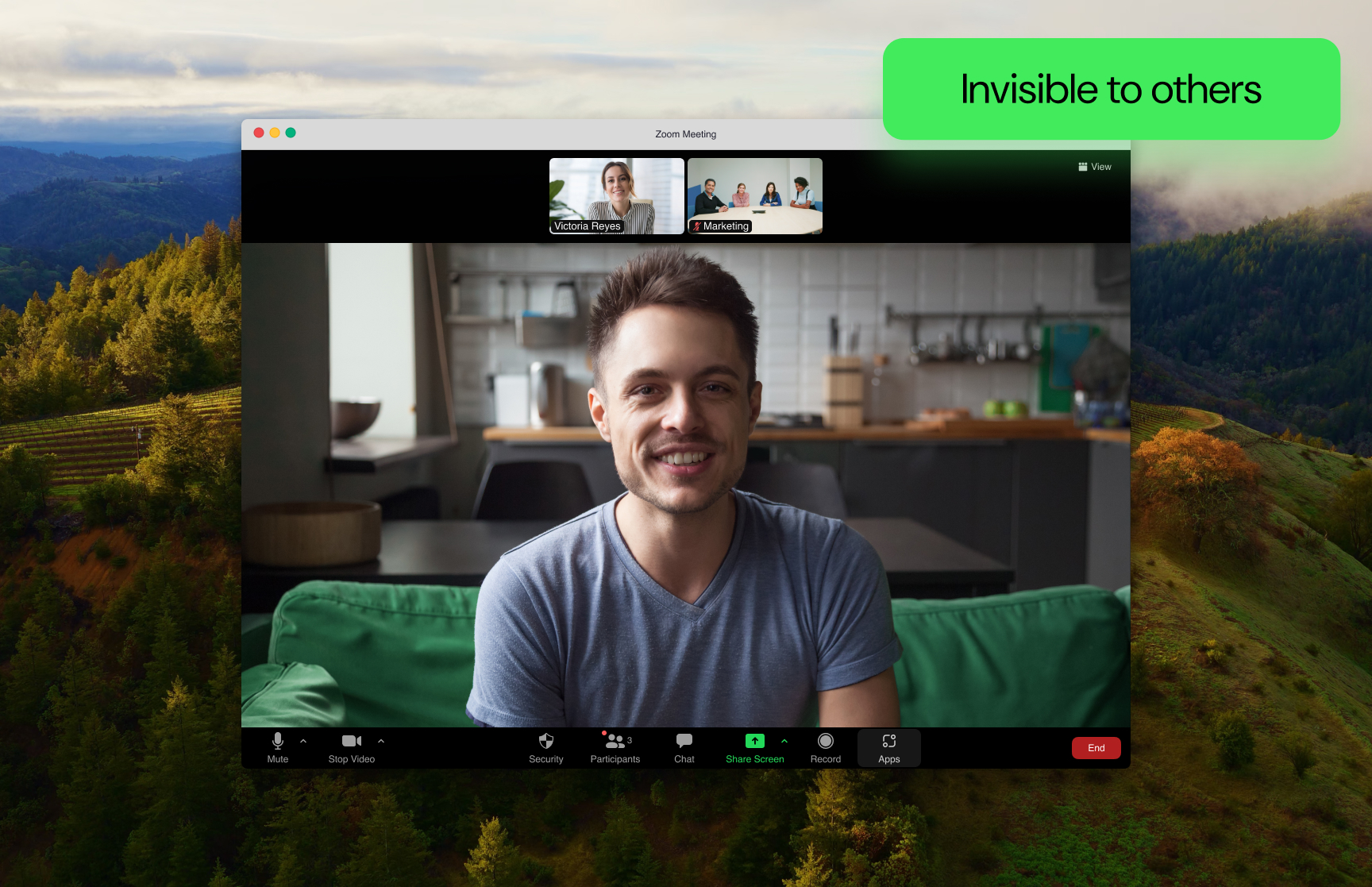
Invisible during screen sharing
Show your slides, product demo, or meeting screen while your prompt stays hidden from everyone else.
Follows your voice as you read
Speech recognition listens as you speak and scrolls your script at your pace — hands-free, so you stay composed on camera.
Synced across all your devices
Sign in on desktop and mobile with one account — your scripts stay in sync, so you can draft on your computer and present from your phone.
Invisible during screen sharing
Show your slides, product demo, or meeting screen while your prompt stays hidden from everyone else.
Follows your voice as you read
Speech recognition listens as you speak and scrolls your script at your pace — hands-free, so you stay composed on camera.
Synced across all your devices
Sign in on desktop and mobile with one account — your scripts stay in sync, so you can draft on your computer and present from your phone.
Write on any device, present on desktop
AI Voice Tracking
FlowPrompter listens as you speak and scrolls your script at exactly your pace — pause or ad-lib and it waits, completely hands-free.
Invisible Window
Keep your notes visible to you and hidden during screen sharing, recording, and screenshots.
Seamless Multi-Device Sync
Start drafting anywhere, then open the same script on desktop when you need the invisible overlay for real delivery.
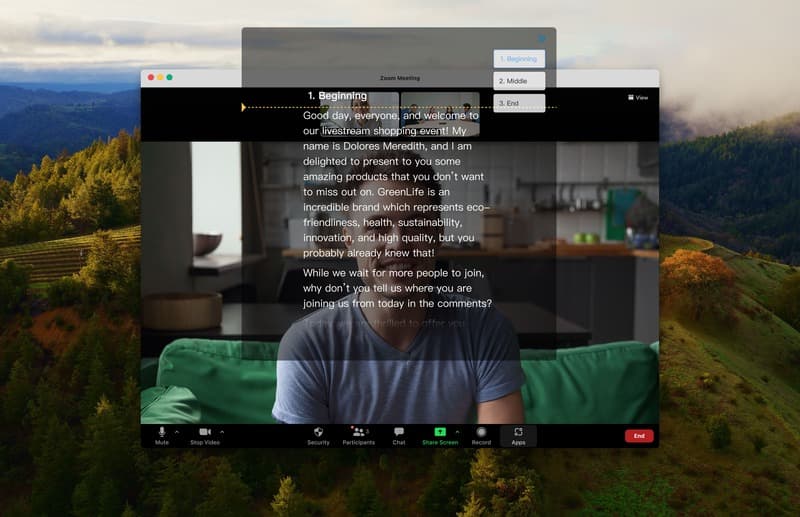
Record the screen while you read
FlowPrompter Desktop can capture the tutorial, lesson, or product walkthrough in front of you while the script stays in your sight. The finished file is meant to show the demonstration, not the teleprompter.
See the built-in screen recorderUsed in the moments where visible notes are a problem
Review excerpts from G2.com
“I can pause, speak faster, or go off-script without touching anything. It also supports Hindi, which is a nice bonus for my use.”“It also helps us to be effective by keeping a script visible while remaining hidden from screen sharing and recordings, which is very valuable during presentations, sales demos and other webinars.”“Overall, it saves time and helps streamline day-to-day AI tasks.”“FlowPrompter has made recording marketing videos much smoother, letting the team read naturally through voice-tracking instead of memorizing scripts or awkwardly glancing at cue cards.”“If you pause or go off-script, the prompter stops and waits for you to resume.”“I thought it worked quite well and the overall set up was very easy.”“The biggest benefit is improved productivity…”“The invisible teleprompter overlay is a standout feature because it lets me keep my notes in view without appearing during screen sharing or recordings…”“It has made my recordings feel more consistent, especially when I'm covering technical topics where missing a point means recording again.”“The teleprompter automatically follows my speaking pace in real time, speeding up when I talk faster and slowing down if I pause.”“Thanks to the transparency feature, I can still see my colleagues’ messages and reactions underneath the text.”“It makes it easy to stay on track without memorizing everything.”FlowPrompter for Teams
Talk to us about your team’s scripting and presenting workflow. We will confirm available features, rollout timing, and pricing before you commit.
Features and availability are confirmed with your quote.
Frequently Asked Questions
What is the difference between Online and Desktop?+
Online is the fastest way to draft and practice. Desktop is where FlowPrompter's invisible window becomes useful for real meetings, recordings, and screen sharing.
Can people see the teleprompter during screen sharing?+
On desktop, FlowPrompter is designed so your prompt stays visible to you while remaining hidden during screen sharing, recording, and screenshots.
Which languages does voice tracking support?+
Voice tracking on desktop and web supports English, Spanish, Portuguese, Chinese, Japanese, Korean, Russian, German, Italian, Turkish, French, Hindi, and Ukrainian. Interface translations are separate from speech recognition languages.
Do my scripts sync between devices?+
Yes. FlowPrompter is built to keep your scripts available across devices, so you can draft in one place and deliver from desktop when it is time to present.
Is FlowPrompter free to use?+
Yes. You can start free, then upgrade when you need longer sessions, more control, or the full desktop workflow for professional delivery.
How to get help?+
You can contact us by email [email protected] at any time.
What is the difference between Online and Desktop?
Online is the fastest way to draft and practice. Desktop is where FlowPrompter's invisible window becomes useful for real meetings, recordings, and screen sharing.
Can people see the teleprompter during screen sharing?
On desktop, FlowPrompter is designed so your prompt stays visible to you while remaining hidden during screen sharing, recording, and screenshots.
Which languages does voice tracking support?
Voice tracking on desktop and web supports English, Spanish, Portuguese, Chinese, Japanese, Korean, Russian, German, Italian, Turkish, French, Hindi, and Ukrainian. Interface translations are separate from speech recognition languages.
Do my scripts sync between devices?
Yes. FlowPrompter is built to keep your scripts available across devices, so you can draft in one place and deliver from desktop when it is time to present.
Is FlowPrompter free to use?
Yes. You can start free, then upgrade when you need longer sessions, more control, or the full desktop workflow for professional delivery.
How to get help?
You can contact us by email [email protected] at any time.