Integration
FlowPrompter + Microsoft Teams
Professional presentations on Teams, powered by transparent prompting.
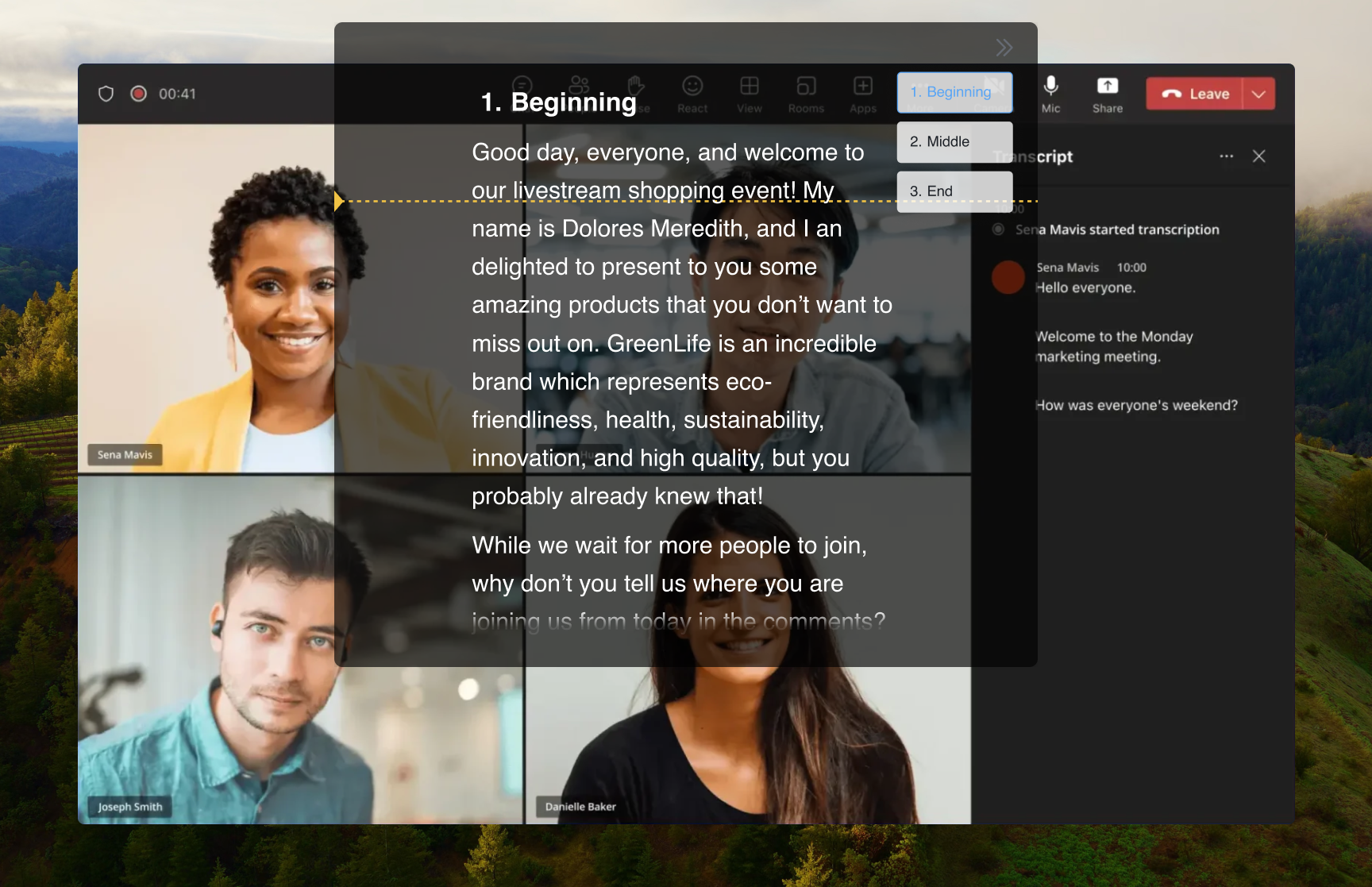
FlowPrompter works with Microsoft Teams when you need prepared delivery but cannot afford to look like you are reading. Put the prompt near the camera for executive updates, client pitches, QBRs, and trainings. If the Teams meeting is recorded or you share your screen, enable Window Privacy so the prompt window is excluded from what attendees and replay viewers see.
How to Set Up
Prepare your presentation script in FlowPrompter
Open your Microsoft Teams meeting
Enable FlowPrompter's transparent overlay
Position it over the Teams window near your camera
Present confidently with your notes on screen
Pro Tips
- 💡Works with both Teams desktop app and web version
- 💡When sharing your screen on Teams, the overlay won't appear in your shared content
- 💡For long meetings, save multiple scripts for different agenda items
Common questions about FlowPrompter + Microsoft Teams
- Can Teams attendees see FlowPrompter during a presentation?
- Not when Window Privacy is enabled before screen sharing or recording. You can read the prompt locally while Teams attendees see only your camera, slides, or shared app.
- Does FlowPrompter work with the Teams desktop app and web app?
- Yes. FlowPrompter is a desktop overlay, so it can sit above either the Microsoft Teams desktop app or the browser version.
- What Teams meetings benefit most from a teleprompter?
- Use it for high-stakes, word-sensitive moments: quarterly reviews, board updates, customer demos, compliance briefings, onboarding, and executive communications.
Best Use Cases for FlowPrompter + Microsoft Teams
- →Quarterly business reviews
- →Sales demos and pitches
- →Onboarding and training sessions
- →Executive communications
Invisible teleprompter mode
Download FlowPrompter for Desktop and present cleanly in Teams
Download Desktop for invisible screen sharing. Use Online when you only need a quick draft.
macOSWindows