Introduction
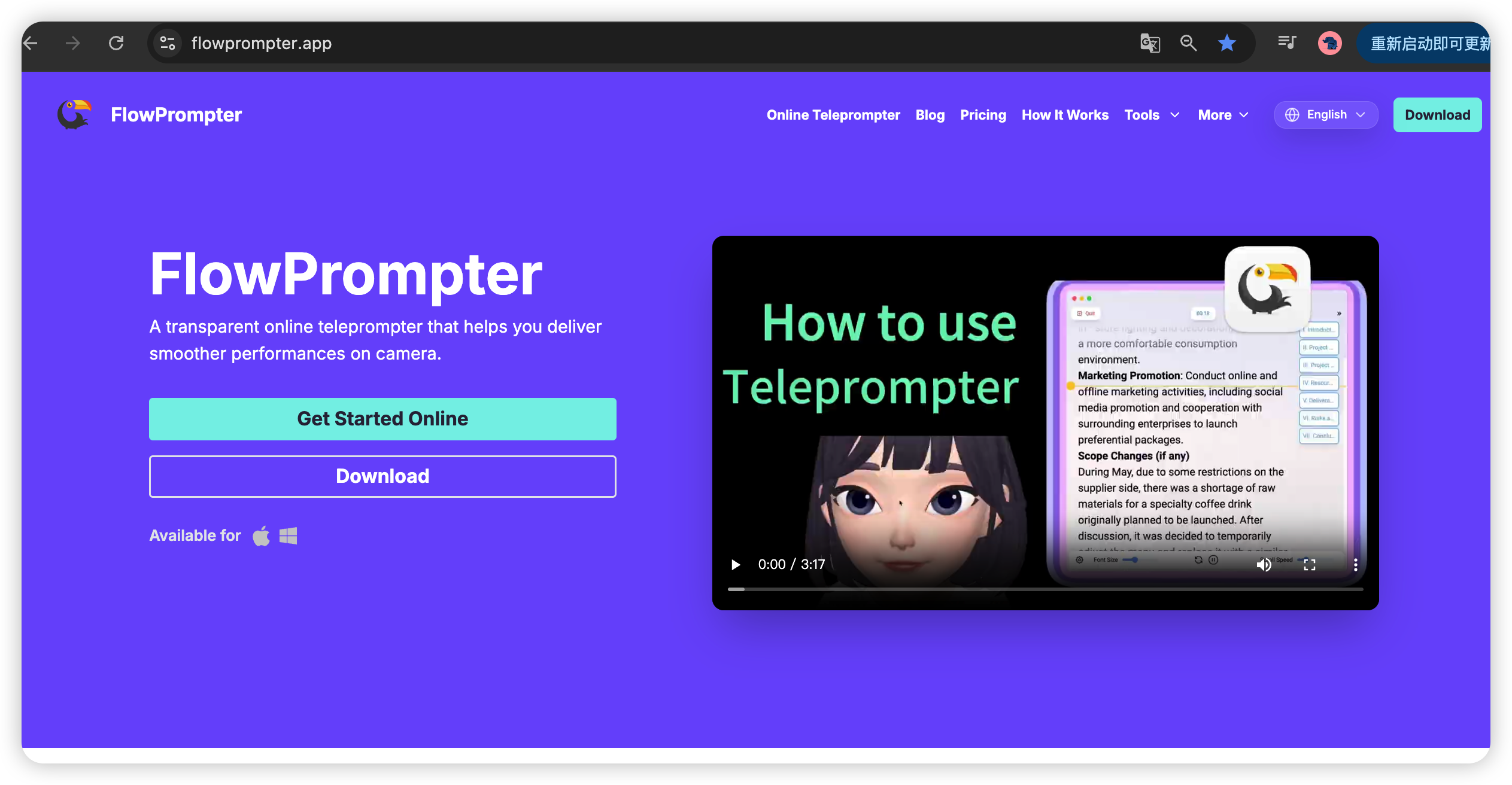
FlowPrompter is more than just a teleprompter - it's a versatile tool that transforms how content creators, professionals, and presenters deliver their message. In this article, we'll explore real-world use cases showing how FlowPrompter is being used across different industries and platforms.
From YouTuber tutorials to corporate presentations, FlowPrompter's transparent overlay technology makes professional delivery accessible to everyone.

Use Case 1: YouTube Content Creation
The Challenge
Sarah runs a tech review channel with 200K subscribers. She produces weekly 15-minute review videos, requiring detailed product specs and comparisons.
Pain Points:
Memorizing 2,000+ word scripts was impossible
Constant retakes (8-10 per video) slowed production
Awkward pauses and "ums" reduced video quality
Taking 6+ hours to record a single video
The Solution
Sarah switched to FlowPrompter:
Imported her scripts directly
Positioned transparent overlay over her OBS camera preview
Adjusted scroll speed to 1.2x for her speaking pace
Used keyboard shortcuts to pause for product demos
The Results
Retakes reduced: 8-10 per video → 1-2 per video
Recording time: 6+ hours → 1.5 hours
Video quality: Better delivery, fewer "ums", more professional
Engagement: 25% increase in average watch time
Production capacity: Now produces 2 videos/week instead of 1
Sarah's Setup
FlowPrompter on Windows desktop
OBS Studio for recording
Logitech C920 webcam
Teleprompter positioned directly over webcam feed
Use Case 2: TikTok and Reels Content
The Challenge
Alex creates TikTok tutorials and trends, posting 5-10 times daily. He struggled with quick, engaging takes.
Pain Points:
Memorizing 30-60 second scripts for multiple videos daily
Inconsistent energy due to mental fatigue
Lost trending opportunities due to slow production
Awkward delivery when forgetting lines
The Solution
Alex uses FlowPrompter for all TikTok content:
Creates multiple short scripts in FlowPrompter
Uses laptop with webcam for recording
Transparent overlay positioned over camera app
Scroll speed at 1.5x for energetic delivery
The Results
Production speed: Creates 5-10 videos/day in under 2 hours total
Consistency: All videos have uniform energy and quality
Trending: Posts same-day as trends, better performance
Engagement: 40% increase in average views
Follower growth: From 10K to 100K in 3 months
Alex's Tips for TikTok
Keep scripts conversational and energetic
Use FlowPrompter's font size large for quick reading
Practice once, then record immediately
Don't be afraid to improvise - use script as guide, not rules
Use Case 3: Corporate Training Videos
The Challenge
Michael is a corporate trainer for a Fortune 500 company. He creates training videos for remote employees, averaging 20-minute length.
Pain Points:
Complex technical scripts required perfect accuracy
Nervousness caused mistakes and restarts
Multi-hour recording sessions were exhausting
Quality inconsistencies across videos
The Solution
Michael adopted FlowPrompter for corporate training:
Premium plan for unlimited scripts and cloud sync
Scripts stored in cloud for team collaboration
Scroll speed at 1.0x for clear delivery
Pause script for demonstrations and examples
The Results
Quality: 100% accuracy on technical terms
Efficiency: 4-hour sessions → 1.5-hour sessions
Consistency: Uniform delivery style across all videos
Employee feedback: 90% say videos are more engaging
Cost savings: Reduced recording time saved company $15,000/year
Corporate Best Practices
Use Premium plan for team collaboration
Save scripts in cloud for easy sharing
Keep technical terms in bold for emphasis
Pause frequently for visual aids and examples
Use Case 4: Online Course Creation
The Challenge
Lisa creates online courses for entrepreneurs. Each course has 50+ video lessons, each 10-15 minutes long.
Pain Points:
750+ minutes of content requiring scripts
Recording multiple lessons per day caused fatigue
Maintaining energy and enthusiasm for hours was difficult
Post-production editing took forever due to mistakes
The Solution
Lisa integrated FlowPrompter into course creation workflow:
Organized 50+ scripts by module in FlowPrompter
Used Mac version with external webcam
Recorded in batches of 5-6 lessons per day
Took breaks between lessons to maintain energy
The Results
Production timeline: 3 months → 1 month for full course
Quality: Consistent energy across all 50+ lessons
Editing time: Reduced by 60% (fewer mistakes to fix)
Student satisfaction: 95% positive reviews, higher than industry average
Revenue: Course launched earlier, 2 months of additional revenue
Course Creation Tips
Organize scripts by chapters/modules
Use FlowPrompter's script notes for lesson outlines
Record during peak energy hours (morning for Lisa)
Take breaks every 2-3 lessons
Use Case 5: Live Streaming
The Challenge
Marcus streams gaming content on Twitch for 6+ hours daily. He delivers commentary, reads chat, and maintains viewer engagement.
Pain Points:
Forgetting announcements and sponsor messages
Losing train of thought during complex commentary
Awkward silences when transitioning topics
Inconsistent structure across streams
The Solution
Marcus uses FlowPrompter during live streams:
Creates stream outline with key topics and timestamps
Includes sponsor messages and announcements
Uses dual monitors (game on main, FlowPrompter on secondary)
Scrolls slowly to reference when needed
The Results
Engagement: Viewers note improved stream quality
Consistency: Every stream follows same structure
Sponsor satisfaction: All mentions delivered accurately
Reduced stress: Marcus feels more prepared and relaxed
Subscriber growth: 50% increase in new subscribers/month
Live Streaming Tips
Use outline format, not word-for-word script
Keep teleprompter on secondary monitor
Pause scrolling when reading chat
Don't stare at teleprompter - reference occasionally
Use Case 6: Podcast Recording
The Challenge
Jenna hosts a weekly interview podcast with remote guests. She introduces topics, asks prepared questions, and maintains conversation flow.
Pain Points:
Forgetting prepared questions during interviews
Awkward transitions between topics
Needing to reference notes while looking at guest
Losing professional delivery due to stress
The Solution
Jenna uses FlowPrompter for podcast recordings:
Prepares interview outline with questions and key points
Positions teleprompter over webcam for guest video
Scrolls at 0.8x for deliberate reading
Pauses for guest responses and natural conversation
The Results
Interview quality: More professional, better flow
Guest feedback: Host appears more prepared and engaged
Listener ratings: 4.8/5 stars (up from 4.2/5)
Guest acceptance: High-profile guests more likely to agree
Download growth: 200% increase in downloads over 6 months
Podcast Recording Tips
Use outline format with bullet points
Leave space for spontaneous questions
Practice eye contact between questions
Pause frequently for guest responses
Use Case 7: Professional Presentations
The Challenge
David delivers quarterly business updates to executive teams. His presentations are 30-45 minutes with complex data and metrics.
Pain Points:
Memorizing 20+ slides of detailed information
Stress and anxiety leading to mistakes
Losing track of key points during long presentations
Reading from notes made him appear unprepared
The Solution
David uses FlowPrompter for high-stakes presentations:
Prepares detailed script for each slide
Projects PowerPoint on main screen, FlowPrompter on secondary
Scrolls at 0.8x for measured delivery
Pauses for questions and data explanations
The Results
Delivery: Confident, professional, error-free
Executive feedback: Notable improvement in presentation quality
Confidence: David reports 90% less anxiety
Career impact: Promoted to senior management role
Presentation Tips
Keep teleprompter on secondary monitor only
Practice extensively before live presentation
Pause for emphasis and audience engagement
Use gestures and body language (don't stare at screen)
Use Case 8: Product Launch Videos
The Challenge
Emily manages product launches for a tech startup. She creates announcement videos, demo videos, and feature overviews.
Pain Points:
Multiple videos per launch requiring different scripts
Technical specifications needed perfect accuracy
Quick turnaround for competitive advantage
Multiple stakeholders requiring input on scripts
The Solution
Emily uses FlowPrompter Premium for product launches:
Creates 5-10 scripts per launch in FlowPrompter
Cloud sync allows stakeholder review and edits
Records all videos in single day for consistency
Uses different scroll speeds for different video types
The Results
Launch speed: Videos ready 2 days faster
Quality: Perfect accuracy on all technical specs
Stakeholder satisfaction: Easy review and approval process
Launch success: 300% increase in product sign-ups vs. previous launch
Product Launch Tips
Use Premium for team collaboration
Keep scripts versioned for tracking changes
Record similar videos in batches for consistency
Save successful scripts as templates for future launches
Use Case 9: Education and E-Learning
The Challenge
Professor Chen teaches online university courses. Her lectures are 45-60 minutes, covering complex academic material.
Pain Points:
Teaching 4 courses, each with weekly lectures
Complex academic concepts needed precise explanation
Student complaints about unclear delivery
Exhaustion from multi-hour recording sessions
The Solution
Professor Chen uses FlowPrompter for all course lectures:
Prepares detailed lecture scripts with examples
Uses large font for easy reading of complex terms
Scrolls at 0.9x for clear, measured delivery
Pauses for examples and explanations
The Results
Student ratings: 4.5/5 stars (up from 3.8/5)
Comprehension: Better student performance on exams
Efficiency: Record 4 lectures in 4 hours vs. 8 hours previously
Work-life balance: Professor Chen reports significantly less stress
E-Learning Tips
Use bold formatting for key terms
Include pause indicators in script
Practice before recording to find natural pace
Record during peak energy hours
Use Case 10: Customer Support Videos
The Challenge
Rachel manages customer support for a software company. She creates tutorial videos, FAQ answers, and feature walkthroughs.
Pain Points:
Constant stream of new videos needed
Technical steps needed perfect accuracy
Multiple team members creating inconsistent content
Customer complaints about unclear tutorials
The Solution
Rachel's team standardized on FlowPrompter:
Template scripts for common video types
Team shares scripts via cloud sync
All team members use same FlowPrompter settings
Script review process for quality control
The Results
Production speed: Team creates 50% more videos
Quality: Consistent style across all videos
Customer satisfaction: 40% reduction in support tickets
Training time: New team members up to speed in days vs. weeks
Support Video Tips
Create script templates for common video types
Use team Premium plan for collaboration
Standardize teleprompter settings across team
Include step-by-step formatting in scripts
Common Patterns Across Success Stories
What Successful Users Do:
Practice first: Always do 1-2 practice runs before recording
Customize settings: Adjust scroll speed, font size, transparency for their needs
Use keyboard shortcuts: Learn Space, arrows, Escape for control
Pause strategically: Pause at transitions, emphasizes, and Q&A points
Organize scripts: Keep scripts organized by project or category
Backup scripts: Use cloud sync for backup and accessibility
Setup Essentials:
Position teleprompter directly over camera (max 1-2 inch offset)
Adjust transparency to see both script and recording software
Use comfortable reading font size
Test eye contact by recording short test clips
Lighting should be even and flattering
Getting Started with Your Use Case
Ready to transform your content creation workflow?
Identify your use case: Which scenario matches yours best?
Start free: Visit flowprompter.app and try it
Create your first script: Copy or write your content
Practice: Do 2-3 practice runs to find your settings
Record: Start creating professional content
Upgrade if needed: Premium for unlimited scripts and advanced features
Pricing
Free Plan: Basic features, up to 3 scripts, no watermarks
Premium Plan: $9.99/month - Unlimited scripts, cloud sync, all devices
Conclusion
From YouTubers to corporate trainers, TikTok creators to professors, FlowPrompter is transforming how people deliver their message. The transparent overlay technology, combined with intuitive controls and cross-platform support, makes professional teleprompting accessible to everyone.
Whatever your use case, FlowPrompter can help you create better content, faster, with less stress and more confidence.
Try FlowPrompter Today
Join thousands of successful creators using FlowPrompter:
Start Free - No credit card required
Experience the transparent overlay difference
Create professional content immediately
Upgrade when you need unlimited scripts
Ready to transform your content creation? Visit https://flowprompter.app/ and get started in seconds.