FlowPrompter + Zoom
Read your Zoom notes near the camera without showing them to the room.
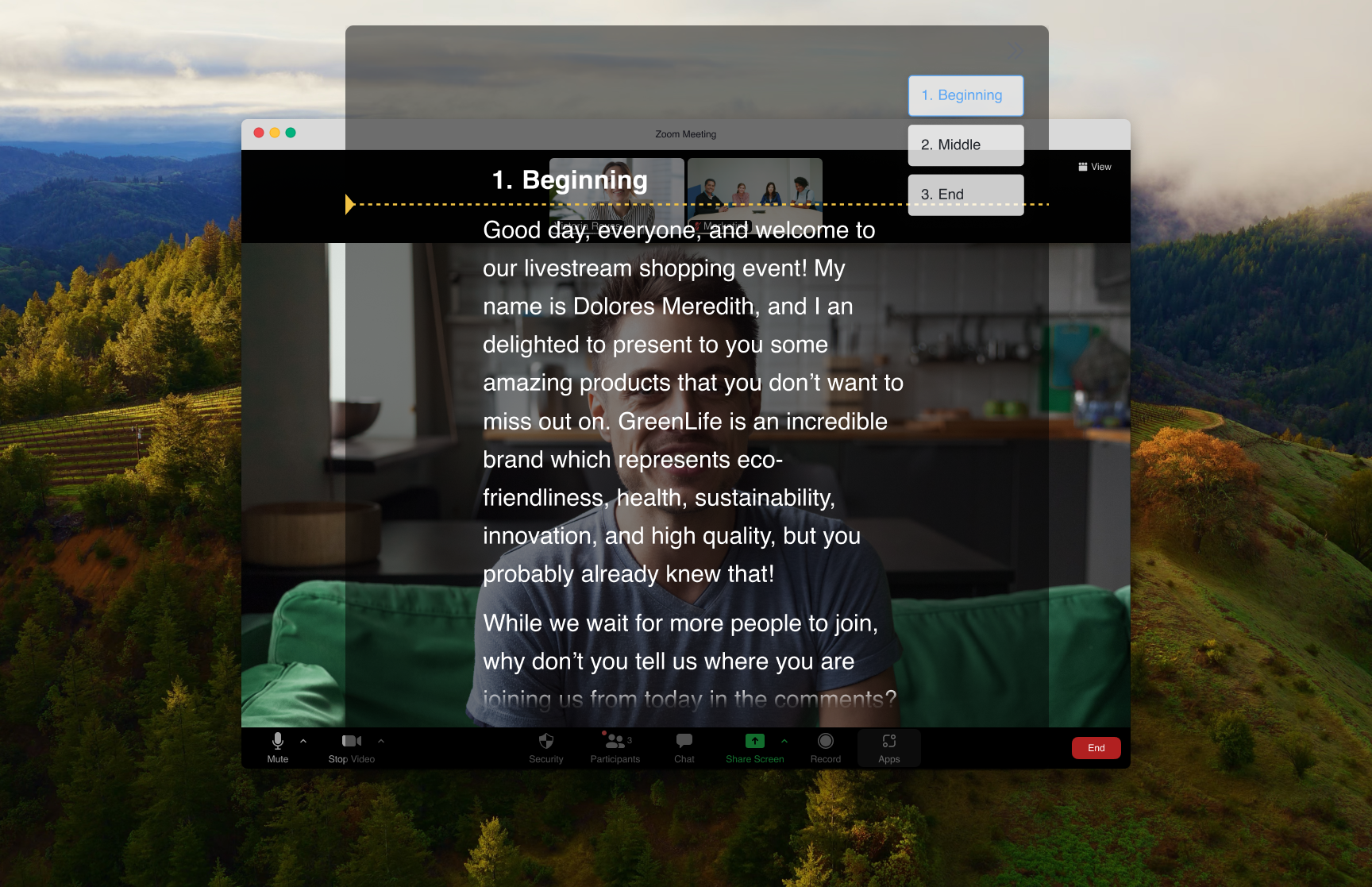
Yes, you can use FlowPrompter as a teleprompter on Zoom without other participants seeing your notes. Keep the prompt close to your camera for natural eye contact, and turn on Window Privacy when you share your screen or record the meeting so the prompt stays visible to you and hidden from the captured output. That makes Zoom calls safer for prepared pitches, webinars, interviews, and executive updates where reading from a document would pull your eyes away from the camera.
How to Set Up
Open FlowPrompter and load your script or talking points
Start your Zoom meeting as usual
Enable FlowPrompter's transparent overlay mode
Position the overlay window on top of your Zoom window, near your camera
Start the script and present — your notes scroll transparently over the call
Pro Tips
- 💡Position the overlay as close to your camera lens as possible for the best eye contact
- 💡Use bullet points instead of full sentences for a more natural delivery
- 💡Set a comfortable scroll speed — you can adjust it during the call with keyboard shortcuts
- 💡Practice once before an important meeting to find your ideal overlay position
Common questions about FlowPrompter + Zoom
- Can people on Zoom see my FlowPrompter notes?
- No. Use the FlowPrompter desktop app with Window Privacy enabled before you share your screen or record. The prompt stays readable on your display, while Zoom participants and recordings see the meeting content without your notes.
- Where should I place the teleprompter during a Zoom call?
- Place the prompt as close to your webcam as possible, usually just below or beside the camera area. That keeps your eye line natural while still leaving enough of the Zoom gallery or slides visible.
- Is FlowPrompter better for Zoom than a second monitor with notes?
- For camera-facing calls, yes. A second monitor often makes your eyes move sideways. FlowPrompter lets you keep the script near the camera, so prepared talking points feel more like direct eye contact.
Best Use Cases for FlowPrompter + Zoom
- →Sales presentations and demos
- →Investor pitches
- →All-hands company meetings
- →Client proposals and reviews
- →Job interviews (yes, really)
Download FlowPrompter for Desktop and keep Zoom prompts invisible
Download Desktop for invisible screen sharing. Use Online when you only need a quick draft.