Introduction
In the digital content creation era, teleprompter online tools have become essential for creators who want to deliver professional, error-free presentations on camera. Whether you're a YouTuber, educator, business professional, or social media influencer, an online teleprompter can transform your content quality by helping you maintain natural eye contact while reading your script.
Unlike traditional hardware teleprompters that require physical equipment and complex setups, teleprompter online solutions offer convenience, flexibility, and accessibility from any device with an internet connection. This guide will walk you through everything you need to know about online teleprompters, with a special focus on FlowPrompter - a powerful web-based teleprompter that's revolutionizing how creators work.
What is a Teleprompter Online?
A teleprompter online is a web-based application that displays scrolling text at an adjustable speed, allowing you to read your script while looking directly at your camera. The best online teleprompters work entirely in your browser, requiring no downloads or installations.
Key Benefits of Online Teleprompters
No Installation Required: Works directly in your web browser
Cross-Platform Compatibility: Access from any device - laptop, tablet, or desktop
Instant Updates: Cloud-based storage means your scripts are always synced
Cost-Effective: Many online teleprompters offer free plans or affordable subscriptions
Easy Sharing: Share scripts with team members instantly
Regular Updates: New features and improvements delivered automatically
Why Choose FlowPrompter for Your Online Teleprompting Needs?
FlowPrompter stands out among online teleprompters for its user-friendly interface, powerful features, and reliability. Here's what makes FlowPrompter an excellent choice for content creators:
1. Intuitive Interface
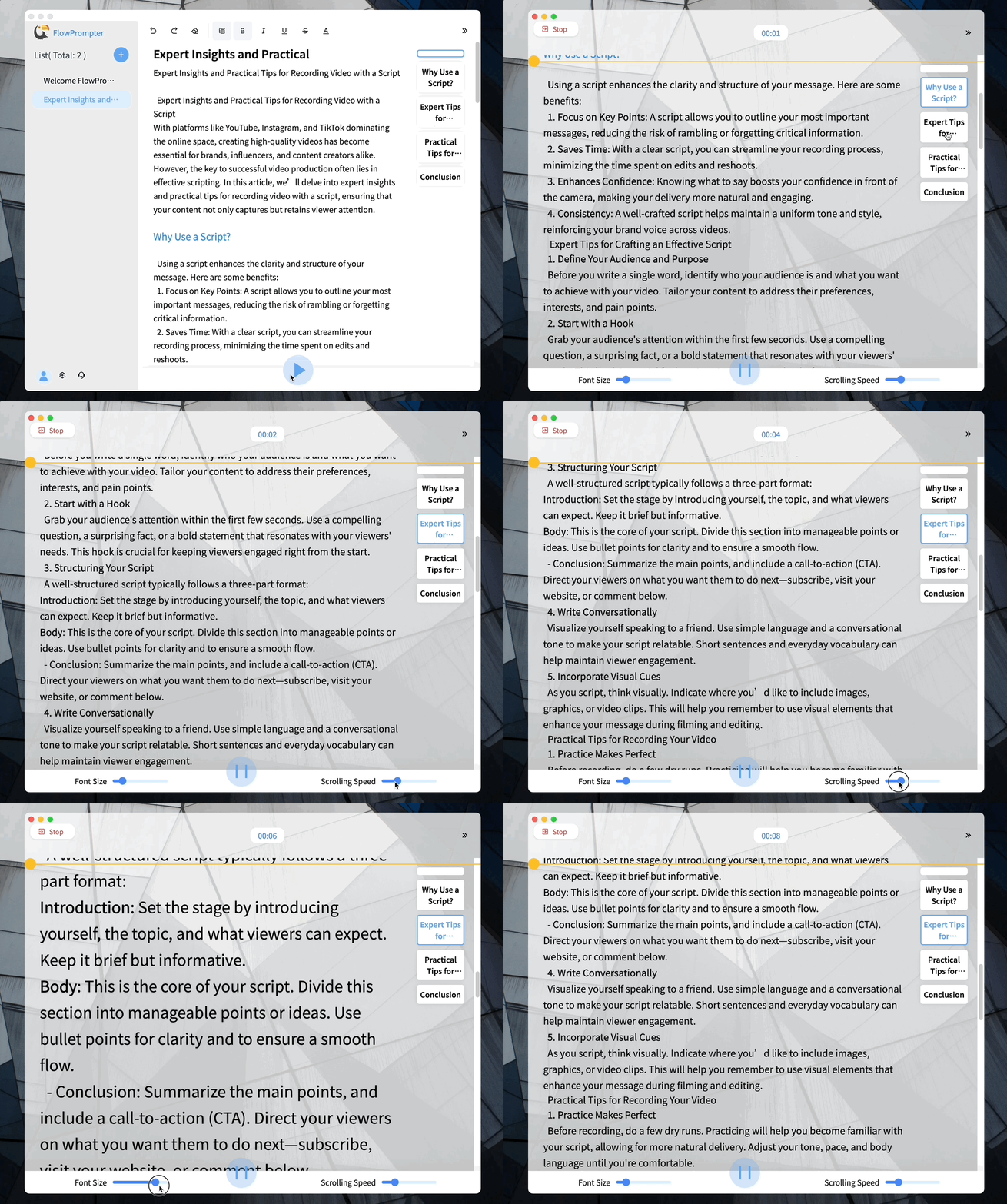
FlowPrompter's clean, distraction-free interface focuses on what matters most - your script. The minimalist design eliminates clutter, allowing you to concentrate on your delivery rather than fiddling with complicated controls.
2. Customizable Scrolling
Every creator has their own pace. FlowPrompter offers smooth, adjustable scrolling that you can fine-tune to match your speaking speed. Whether you deliver content quickly or prefer a measured, deliberate pace, FlowPrompter adapts to your style.
3. Font and Display Options
Readability is crucial for effective teleprompting. FlowPrompter lets you customize font size, color, and background contrast to create the perfect reading environment for your specific lighting conditions and personal preferences.
4. Script Management
Save, organize, and access multiple scripts from a single dashboard. FlowPrompter's script management system makes it easy to switch between different projects without losing your place or settings.
5. Mobile-Friendly
While FlowPrompter is browser-based, it's optimized for mobile devices. Whether you're using a tablet or smartphone, the responsive design ensures a smooth teleprompting experience.
6. Free and Premium Options
FlowPrompter offers both free and premium plans, making it accessible to creators at all levels. The free version provides essential teleprompting functionality, while premium plans unlock advanced features like cloud storage, collaboration tools, and customization options.
How to Use FlowPrompter: Step-by-Step Guide
Step 1: Visit FlowPrompter
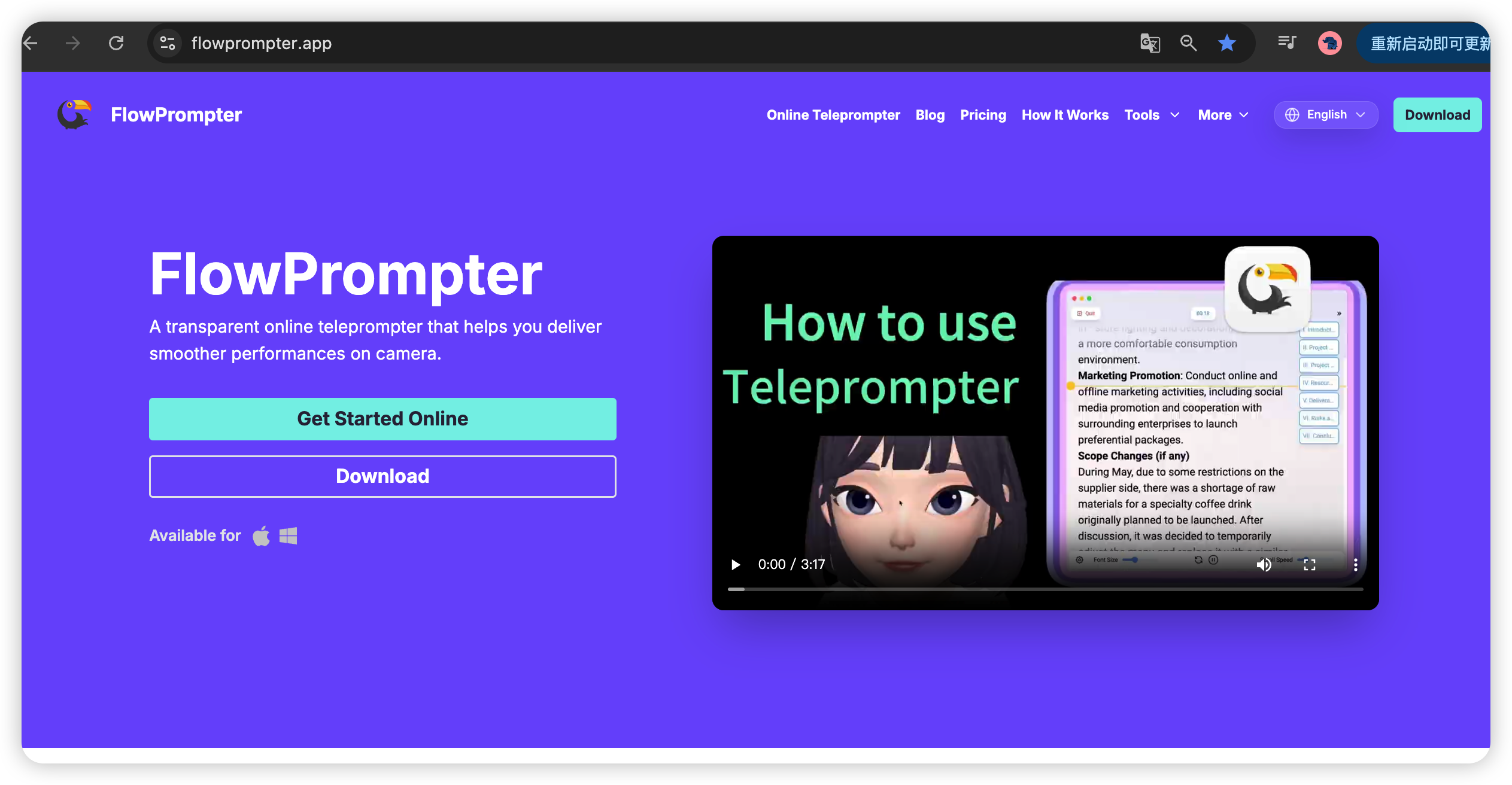
Navigate to https://flowprompter.app/ in your web browser. No downloads or installations required - everything runs directly in the cloud.
Step 2: Create or Paste Your Script
Type your script directly into the editor or paste content from another source. FlowPrompter supports text import from various formats, making it easy to transfer existing scripts.
Step 3: Customize Your Settings
Adjust the scrolling speed, font size, and display colors to match your preferences. Take a moment to test the settings by scrolling through your script before starting your recording.
Step 4: Position Your Device
Place your laptop, tablet, or phone directly in front of your camera lens. For the best results, position the device slightly below eye level, allowing you to look naturally at the camera while reading.
Step 5: Start Recording
Hit play on FlowPrompter and begin your recording. Maintain steady eye contact with the camera lens. The text will scroll automatically at your preset speed.
Teleprompter Online vs. Traditional Hardware
Online Teleprompters (FlowPrompter)
No physical equipment needed
Works on any device with a browser
Instant access from anywhere
Regular software updates included
Lower upfront cost
Easy to share and collaborate
Traditional Hardware Teleprompters
Requires physical equipment purchase
Limited to specific setups
Need for maintenance and storage
Higher upfront investment
More complex setup process
Tips for Better Teleprompting
Write for Speech, Not Reading
Keep your language conversational and natural. Use shorter sentences and avoid complex phrases that are difficult to pronounce smoothly on camera.
Practice Before Recording
Run through your script a few times using FlowPrompter to get comfortable with the scrolling speed and your delivery.
Adjust Your Pacing
Speak at a natural pace. If you find yourself rushing, slow down the scroll speed. If you're waiting for text, speed it up slightly.
Use Pauses Effectively
Teleprompting doesn't mean rushing through your content. Build natural pauses into your script and take breaths between key points.
Position Your Camera Correctly
Ensure your teleprompter device is as close to the camera lens as possible - ideally directly behind or immediately beside it.
Who Benefits from Teleprompter Online Tools?
YouTubers and Content Creators
Deliver polished, professional videos without awkward pauses or forgotten lines. Maintain consistent quality across your content library.
Educators and Teachers
Create engaging online lessons and tutorials while maintaining eye contact with your virtual students.
Business Professionals
Produce professional corporate videos, presentations, and communications with confidence.
Social Media Influencers
Create engaging Instagram, TikTok, and Facebook videos with polished delivery that keeps audiences engaged.
Podcasters
Use teleprompter scripts for podcast intros, sponsor messages, and structured segments to ensure consistent messaging.
Getting Started with FlowPrompter Today
Ready to transform your content creation process? Visit https://flowprompter.app/ to get started with FlowPrompter. The free plan lets you experience core teleprompting features immediately, while premium plans unlock advanced capabilities for serious creators.
Whether you're just starting your content creation journey or looking to upgrade your existing workflow, FlowPrompter's online teleprompter solution offers the perfect blend of simplicity, power, and accessibility.
Conclusion
Teleprompter online tools have democratized professional video production, making it possible for anyone to create polished, engaging content without expensive hardware or specialized training. FlowPrompter exemplifies this new generation of web-based teleprompters, offering creators a powerful yet accessible tool for delivering confident, professional presentations on camera.
The future of content creation is online, and FlowPrompter is leading the way with its innovative approach to teleprompting. Start using FlowPrompter today and experience the difference that a great online teleprompter can make in your content quality.