Introduction
Creating professional video content has never been more accessible. Whether you're a YouTuber, educator, business presenter, or social media creator, a good teleprompter app can dramatically improve your delivery. In this comprehensive review, we'll explore the top 8 teleprompter apps available in 2026, comparing their features, pricing, and performance to help you choose the perfect tool for your needs.
Quick Answer: For most creators, FlowPrompter offers the best balance of features, ease of use, and value for money. Read on to discover why and see how it compares to other leading options.

Comparison Table
Detailed Reviews
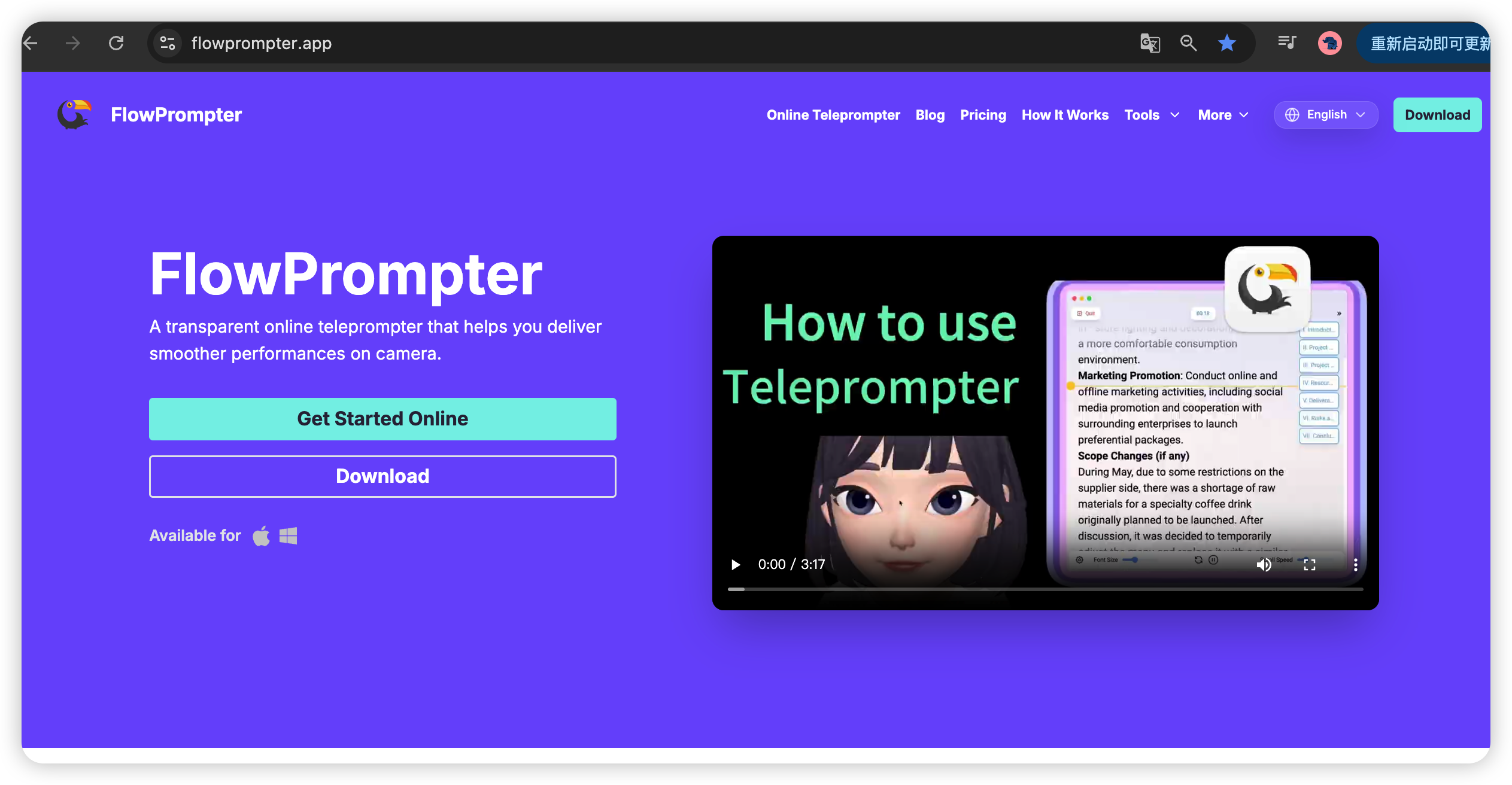
1. FlowPrompter - Best Overall
FlowPrompter stands out as our top choice for 2026, offering an intuitive interface packed with powerful features. Whether you're a beginner or experienced creator, FlowPrompter adapts to your workflow seamlessly.
Key Features:
✅ Real-time speed adjustment with intuitive gestures
✅ Customizable text size, color, and background
✅ Mirror mode for professional teleprompter hardware
✅ Remote control support via smartphone
✅ Cloud sync across all devices
✅ Script organization with folders and tags
✅ Export scripts in multiple formats
Pros:
✓ Extremely user-friendly interface
✓ Excellent free tier with generous limits
✓ Fast, responsive performance
✓ Regular updates with new features
✓ Outstanding customer support
Cons:
✗ Advanced features require premium subscription
✗ Offline mode limited in free version
Best For: Content creators, educators, and anyone seeking a balance of power and simplicity
2. Teleprompter Pro - Best for Professionals
Teleprompter Pro is designed specifically for professional broadcasters and filmmakers who demand precision and reliability.
Key Features:
✅ Frame-accurate timing controls
✅ Professional formatting options
✅ Integration with broadcast equipment
✅ Script templates for news, interviews, and presentations
Pros:
✓ Professional-grade accuracy
✓ One-time purchase (no subscription)
Cons:
✗ Steep learning curve
✗ iOS only
✗ Limited customization compared to FlowPrompter
Best For: Professional broadcasters and serious filmmakers
3. BigVu - Best for Social Media
BigVu excels at helping social media creators create polished content quickly with its built-in camera integration and social sharing features.
Key Features:
✅ Built-in video recording with teleprompter overlay
✅ Automatic caption generation
✅ Social media scheduling and posting
✅ Video editing tools
Pros:
✓ Excellent for social media workflows
✓ Good free version
Cons:
✗ Subscription-based pricing
✗ Limited customization options
Best For: TikTok, Instagram, and YouTube Shorts creators
4. PromptSmart Pro - Best Speech Recognition
PromptSmart Pro uses advanced voice recognition technology to follow your speech automatically, adjusting the scroll speed to match your delivery.
Key Features:
✅ Voice-activated scrolling
✅ Automatic speech recognition
✅ Multi-language support
Pros:
✓ Innovative voice control
✓ Great for natural delivery
Cons:
✗ Expensive subscription
✗ Voice recognition can be inconsistent
Best For: Presenters who want hands-free operation
5. Parrot Teleprompter - Best Hardware Integration
Parrot Teleprompter is designed to work seamlessly with physical teleprompter hardware, making it ideal for studio setups.
Key Features:
✅ Optimized for teleprompter hardware
✅ Bluetooth remote support
✅ Simple, distraction-free interface
Pros:
✓ Perfect for studio setups
✓ Affordable one-time purchase
Cons:
✗ Limited features without hardware
✗ Less intuitive than FlowPrompter
Best For: Studio setups with physical teleprompter hardware
6. CuePrompter - Best Free Option
CuePrompter is a completely free web-based teleprompter that offers basic functionality without any cost.
Key Features:
✅ Free web-based tool
✅ Basic speed and size controls
✅ No installation required
Pros:
✓ Completely free
✓ Works on any device with a browser
Cons:
✗ Very limited features
✗ No cloud storage
✗ No advanced customization
Best For: Occasional users with simple needs
7. EasyPrompter - Best for Beginners
EasyPrompter offers a simple, no-frills approach to teleprompting, perfect for those who just want to get started without complications.
Key Features:
✅ Simple, clean interface
✅ Basic scrolling controls
✅ Easy script management
Pros:
✓ Very easy to use
✓ Affordable pricing
Cons:
✗ Limited advanced features
✗ Web-based only
Best For: Complete beginners
8. Teleprompter Lite - Best Budget Android
Teleprompter Lite is a solid, no-nonsense teleprompter app for Android users who need reliable performance on a budget.
Key Features:
✅ Lightweight and fast
✅ Basic customization options
✅ Works offline
Pros:
✓ Free basic version
✓ Affordable premium upgrade
Cons:
✗ Android only
✗ Limited features
Best For: Android users on a budget
How to Choose the Right Teleprompter App
Consider Your Use Case
Content Creation: If you're creating YouTube videos, social media content, or online courses, FlowPrompter offers the best balance of features and ease of use. Its cloud sync and multi-device support make it perfect for creators who work across different platforms.
Professional Broadcasting: For TV, film, or professional presentations, Teleprompter Pro or Parrot Teleprompter provide the precision and reliability you need.
Social Media: BigVu's integrated recording and posting features make it ideal for TikTok, Instagram, and YouTube Shorts creators.
Occasional Use: If you only need a teleprompter occasionally, CuePrompter's free web-based tool might be all you need.
Key Features to Look For
Speed Control: Adjustable scrolling speed is essential for natural delivery
Customization: Text size, color, and background options improve readability
Device Support: Choose an app that works on your preferred platforms
Remote Control: Remote control support is great for solo creators
Cloud Sync: Access scripts across devices with cloud storage
Offline Mode: Work anywhere without internet connection
Pricing Considerations
Most teleprompter apps offer free versions with limited features. Consider how often you'll use the app and which features are essential to you:
Free: CuePrompter, EasyPrompter (limited), Teleprompter Lite (limited)
Freemium: FlowPrompter, BigVu
Subscription: PromptSmart Pro, BigVu Premium
One-time Purchase: Teleprompter Pro, Parrot Teleprompter
Our Verdict
After extensive testing and comparison, we confidently recommend FlowPrompter as the best teleprompter app for most users in 2026. Here's why:
✅ Unmatched Ease of Use: Intuitive interface that anyone can master in minutes
✅ Powerful Features: Comprehensive toolkit for all your teleprompting needs
✅ Great Value: Generous free tier with affordable premium pricing
✅ Multi-Platform: Works seamlessly across web, iOS, and Android
✅ Regular Updates: Continuous improvements and new features
✅ Excellent Support: Responsive customer service
FlowPrompter strikes the perfect balance between simplicity and power, making it ideal for beginners and professionals alike. Whether you're just starting your content creation journey or you're a seasoned pro, FlowPrompter has everything you need to deliver polished, professional presentations.
FAQ
Q: Do I really need a teleprompter app?
A: If you create video content, give presentations, or speak to audiences regularly, a teleprompter can dramatically improve your delivery and help you appear more confident and professional.
Q: Can I use my phone as a teleprompter?
A: Absolutely! All the apps reviewed in this article work on smartphones. FlowPrompter and BigVu are particularly good mobile options.
Q: Is FlowPrompter better than free options?
A: Yes, FlowPrompter offers significantly more features, better performance, and a more polished experience than free options like CuePrompter. The free version of FlowPrompter itself is more capable than many paid alternatives.
Q: Which app is best for beginners?
A> FlowPrompter is our top pick for beginners due to its intuitive interface and gentle learning curve. EasyPrompter is also a good starting point if you need something extremely simple.
Q: Can I use these apps with physical teleprompter hardware?
A> Most apps, including FlowPrompter, support mirror mode which works with teleprompter glass. Parrot Teleprompter is specifically optimized for hardware integration.
Conclusion
Choosing the right teleprompter app can transform your content creation process. While each app has its strengths, FlowPrompter stands out as the overall best choice for 2026, offering an unbeatable combination of features, usability, and value.
Ready to take your content creation to the next level? Try FlowPrompter today and experience the difference that a professional teleprompter can make.