Creating professional videos requires the right tools. Whether you're recording tutorials, product demos, or presentations, a teleprompter can transform your content from awkward and stuttering to smooth and confident. In this guide, we'll explore how FlowPrompter's powerful features help you create professional-grade videos effortlessly.
What Makes FlowPrompter Different?
Unlike traditional teleprompters that require expensive hardware or complicated setups, FlowPrompter is a modern web-based solution designed for today's content creators. It runs directly in your browser, works across platforms, and delivers features that rival professional studio equipment.
Essential Features for Professional Video Recording
1. Transparent Teleprompter: Record Without Distractions
One of the biggest challenges when using a teleprompter is balancing readability with maintaining eye contact with the camera. FlowPrompter's transparent teleprompter feature solves this problem elegantly by allowing you to adjust the script's transparency level.
With a transparent teleprompter, you can see your script while still maintaining a natural connection with your audience. The semi-transparent overlay lets you read your lines while keeping your eyes focused on the camera lens, creating a more engaging and professional presentation style.
2. Screen Sharing Teleprompter: Perfect for Tutorials and Demos
When creating tutorial videos or software demonstrations, you often need to share your screen while reading a script. This is where FlowPrompter's screen sharing teleprompter becomes invaluable.
The screen sharing feature allows you to display your script overlay while sharing your screen with screen recording software or during live streams. This means you can narrate complex processes, provide step-by-step instructions, and deliver coherent explanations without constantly glancing away from the recording.
3. Windows Teleprompter: Full Platform Support
Content creators use various devices and operating systems. FlowPrompter's Windows teleprompter support ensures that Windows users can enjoy the same seamless experience as users on other platforms.
[Screenshot: FlowPrompter running on Windows desktop interface]
Whether you're using Windows for screen recording, video editing, or live streaming, FlowPrompter works flawlessly. The responsive design adapts to different screen sizes and resolutions, ensuring optimal readability regardless of your Windows setup.
4. Web-Based Teleprompter: No Installation Required
Gone are the days of downloading and installing clunky desktop applications. FlowPrompter is a fully web-based teleprompter that you can access from any device with an internet connection.
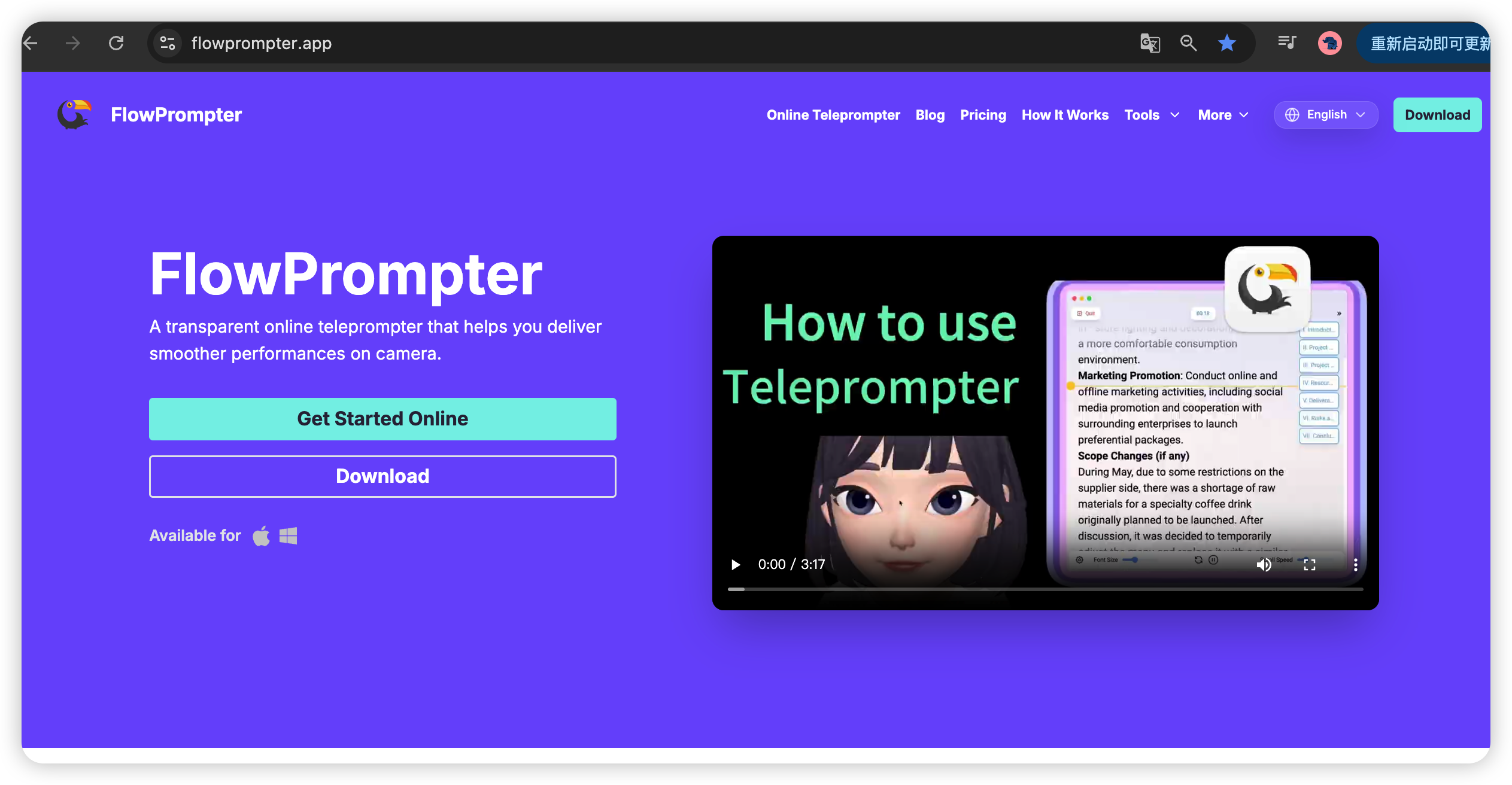
The web-based approach offers several advantages:
Instant access: Start recording in seconds without downloads or installations
Cross-device compatibility: Use it on laptops, tablets, or desktop computers
Automatic updates: Always access the latest features without manual updates
Cloud synchronization: Your scripts and settings are available anywhere
5. Moveable Teleprompter: Position It Your Way
Every video setup is different. Some creators position the camera on the left, others on the right. Some use external monitors, while others rely on laptop screens. FlowPrompter's moveable teleprompter gives you complete control over script placement.
You can drag and position the teleprompter window anywhere on your screen. Whether you want it centered, off to the side, or in a corner, the flexibility allows you to customize your workspace based on your recording setup and personal preferences.
6. Adjustable Speed Teleprompter: Find Your Perfect Pace
Speaking speed varies from person to person and depends on the content type. Technical explanations might require slower delivery, while energetic introductions might benefit from a faster pace. FlowPrompter's adjustable speed teleprompter lets you fine-tune the scrolling speed to match your natural speaking rhythm.
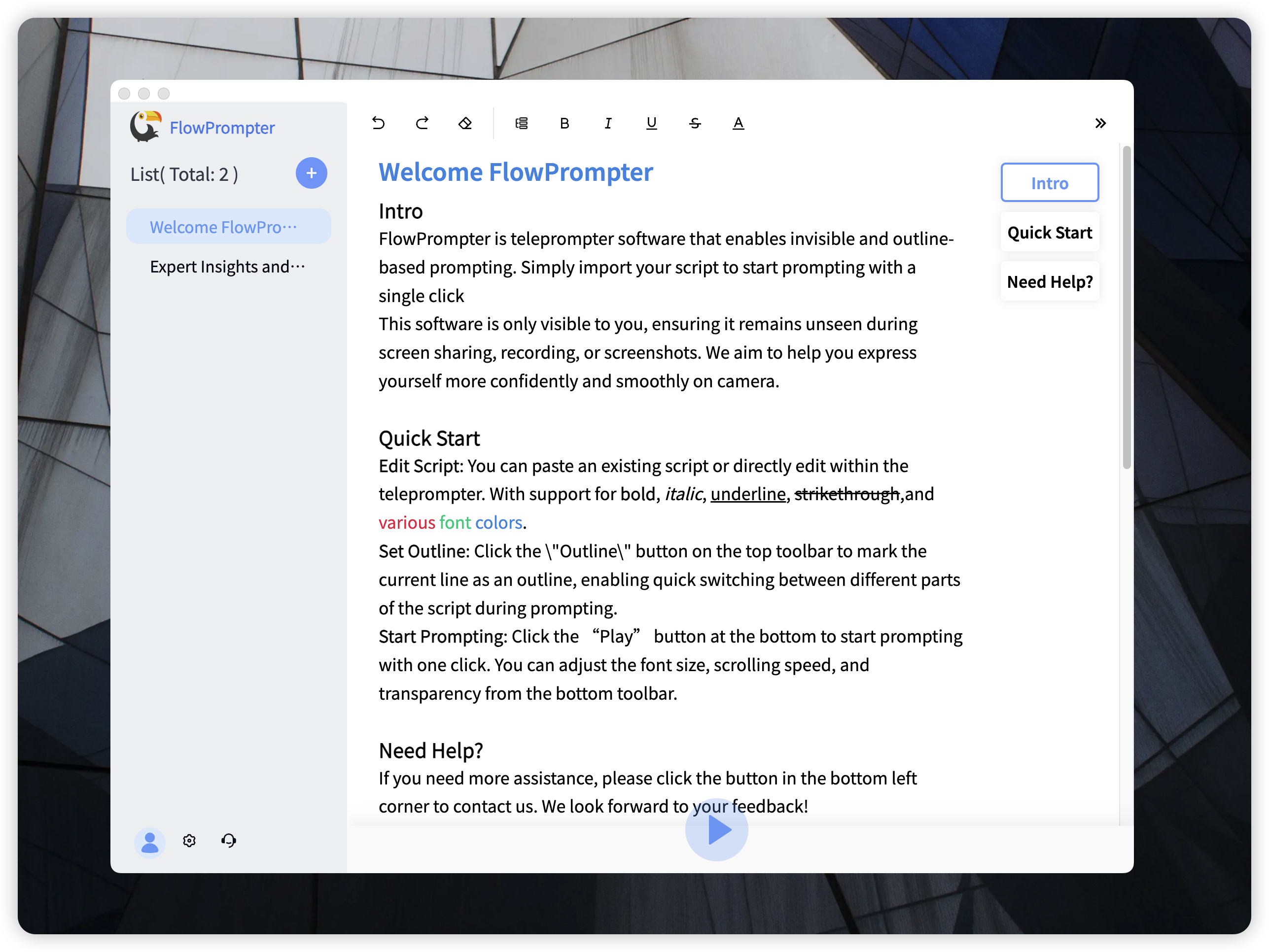
The intuitive speed controls allow you to:
Adjust scrolling speed in real-time: Slow down or speed up during recording without stopping
Pause instantly: Freeze the script at any point to collect your thoughts
Set pre-determined speeds: Save your preferred speed settings for future sessions
Practical Tips for Using FlowPrompter Effectively
Preparation Matters
Before you start recording, take time to familiarize yourself with FlowPrompter's features. Practice adjusting transparency, speed, and positioning until you find what works best for you. A few minutes of practice can significantly improve your recording quality.
Script Formatting
Break your script into short, digestible paragraphs. Use clear punctuation and natural breaks. This makes it easier to read and maintain a conversational tone. Remember, you're not reading a document – you're having a conversation with your audience.
Environment Setup
Ensure good lighting, a stable camera position, and minimal background distractions. A professional environment, combined with FlowPrompter's features, elevates the overall quality of your videos.
Who Benefits from FlowPrompter?
FlowPrompter is designed for a wide range of content creators:
YouTuber and content creators: Create polished, professional-looking videos
Teachers and educators: Deliver clear, concise lesson recordings
Business professionals: Record presentations, product demos, and announcements
Live streamers: Use screen sharing mode for tutorials and Q&A sessions
Podcast hosts: Maintain flow during video podcast episodes
Getting Started with FlowPrompter
Ready to transform your video recording experience? Visit https://flowprompter.app/ to get started. No downloads, no installations – just open your browser and begin creating professional content immediately.
With FlowPrompter's transparent teleprompter, screen sharing capabilities, Windows support, web-based accessibility, moveable interface, and adjustable speed controls, you have everything you need to create professional videos that engage and inspire your audience.
Conclusion
Professional video recording doesn't have to be complicated or expensive. FlowPrompter combines modern technology with user-friendly design to deliver powerful teleprompter features that anyone can master. By leveraging tools like the transparent teleprompter, screen sharing mode, and adjustable speed controls, you can elevate your content quality and connect more effectively with your viewers.
Stop struggling with memorized scripts and awkward pauses. Start using FlowPrompter today and experience the difference professional teleprompter features can make in your video content.