By Sean Liu
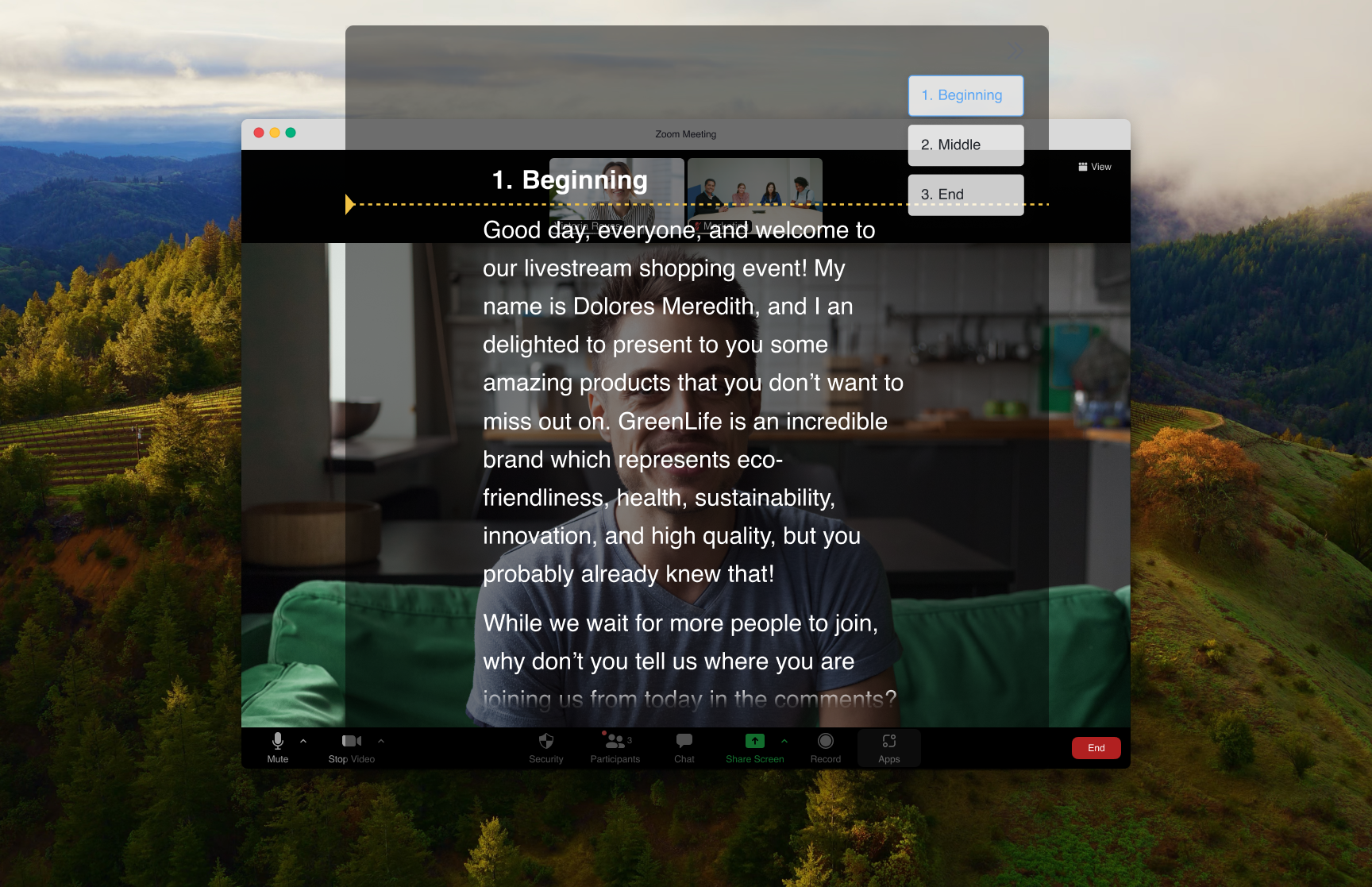
Key answer: For remote work, the best teleprompter is the one that keeps your talking points near the camera without leaking them into the meeting. FlowPrompter is the strongest fit when you share screens or record calls because its desktop prompt can stay invisible to the audience. Browser prompts are fine for solo practice. Mobile prompts are fine when you are recording with a phone.
Start with FlowPrompter Online if you only need a quick script. Use desktop Plus from pricing when you need the invisible window.
| Tool type | Best for | Watch out for |
|---|---|---|
| FlowPrompter desktop | Screen sharing, webinars, demos | Desktop workflow, not phone-only recording |
| Slide speaker notes | Deck-based presentations | Weak once you leave the slide window |
| Second monitor document | Internal meetings | Eye contact often drops |
| Mobile teleprompter app | Phone videos | Less useful for desktop calls |
| Hardware teleprompter | Studio shoots | More setup than most remote work needs |
| Browser teleprompter | Practice and quick scripts | May be visible in screen shares |
| Sticky-note outline | Loose calls | Not enough for exact wording |
1. FlowPrompter
Best for calls, demos, webinars, and recorded walkthroughs.
The big advantage is privacy during screen sharing. You can keep notes near the lens while the shared screen stays clean. The tradeoff is simple: the invisible window is a desktop workflow, not a phone-only setup.
2. Speaker notes in Google Slides or PowerPoint
Best for slide decks.
Speaker notes are free and already in your deck. They fall apart when you leave the slides to demo a product.
3. A second monitor document
Best for internal calls.
This is quick, but your eye line usually gives it away. Put the document close to the webcam if you use this method.
4. Mobile teleprompter apps
Best for phone recordings.
They are handy for short videos. They are less useful for desktop meetings.
5. Hardware teleprompters
Best for studio recordings.
Great image quality, more setup. Too much gear for most remote workers.
6. Browser-only teleprompters
Best for practice.
Fast, cheap, and easy. They usually do not solve screen-share privacy.
7. Sticky notes and outlines
Best for loose calls.
Use this when you only need reminders, not exact wording.