By Sean Liu
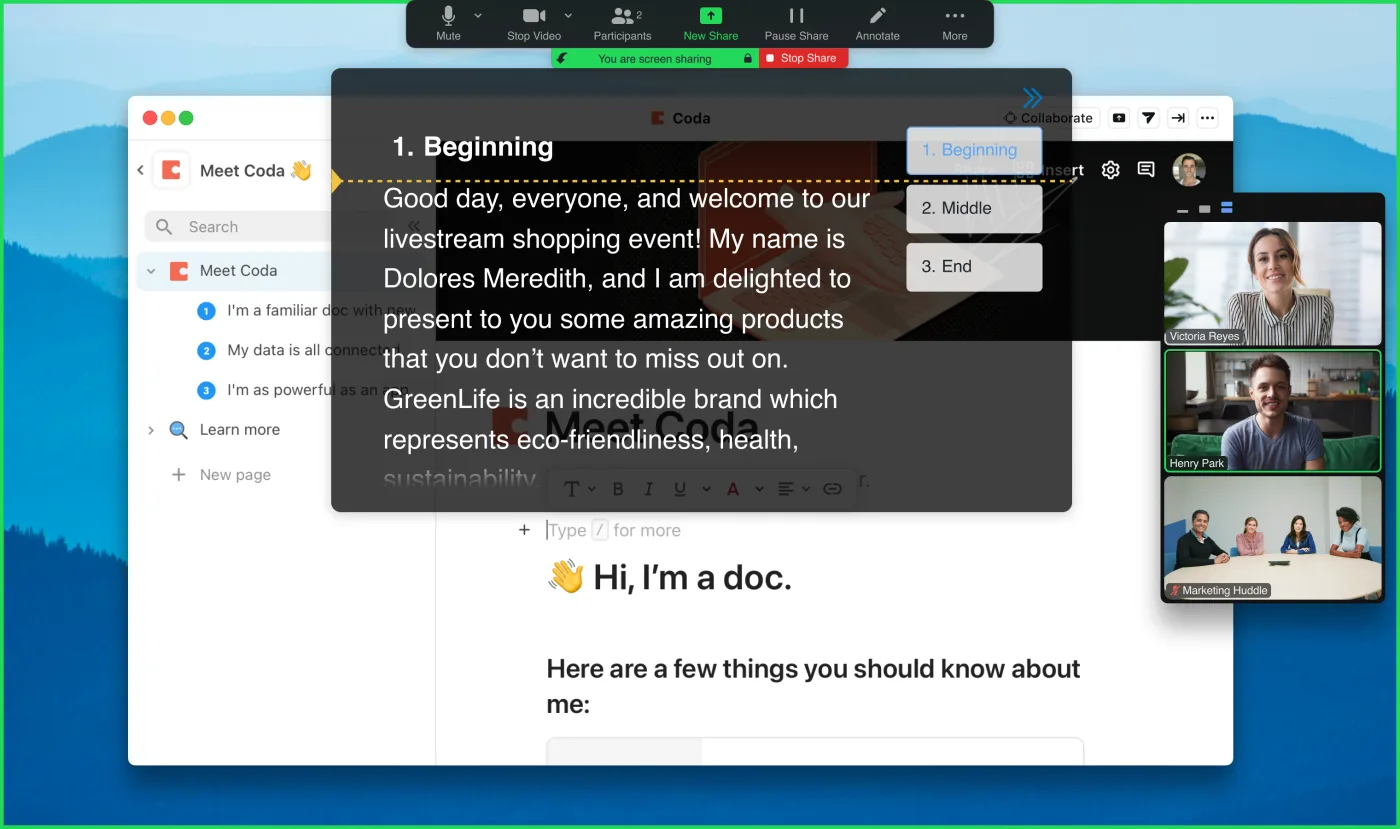
Key answer: You can use a basic teleprompter for free. You should pay when you need features that protect the recording, save time, or support regular work. FlowPrompter has a free online teleprompter, while FlowPrompter Plus is $9.90 per month or $59.90 per year for desktop prompting features such as the invisible window.
You can start free at FlowPrompter Online. Check current plan details on pricing before you buy.
| Price tier | Typical cost | Best for | What you give up |
|---|---|---|---|
| Free browser prompt | $0 | Practice and one-off recordings | Fewer desktop controls |
| FlowPrompter Plus | $9.90/month or $59.90/year | Regular screen shares and recordings | Requires paid desktop workflow |
| Hardware setup | Often much higher | Studio shoots | More gear, setup, and storage |
Free teleprompters
Free tools are enough for short practice, simple scripts, and one-off recordings. Paste your script, set the speed, and read.
The tradeoff is usually control. Free browser tools may not stay on top of other apps or hide from screen sharing.
Paid desktop teleprompters
Paid apps make sense when prompting is part of your work. Look for:
- Floating prompt windows.
- Keyboard shortcuts.
- Voice or speed control.
- Screen-share privacy.
- Script sync across devices.
FlowPrompter Plus sits in this category.
Studio hardware
Hardware costs more because you are paying for glass, mounts, and camera alignment. It is worth it for polished studio shoots. It is overkill for most Zoom calls and screen recordings.
What I would choose
If you record once a month, start free. If you present or record every week, pay for the workflow that removes friction. The cost matters less than the retakes you stop doing.