Best Prompting Tools for Interviews: How to Read Notes Naturally Without Looking Unprepared
Quick answer: The best interview prompting setup helps you remember key points without making you sound scripted or exposing your notes on screen. For remote interviews, recorded responses, and live presentation rounds, FlowPrompter is a practical option because it supports discreet prompting, desktop workflows, transparency control, and privacy-sensitive display options.
If you are preparing for a remote interview, a sales screening, a panel call, or a recorded interview task, one problem shows up fast: you want help remembering your key points, but you do not want to look like you are reading from a script.
A strong interview prompting tool keeps you clear, confident, and structured without making your delivery feel robotic. It should improve eye contact, reduce rambling, and support you when nerves kick in. Most importantly, it should help you avoid exposing your notes while you are on camera or sharing your screen.
FlowPrompter is built for exactly this kind of situation. It helps you read naturally during interviews, online meetings, and recorded responses, while giving you more control over visibility through transparent prompting and privacy-focused desktop features.
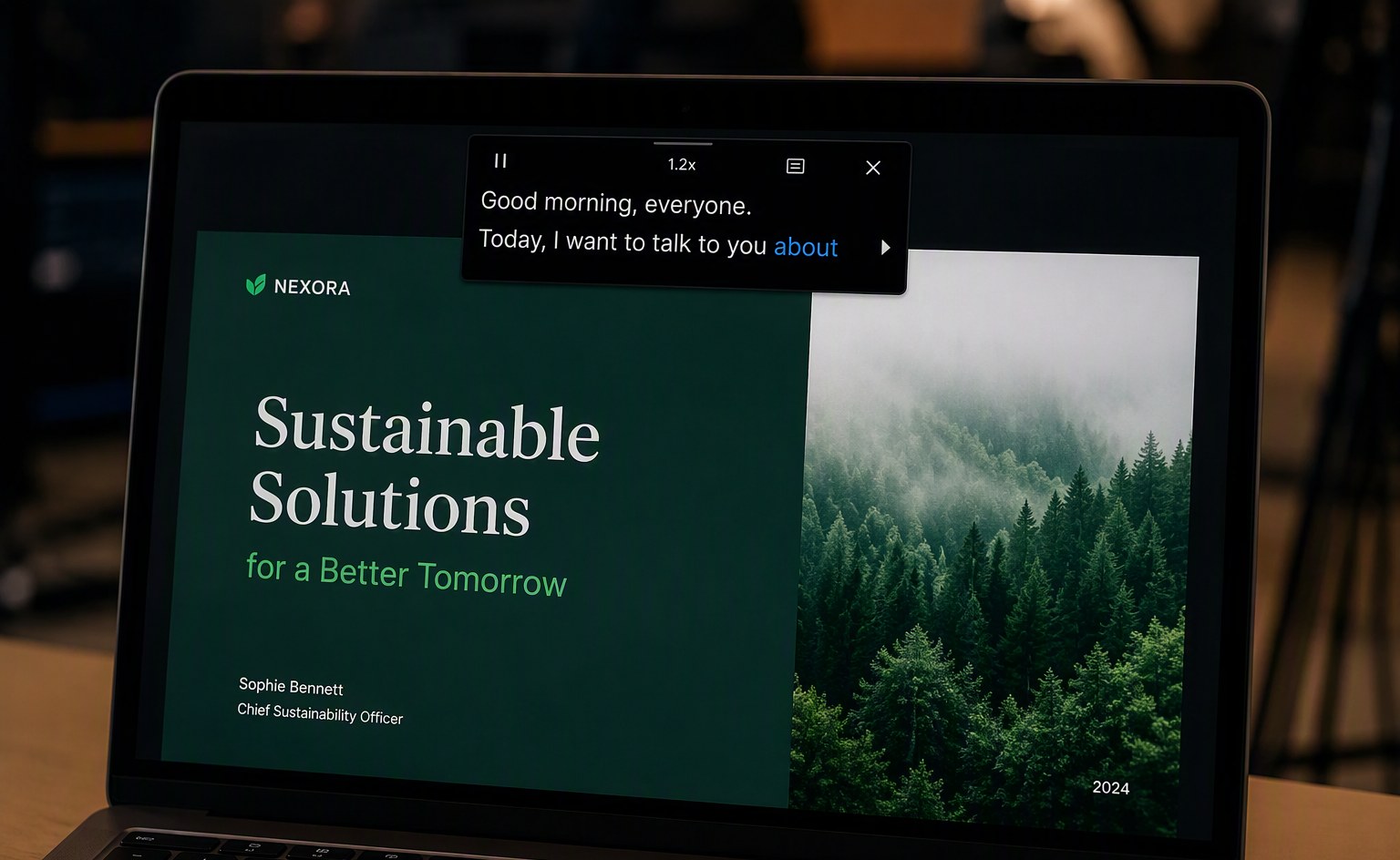
Why People Use a Teleprompter for Interviews
Interviews are high-pressure conversations. Even experienced candidates can forget examples, rush through answers, or lose structure halfway through a response. A discreet prompt window can help by keeping the right ideas in front of you at the right time.
People commonly use prompt support in interviews to:
Remember STAR examples and talking points
Stay concise during behavioral questions
Reduce filler words and nervous rambling
Keep a steady pace in recorded interview answers
Maintain better eye contact with the camera
What interview users need | Why it matters | How FlowPrompter helps |
|---|---|---|
Short prompt bullets | Prevents robotic reading | Works well for concise cues instead of full scripts |
Privacy during screen sharing | Protects notes in portfolio reviews and case rounds | Stealth mode supports a more discreet workflow on desktop |
Easy visual tuning | Helps keep prompts subtle on camera | Transparency can be adjusted in Settings |
Desktop-friendly setup | Most interviews happen on laptops | Supports real desktop interview and meeting workflows |
The goal is not to read every word. The goal is to stay composed and sound like the best version of yourself.
What Makes a Good Prompting Setup for Interviews?
Interview use is different from recording a YouTube video or reading a long speech. The right setup should be lightweight, discreet, and flexible enough to support live conversation.
Here are the features that matter most:
Discreet display: Your notes should be easy for you to read without being obvious on camera.
Transparency control: Lower opacity can make prompts less visually distracting.
Stealth mode or invisible prompting: Essential if you may need to share your screen.
Fast editing: You should be able to update notes quickly before the interview starts.
Desktop support: Many interviews happen on a laptop, not on a phone tripod.
Natural reading workflow: The tool should support short bullets, not force a rigid broadcast-style script.
The Biggest Interview Risk: Looking Like You Are Reading
Many people worry that using on-screen notes will make them look stiff or overprepared. That risk is real if your script is too dense or if the text placement pulls your eyes too far away from the camera.
A good interview teleprompter setup avoids that by keeping the text simple and subtle. Instead of writing full paragraphs, use compact prompts such as:
Situation: product launch delayed by 2 weeks
Task: align design and engineering
Action: reset scope, daily sync, stakeholder updates
Result: shipped on revised date, cut bug count 30%
This kind of structure helps you sound natural because you are speaking from ideas, not reciting a memorized script.
Can Interviewers See Your Script During Screen Sharing?
This is one of the most important questions people ask: if you share your screen during an interview, will the interviewer see your prompt text?
The answer depends on how your teleprompter works and what exactly you are sharing.
With a normal notes window or basic overlay, the text may be visible if it appears inside the screen or app window that you are sharing. That creates obvious risk during case interviews, product demos, portfolio walkthroughs, and technical discussions.
That is why interview-focused prompting needs more than simple scrolling text. You need a setup designed for privacy.
How FlowPrompter Helps You Stay Discreet in Interviews
FlowPrompter includes features that are especially useful for interview scenarios.
1. Privacy mode on desktop
FlowPrompter offers a privacy-focused desktop mode designed to help keep prompt text hidden from the other side. When enabled, it is built for situations where you need to keep your notes visible to yourself without exposing them to the person you are talking to.
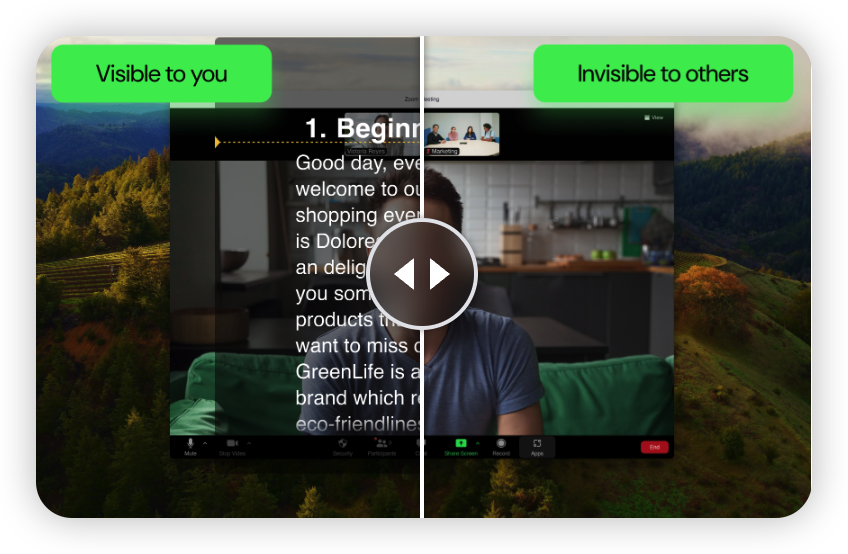
2. Transparency adjustment
You can adjust transparency in Settings at the bottom right. This makes the prompt lighter and less visually aggressive, which helps if you want guidance without feeling like a full script is sitting in front of your face.
3. Desktop-friendly interview workflow
Many interview tools are optimized for content creators on mobile. FlowPrompter is also useful on desktop, which matters because most job interviews, customer interviews, and live screening calls happen on a computer.
4. Better support for live speaking
Instead of treating teleprompting like news-anchor reading, FlowPrompter works well for short cues, structured bullets, and lightly guided answers. That is much closer to how real interviews work.
How to Use a Teleprompter in an Interview Without Looking Obvious
Write bullets, not paragraphs. Keep each answer to a few memory triggers.
Place your prompt near the camera line. The farther your eyes drift, the more obvious it looks.
Lower the transparency. Make the text easy enough to read but not visually dominant.
Use privacy mode if screen sharing may happen. This matters for presentations, case studies, and portfolio reviews.
Practice aloud once or twice. A teleprompter works best when you already know the story.
Pause naturally. Short pauses sound thoughtful; fast script-reading sounds rehearsed.
Best Interview Situations for Using FlowPrompter
FlowPrompter is especially useful in these interview scenarios:
Behavioral interviews that rely on STAR examples
Recorded interview platforms with timed responses
Sales or customer interviews where positioning matters
Founder or executive interviews that require a sharp company story
Portfolio walkthroughs where you may need to share your screen without exposing private notes
Common Mistakes to Avoid
Writing too much, which makes eye movement look unnatural
Depending on exact wording instead of clear ideas
Ignoring screen-sharing risk before a live interview
Using the same notes for every question instead of tailoring themes
Skipping a dry run that could catch visibility issues early
Why This Topic Matters More in 2026
More interviews now happen remotely, asynchronously, or through video-first hiring workflows. Candidates are expected to sound polished on camera while still feeling authentic. That makes discreet prompting more relevant than ever.
Interview-heavy work has also expanded beyond hiring. Sales teams, user researchers, customer success managers, educators, and founders now run more structured video conversations where clarity matters but fully scripted delivery feels unnatural. That makes interview prompting a broader communication workflow, not just a job-seeker tactic.
The best interview prompting setup is not the one with the most broadcast features. It is the one that helps you stay natural, remember what matters, and avoid distracting the interviewer.
For that reason, tools like FlowPrompter are increasingly useful not just for creators, but also for job seekers, consultants, sales professionals, and anyone who needs to communicate clearly under pressure.
FAQ
Is it okay to use a teleprompter in an interview?
Using light notes to stay organized is common. The key is to use a teleprompter as support, not as a substitute for thinking. Short prompts work better than fully scripted answers.
Can a teleprompter help me sound more natural?
Yes, if you use it correctly. A teleprompter can reduce panic, filler words, and forgotten points, which often makes your delivery sound calmer and more confident.
Will screen sharing expose my notes?
It can, depending on the tool and your sharing setup. That is why privacy-focused display features matter for interview use.
Can I adjust the visibility of the text in FlowPrompter?
Yes. You can adjust transparency in Settings at the bottom right, which helps make the prompt more discreet while you are speaking.
Conclusion
If you want to stay sharp in interviews without sounding memorized, a discreet prompting tool can help a lot. The key is choosing one that supports live conversation, not just scripted performance.
FlowPrompter is a strong fit for interview use because it supports discreet prompting, desktop workflows, transparency adjustment, and privacy-friendly display controls for screen-sharing moments.
If you want a more discreet way to stay natural without looking unprepared, FlowPrompter is a practical place to start.
For more guidance on natural on-camera delivery and private prompting workflows, you can also review remote presentation tips from major meeting platforms and creator resources such as Zoom support, Google Meet help, and Indeed’s STAR interview method guide.
Try FlowPrompter: https://flowprompter.app/