If you record videos, teach online, host webinars, create YouTube content, pitch on camera, or run livestreams, a good teleprompter app can save hours of retakes. The hard part is choosing the right one. Some tools are built for mobile talking-head videos, some are better for teams, some focus on browser recording, and a few are designed for creators who want the teleprompter to stay invisible while they record.
This guide compares the best teleprompter apps in 2026 from a practical creator workflow perspective: script preparation, eye contact, recording comfort, platform support, pricing, learning curve, and whether the app actually helps you sound natural instead of robotic.
Quick recommendation: If you want a modern teleprompter that works across devices and helps you keep natural eye contact while recording, FlowPrompter is the best overall pick. If you need an all-in-one video studio, BIGVU or VEED may fit better. If you only need a simple mobile prompter, Parrot or PromptSmart may be enough.
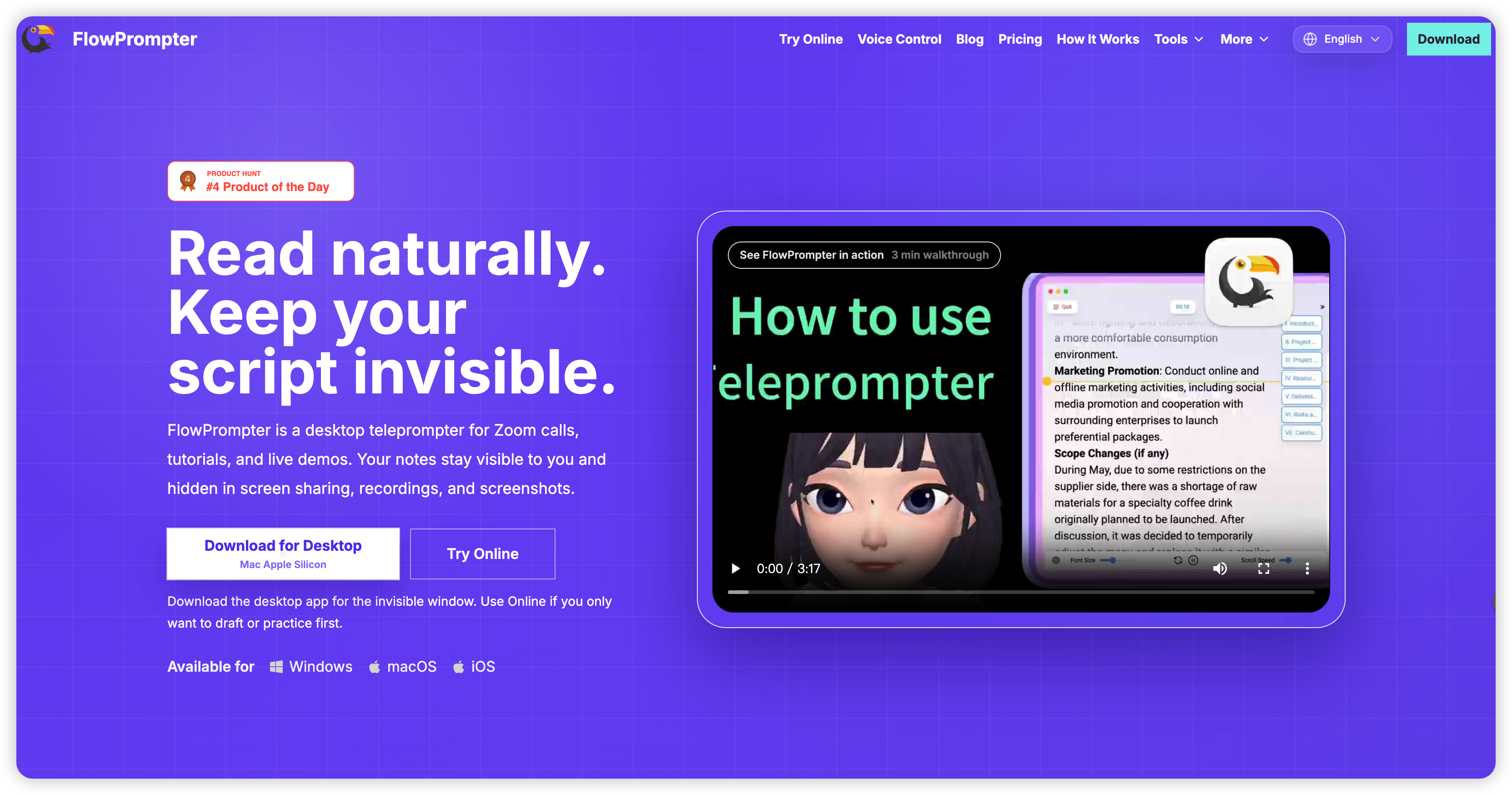
FlowPrompter is built for creators who want a cleaner, more natural recording workflow.
How We Chose the Best Teleprompter Apps
Instead of ranking apps only by feature count, we looked at the jobs creators actually need to do:
Natural delivery: Does the app help you sound conversational rather than scripted?
Eye contact: Can you keep your eyes near the camera while reading?
Recording workflow: Is it useful for YouTube, short-form video, webinars, courses, or livestreaming?
Cross-platform support: Can you use it on desktop, mobile, and browser?
Control options: Does it support auto-scroll, voice-follow, remote control, or transparent overlay?
Script management: Can you organize, edit, reuse, and sync scripts easily?
Value: Does the pricing match the creator’s real needs?
Best Teleprompter Apps in 2026: At a Glance
App | Best For | Main Strength | Platform Fit |
|---|---|---|---|
FlowPrompter | Creators who want natural delivery | Transparent teleprompter + AI-assisted flow | Desktop, mobile, web |
PromptSmart | Voice-follow prompting | Speech-aware scrolling | Mobile-first |
BIGVU | Social video teams | Teleprompter + editing + captions | Mobile and web |
Speakflow | Teams and remote presenters | Browser-based professional prompting | Web |
VEED Teleprompter | Quick browser recordings | Fast recording and editing workflow | Web |
Riverside Teleprompter | Podcasts and interviews | Recording studio integration | Web |
Descript Teleprompter | Script-to-video workflows | Editing ecosystem | Desktop/web ecosystem |
Parrot Teleprompter | Simple mobile prompting | Low-cost simplicity | Mobile |
1. FlowPrompter — Best Overall Teleprompter App for 2026
Best for: YouTubers, educators, online coaches, founders, course creators, sales demos, livestream hosts, and anyone who records scripted videos but still wants to sound natural.
FlowPrompter is the strongest overall choice because it solves the core problem most creators have with teleprompters: traditional scrolling feels mechanical. When the text moves too fast, you panic. When it moves too slowly, your delivery becomes flat. FlowPrompter is designed around a more fluid, modern recording experience, with transparent prompting and AI-assisted pacing that helps you stay focused on speaking instead of managing the scroll.

FlowPrompter focuses on natural delivery, eye contact, and a clean creator workflow.
Why FlowPrompter Stands Out
The most important advantage is that FlowPrompter works well for real recording situations. You can keep your script close to the camera area, use a transparent overlay, adjust the reading experience, and avoid the awkward “I am clearly reading” look that ruins many scripted videos.
Transparent teleprompter experience: Useful for recording tutorials, demos, livestreams, and camera-facing videos without a bulky setup.
AI-assisted pacing: Helps reduce the constant manual speed adjustment that makes many teleprompter apps frustrating.
Cross-device workflow: Good for creators who prepare scripts on desktop but record on mobile or web.
Script-friendly interface: Built for writing, editing, organizing, and reusing scripts.
Great for authentic video: The goal is not just to display words; it is to help you speak with confidence and eye contact.
FlowPrompter is especially useful for people who publish frequently. If you record two or three videos per week, a smoother teleprompter workflow quickly compounds: fewer retakes, less editing, better delivery, and more consistent output.
Potential drawback: If you only need a basic scrolling text app once a month, FlowPrompter may offer more workflow than you need. But for serious creators, that extra polish is the point.
Verdict: FlowPrompter is the best overall teleprompter app in 2026 because it balances power, ease of use, and natural on-camera delivery better than most alternatives.
Try it: https://flowprompter.app/
2. PromptSmart — Best for Voice-Follow Teleprompting
Best for: Speakers who want the text to follow their voice rather than scroll at a fixed speed.
PromptSmart is well known for voice-aware teleprompting. Instead of forcing you to match a preset scroll speed, the app attempts to follow your spoken words. This can feel very natural when it works well, especially for presentations, training videos, and longer scripted recordings.
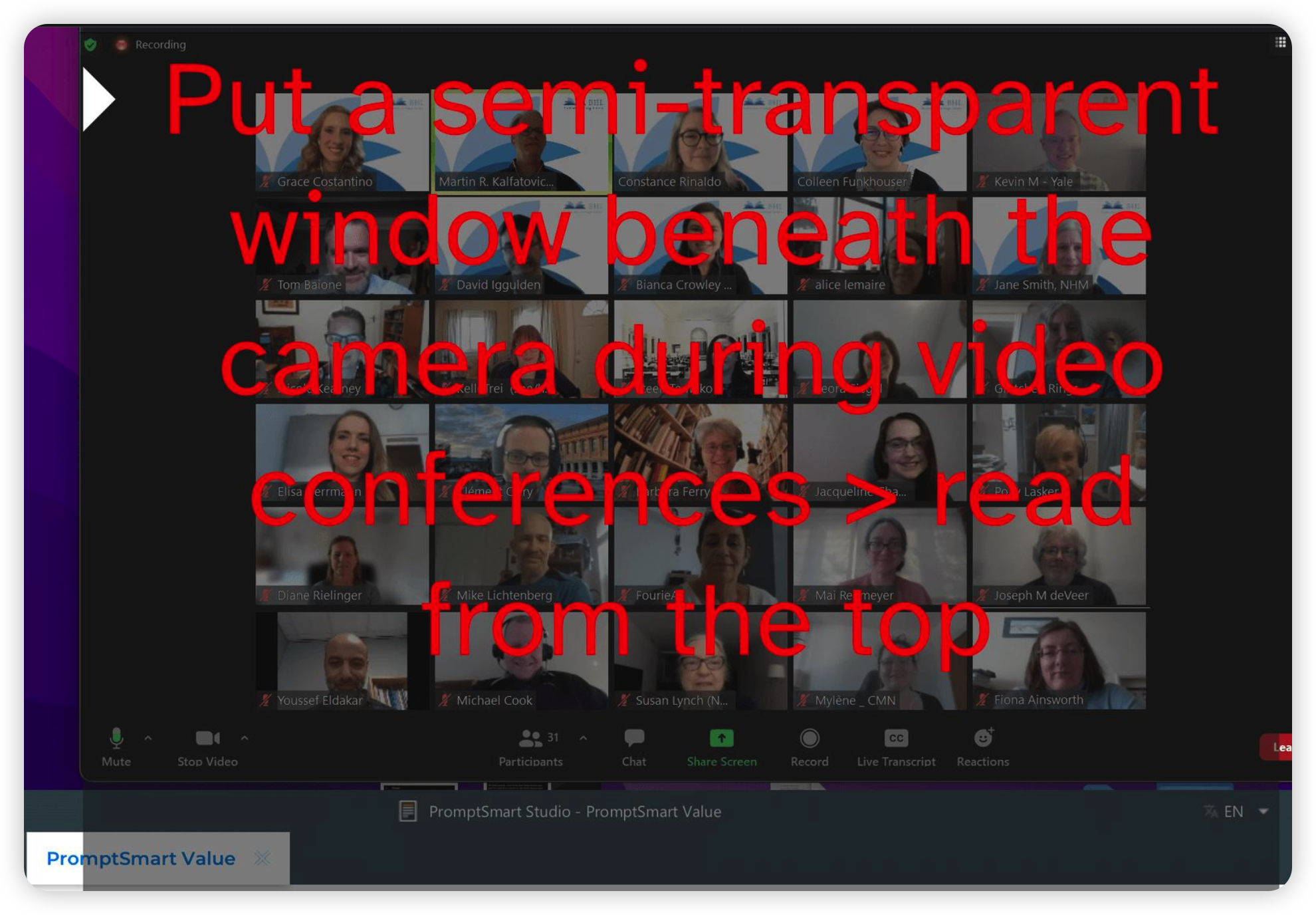
PromptSmart is a strong option for presenters who prefer voice-follow prompting.
Strengths
Voice-follow reading experience
Good for longer scripts and presentation-style delivery
Useful when you want hands-free prompting
More natural than fixed-speed scrolling for many speakers
Limitations
Voice-follow systems depend on microphone conditions, accents, background noise, and how closely you follow the script. If you improvise heavily, you may still need manual control. It is also less ideal if your main workflow is desktop screen recording with a transparent overlay.
Verdict: PromptSmart is a strong choice if voice-controlled prompting is your top priority.
3. BIGVU — Best All-in-One Teleprompter and Video Studio
Best for: Social media teams, business owners, coaches, and creators who want teleprompting, captions, editing, branding, and publishing in one workflow.
BIGVU is more than a teleprompter. It is a video creation suite built around scripted videos. If your workflow includes recording short business videos, adding captions, trimming clips, applying branding, and publishing to social channels, BIGVU can be convenient because many steps happen in one place.

BIGVU works well for creators who want teleprompting plus video editing and captions.
Strengths
Teleprompter plus editing workflow
Captioning and social video features
Useful for marketing and business video teams
Good for repeatable social video production
Limitations
If you already use a dedicated editor such as Premiere, Final Cut, CapCut, or Descript, BIGVU’s all-in-one approach may feel heavier than necessary. It is strongest when you want one platform to handle the entire video workflow.
Verdict: BIGVU is best for creators who want a guided business-video workflow rather than a pure teleprompter.
4. Speakflow — Best Browser-Based Teleprompter for Teams
Best for: Remote teams, webinars, sales demos, online courses, and presenters who prefer a browser-based setup.
Speakflow is a web-based teleprompter platform designed for professional presenters. It is useful if your team writes scripts collaboratively, records remotely, or needs a browser workflow that does not require installing desktop software.
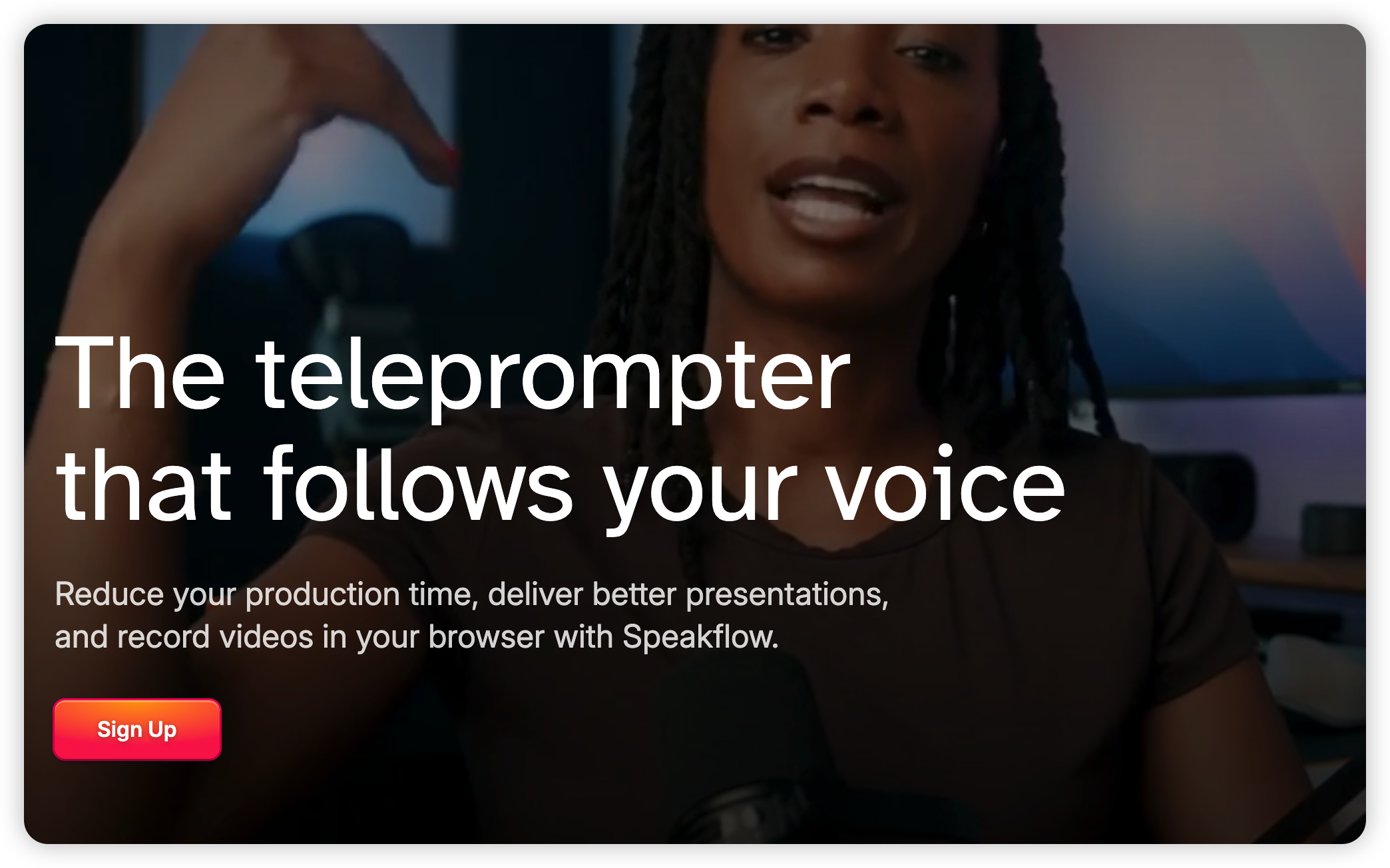
Speakflow is a practical browser-based option for teams and presenters.
Strengths
Runs in the browser
Good for team workflows and remote presentation
Useful for webinars, training, and sales scripts
Professional prompting controls
Limitations
Browser-based tools are convenient, but they can be limited by browser permissions, internet reliability, and the recording setup you pair them with. If you need deep OS-level overlay behavior, a dedicated app may be better.
Verdict: Speakflow is a strong choice for teams and presenters who want a professional web teleprompter.
5. VEED Teleprompter — Best for Quick Browser Recordings
Best for: Quick videos, online creators, marketers, and anyone who wants to record and edit in the browser.
VEED is known primarily as an online video editing platform, and its teleprompter is useful for creators who want a fast browser-based recording workflow. You can script, record, and continue editing without moving files between multiple apps.
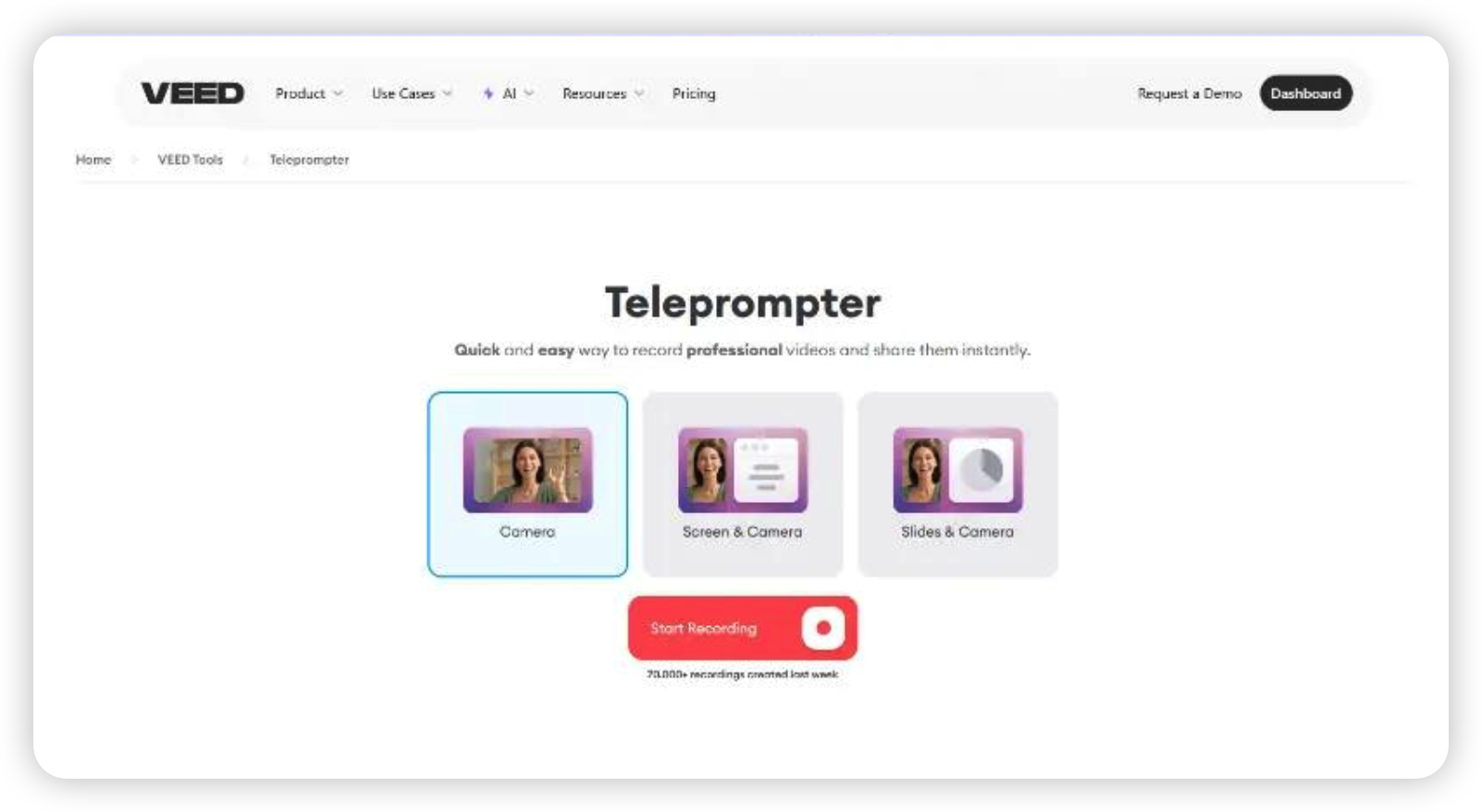
VEED is convenient when you want teleprompting and browser editing in one workflow.
Strengths
No installation required
Good for quick talking-head videos
Integrated with online editing tools
Helpful for marketing and social media content
Limitations
VEED is not primarily a dedicated teleprompter app. If teleprompting is your daily workflow, a focused tool like FlowPrompter may feel faster and more natural.
Verdict: VEED is best when your teleprompter is part of a broader browser editing workflow.
6. Riverside Teleprompter — Best for Podcasts and Remote Interviews
Best for: Podcasters, interview hosts, webinars, remote recordings, and scripted intros or sponsor reads.
Riverside is a remote recording platform, and its teleprompter feature fits naturally into podcast and interview workflows. If you already record interviews or webinars in Riverside, having scripts and notes available during the recording is extremely helpful.
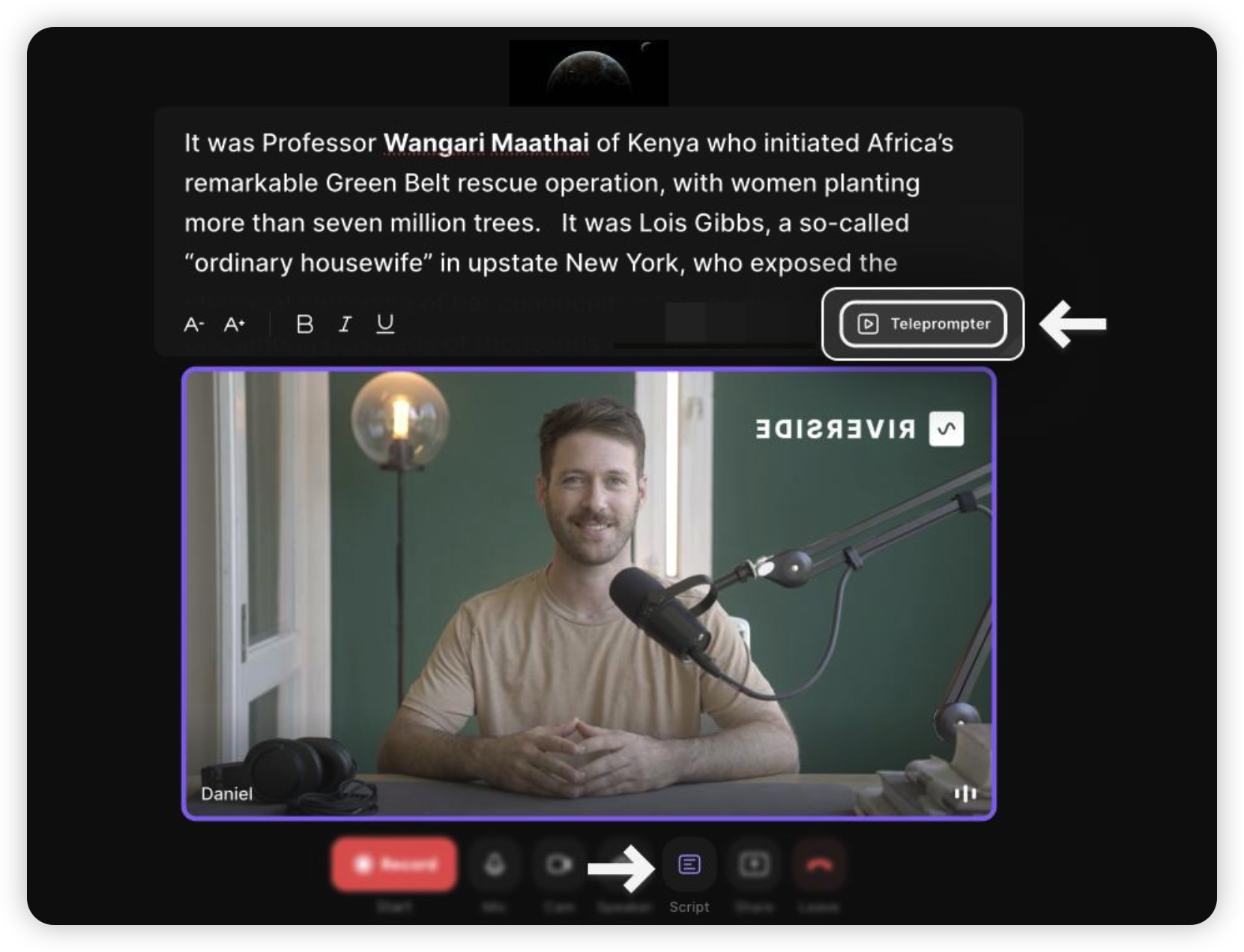
Riverside is strongest when teleprompting is part of a podcast or remote recording setup.
Strengths
Useful inside a remote recording workflow
Good for intros, outros, sponsor reads, and structured interviews
Helpful for teams already using Riverside
Reduces context switching during recordings
Limitations
If you are not already using Riverside for recording, it may be more platform than you need. It is best as part of the Riverside ecosystem, not as a standalone teleprompter replacement.
Verdict: Riverside is excellent for podcast and interview workflows, especially for scripted segments.
7. Descript Teleprompter — Best for Script-to-Edit Workflows
Best for: Creators who write scripts, record video, and edit using a text-based workflow.
Descript is best known for text-based audio and video editing. Its teleprompter-style workflow is appealing for creators who think in scripts and want the recording and editing process to stay connected. It is particularly useful for tutorials, educational videos, and polished explainers.
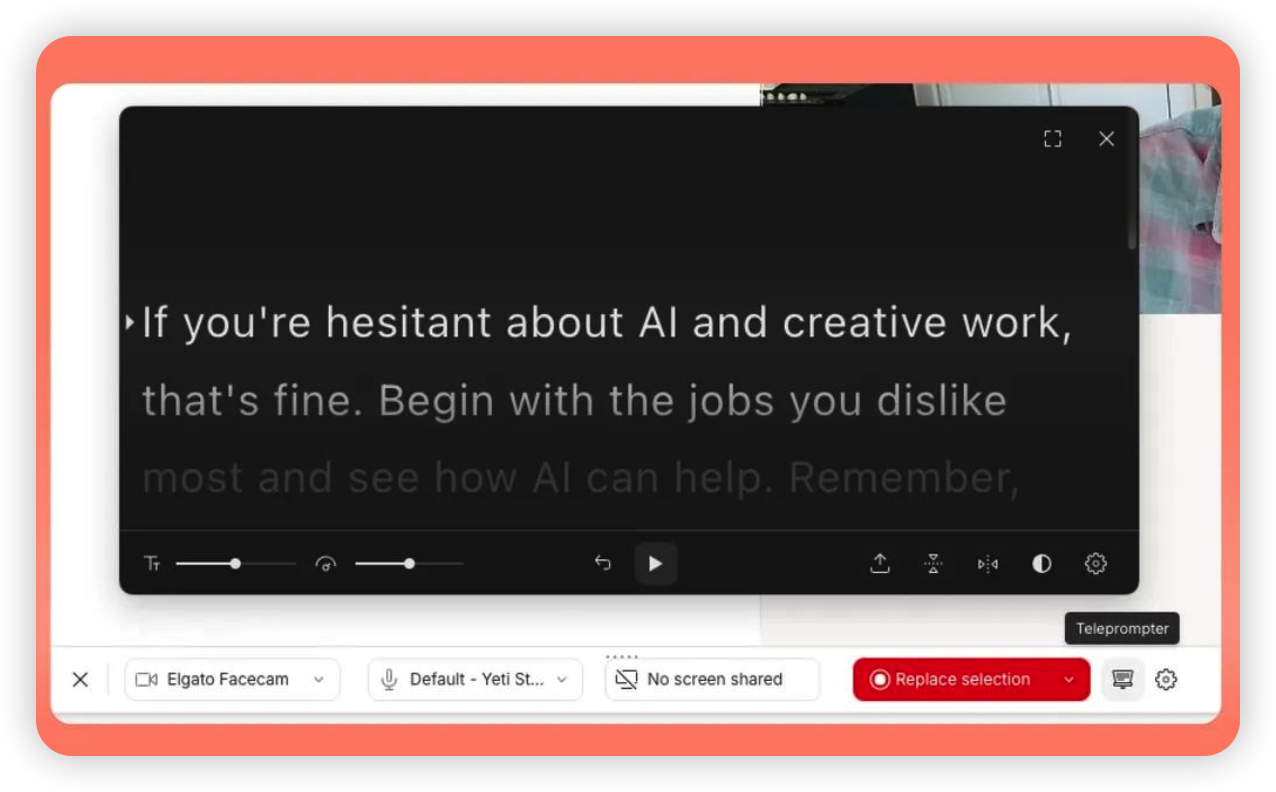
Descript is useful if your teleprompter workflow connects directly to text-based editing.
Strengths
Strong writing-to-editing workflow
Great for polished educational and marketing videos
Useful if your team already edits in Descript
Good for creators who want script, transcript, and edit to stay connected
Limitations
Descript is a full editing platform, so it may be overkill if you only need simple prompting. It is best when you also plan to use its editing features.
Verdict: Descript is best for creators who want a script-centered production workflow from recording to editing.
8. Teleprompter.com — Best for Traditional Teleprompter Workflows
Best for: Users who want a straightforward professional teleprompter experience across devices.
Teleprompter.com offers a more traditional teleprompter experience with modern platform support. It is a solid option if you want a recognizable prompter workflow, script controls, and a cleaner setup than many older teleprompter apps.
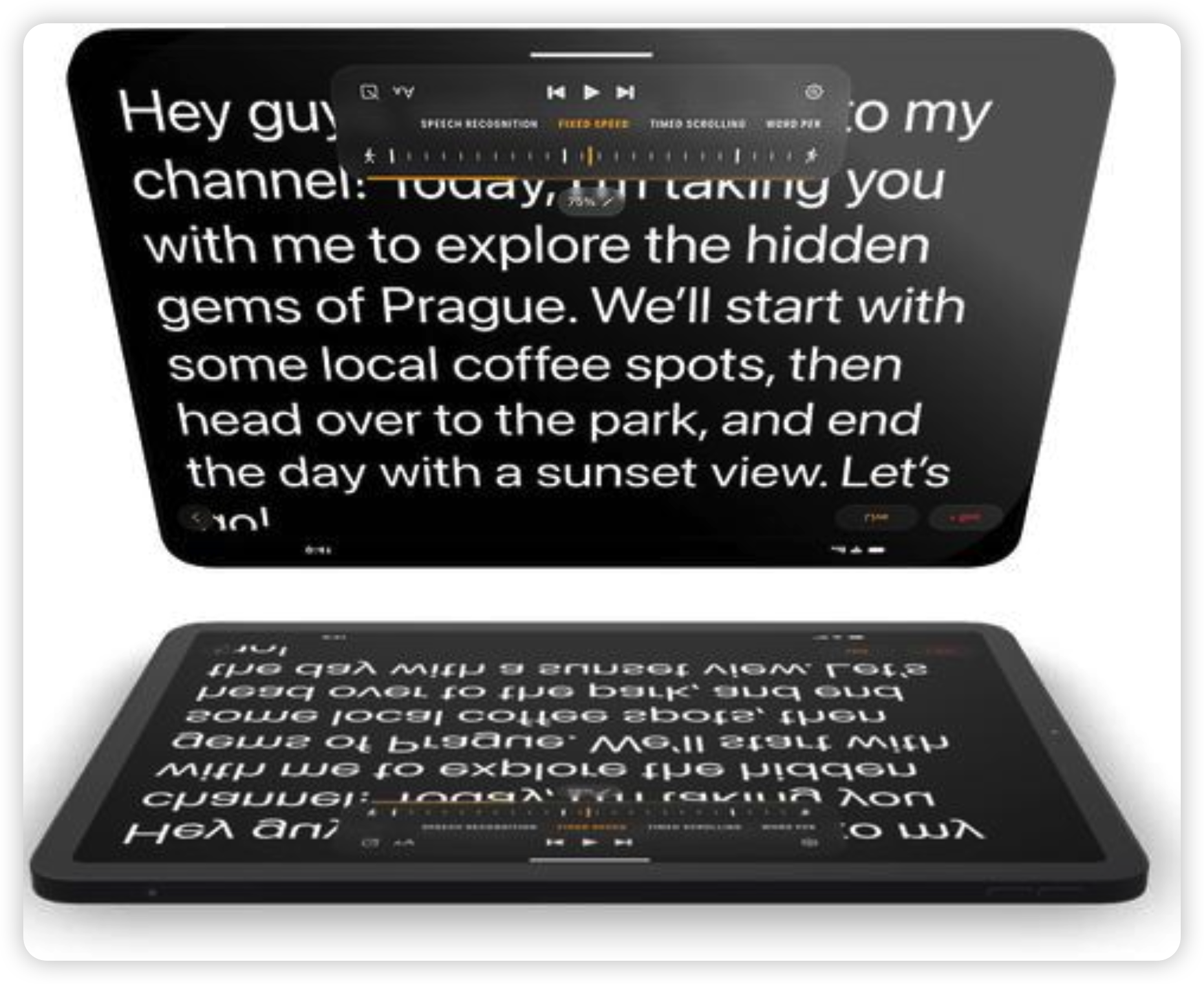
Teleprompter.com is a straightforward option for traditional prompting workflows.
Strengths
Clean teleprompter-focused workflow
Good for creators who want familiar controls
Suitable for presentations, video scripts, and simple productions
Less complicated than all-in-one video suites
Limitations
It may not offer the same modern transparent recording workflow or AI-assisted pacing that makes FlowPrompter stand out for creators recording frequently.
Verdict: A reliable choice for users who want a conventional teleprompter app without a heavy video editing platform.
9. Parrot Teleprompter — Best Budget Mobile Option
Best for: Beginners, mobile creators, and anyone who wants a simple, affordable teleprompter.
Parrot Teleprompter is a simple and affordable option, especially for creators who use mobile devices or physical teleprompter hardware. It does not try to be a complete video production platform. That simplicity is exactly why some creators like it.
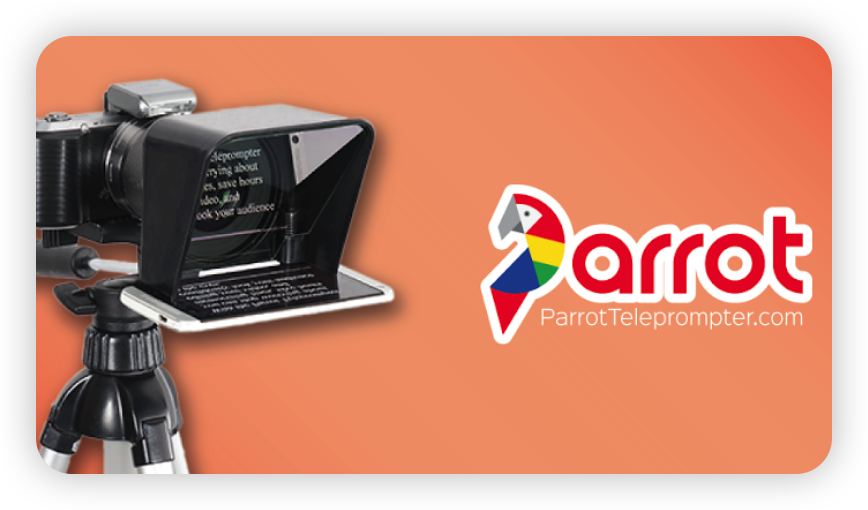
Parrot is useful for beginners and simple mobile teleprompter setups.
Strengths
Simple and beginner-friendly
Good for mobile prompting
Works well for basic scripts
Lower learning curve than complex creator suites
Limitations
Parrot is not the best choice if you want advanced AI pacing, cross-device script workflows, transparent overlays, or integrated editing. It is best for straightforward prompting.
Verdict: A good budget-friendly option for basic mobile teleprompting.
Which Teleprompter App Should You Choose?
Choose FlowPrompter if...
You record scripted videos often.
You care about natural eye contact and authentic delivery.
You want a modern teleprompter workflow across devices.
You dislike constantly adjusting scroll speed manually.
You create YouTube videos, tutorials, sales demos, online courses, or livestreams.
Choose BIGVU or VEED if...
You want teleprompting plus editing, captions, and social media output.
You prefer an all-in-one web or mobile content studio.
You publish many short marketing videos and want templates or branding tools.
Choose PromptSmart if...
Your top priority is voice-follow scrolling.
You record long scripts and want hands-free control.
You mostly work on mobile devices.
Choose Riverside or Descript if...
Your teleprompter needs are part of a larger podcast, interview, or editing workflow.
You already use those platforms for production.
You need script support, but not necessarily a dedicated teleprompter-first app.
What Makes a Teleprompter App Good in 2026?
The best teleprompter apps in 2026 are not just digital cue cards. They support the entire content creation workflow: writing, organizing, practicing, recording, and publishing. The most important feature is not simply “scrolling text.” It is helping you deliver your message clearly while staying connected with your audience.
For that reason, the best app depends on your content style:
For face-to-camera creators: prioritize eye contact and transparent prompting.
For educators: prioritize script organization and reliable pacing.
For social media teams: prioritize captions, editing, and branding.
For podcasters: prioritize integration with recording workflows.
For beginners: prioritize simplicity and low cost.
Final Verdict: The Best Teleprompter App for Most Creators
For most creators in 2026, FlowPrompter is the best overall teleprompter app. It gives creators what they actually need: a smoother way to read scripts, maintain natural delivery, keep eye contact, and reduce retakes without turning video creation into a technical setup project.
BIGVU, VEED, Riverside, and Descript are excellent when teleprompting is part of a broader platform workflow. PromptSmart is strong for voice-follow prompting. Parrot is a good beginner option. But if your goal is to make scripted videos feel more natural and professional, FlowPrompter is the app to start with.
Start with FlowPrompter: https://flowprompter.app/