Teleprompter That Follows Your Voice: How AI Voice Tracking Works Across All Your Devices
You have been there. You are halfway through a script, the words are flowing, and suddenly your teleprompter scrolls past the sentence you are still reading. You panic, lose eye contact with the camera, and the take is ruined. Manual scrolling is the silent killer of authentic on-camera performance. A teleprompter that follows your voice changes everything — and it is no longer science fiction.
In this guide, we break down how AI voice tracking works, why it matters for creators on every platform, and how FlowPrompter delivers this technology natively on Windows, Mac, iOS, and Android — with real-time script sync across all of them.
What Is a Voice-Following Teleprompter?
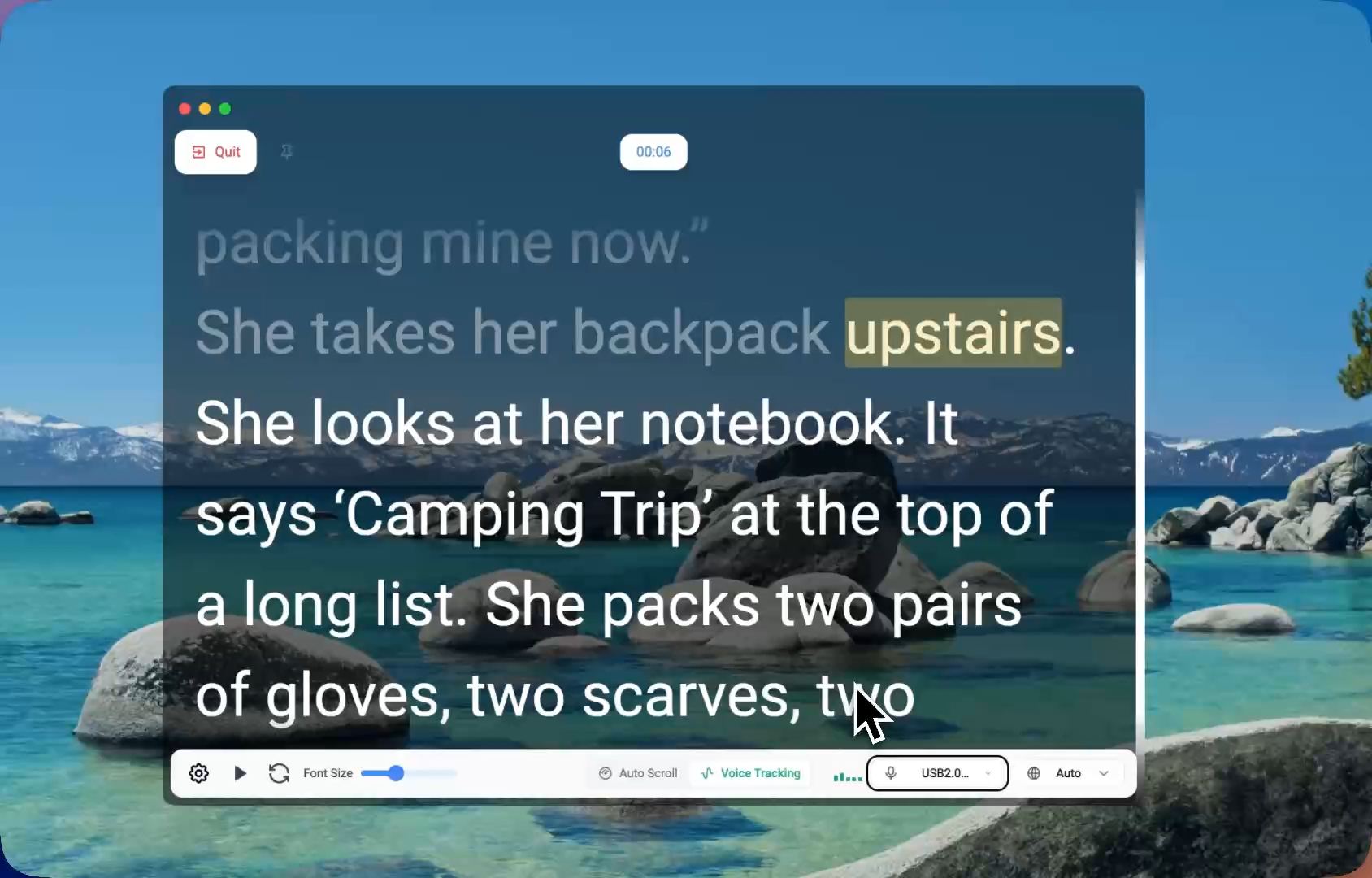
A voice-following teleprompter listens to your speech through your microphone and scrolls the script in real time, word by word. When you slow down, it slows down. When you pause to think, it waits. When you go off-script to add a personal anecdote, it stops scrolling until you return to the text.
This is fundamentally different from auto-scroll, which marches forward at a fixed speed regardless of your actual delivery. Auto-scroll forces you to race the text or awkwardly pause while the script disappears off-screen. Voice tracking, by contrast, adapts to you.
Why Manual Scrolling Breaks Your Flow
Manual scrolling demands constant attention split between your script and your audience. Every time you reach for a mouse, keyboard shortcut, or Bluetooth remote, you break eye contact. Viewers notice. Studies in video engagement consistently show that breaks in eye contact reduce perceived trust and authority.
Remote controls are slightly better, but they still require conscious effort. You must remember to press the button at the right moment while also focusing on delivery, tone, and body language. It is multitasking that no presenter needs.
A teleprompter that follows your voice eliminates this cognitive load entirely. You speak naturally. The text follows. Your eyes stay on the lens. Your hands stay free. Your energy stays with the audience.
How FlowPrompter's AI Voice Tracking Works
FlowPrompter uses on-device AI to analyze your microphone input in real time. The system recognizes spoken words and matches them against your script, highlighting each word as you say it. Here is what makes it different from basic voice scrollers:
14 Languages, Not Just English
Most voice-tracking teleprompters support English only. FlowPrompter supports 14 languages including English, Spanish, German, French, Portuguese, Dutch, Russian, Japanese, Korean, Simplified and Traditional Chinese, Arabic, Hindi, and Malay. If you create content for international audiences or speak multiple languages, this is a genuine differentiator.
Pause When You Improvise, Resume When You Return
The real magic happens when you go off-script. FlowPrompter detects that your spoken words no longer match the next line and automatically pauses scrolling. When you return to the script text, it resumes exactly where you left off — no manual rewinding, no lost place. This is critical for creators who ad-lib examples, respond to live chat, or inject spontaneous humor.
Invisible During Screen Share and Recording
FlowPrompter's floating window can be hidden from screen-capture software and video-conferencing tools. A simple toggle controls visibility in screen shares. Whether you are recording a Loom tutorial, streaming on OBS, or presenting on Zoom, Google Meet, or Microsoft Teams, your audience sees only you — never your notes.
Your Script Follows You Across Devices
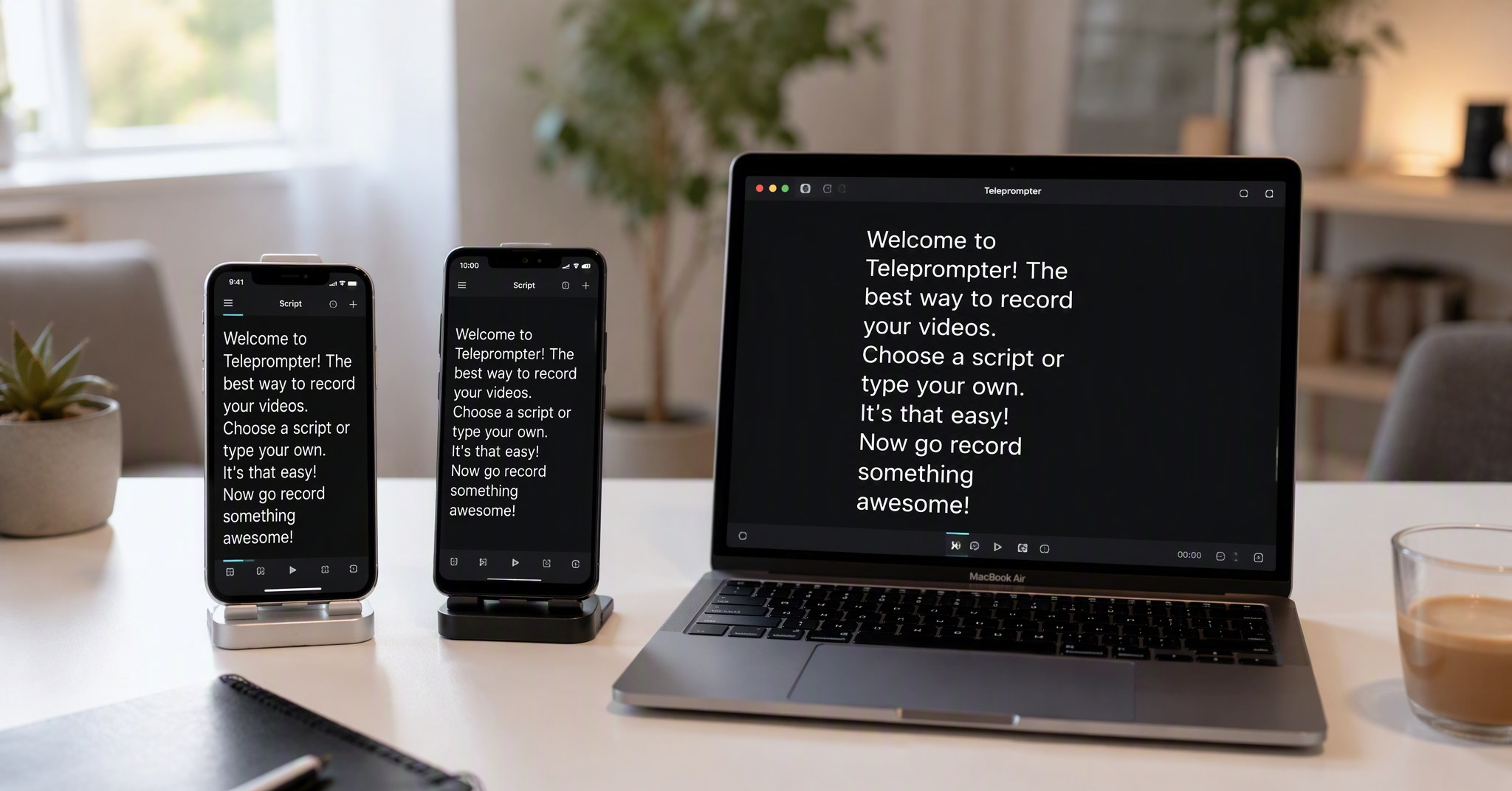
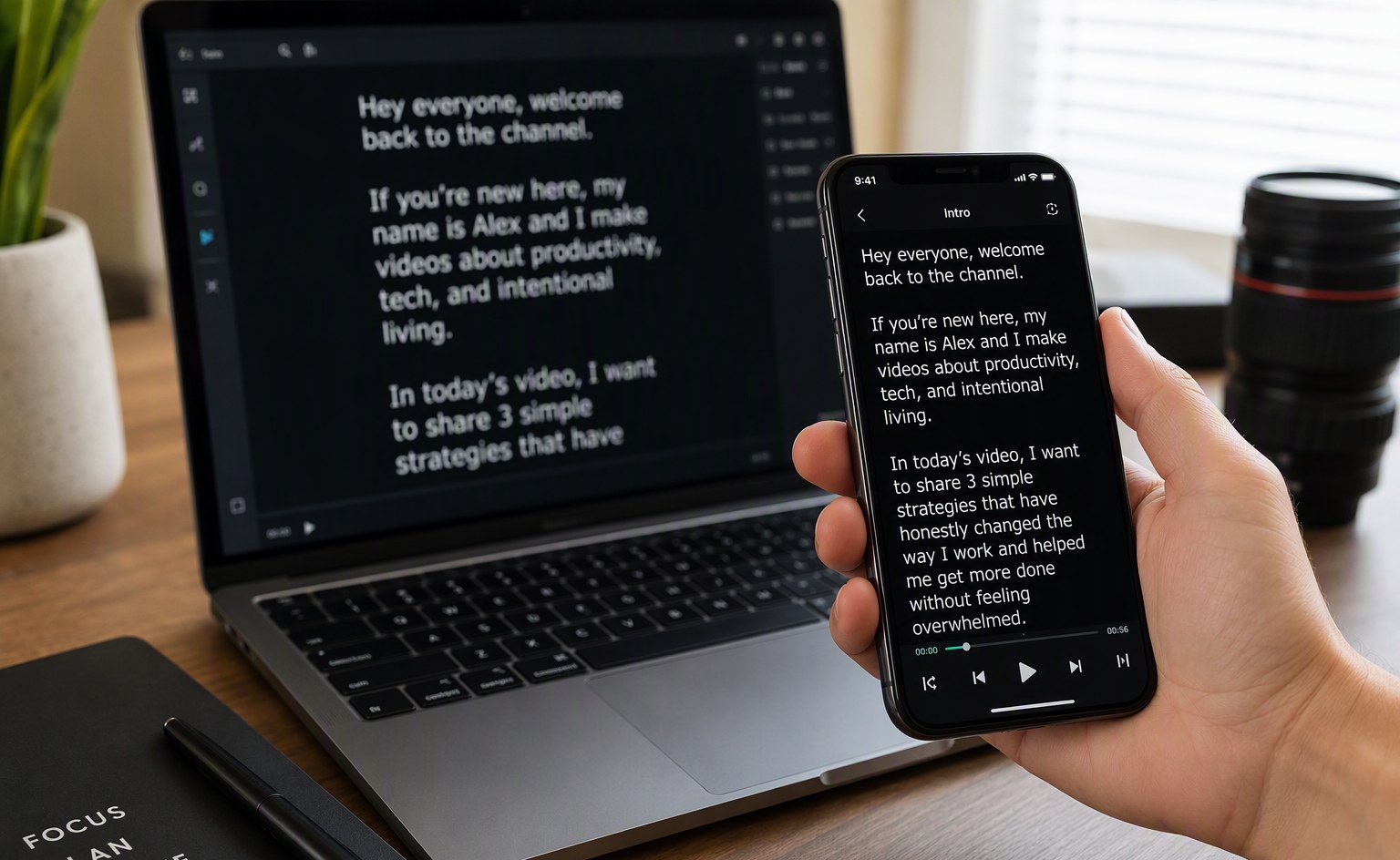
Here is where FlowPrompter's recent expansion changes the game. With native apps now available on Windows, macOS, iOS, and Android, your scripts sync across every device you own.
Picture this workflow:
Draft on your phone during your commute — the iOS or Android app is perfect for quick edits on the go.
Polish on your Mac or Windows PC — open the desktop app and your script is already there, formatted and ready.
Present from whichever device is closest — maybe your laptop is on the desk, but you want to walk around with your phone for a more dynamic delivery.
All changes sync in real time — no manual file transfers, no email attachments, no copy-paste between apps.
This cross-device continuity is rare in the teleprompter market. Most competitors lock you into a single platform or require manual export and import between devices. FlowPrompter treats your script as a cloud-native document that lives wherever you do.
Who Needs a Voice-Activated Teleprompter?
You should consider voice tracking if:
You record long-form content and hate breaking rhythm to scroll.
You present live webinars or online courses where ad-libbing is essential.
You create content in multiple languages and need tracking beyond English.
You switch between devices depending on the recording setup.
You want to maintain natural eye contact without visible controllers.
Manual scrolling may still work if:
You deliver fully scripted content with zero improvisation.
You have a dedicated operator controlling the scroll for you.
You prefer hardware teleprompters with physical remotes.
Frequently Asked Questions
Does a voice-following teleprompter work with background noise?
FlowPrompter allows you to select your input microphone and adjust sensitivity. For best results, use a dedicated microphone or headset rather than built-in laptop mics in noisy environments. The AI is designed to focus on the primary voice source.
Can I use FlowPrompter on both my phone and computer with the same script?
Yes. Log in with the same account on any device — Windows, macOS, iOS, or Android — and your scripts appear instantly. Changes made on one device sync to all others in real time.
Is voice tracking available on the free plan?
FlowPrompter offers a free tier with core features. Advanced voice tracking, longer scripts, and priority cross-device sync are available on Plus plans starting at $9.90 per month. You can try the basic voice tracking experience before upgrading.
What video platforms does FlowPrompter integrate with?
FlowPrompter works alongside Zoom, Google Meet, Microsoft Teams, OBS, Streamlabs, Loom, and QuickTime. The invisible overlay ensures your script never appears in recordings or screen shares.
Ready to Stop Chasing Your Script?
Your voice is the most natural controller you have. Let it drive the teleprompter. Try FlowPrompter free and see how AI voice tracking feels when your script finally keeps up with you — on any device, in any language.