As a content creator, you know the struggle of recording yourself while trying to remember your script. Whether you're a YouTuber, TikToker, or professional presenter, forgetting your lines mid-recording is frustrating and time-consuming. That's where teleprompter apps come in.
We've tested and reviewed the top free teleprompter apps available in 2026 to help you find the perfect fit for your content creation needs. From browser-based solutions to desktop applications, we've got you covered.
🔝 Quick Summary: Our Top Pick
FlowPrompter - The best all-around free teleprompter for creators who want flexibility across platforms.
1. FlowPrompter ⭐ Best Overall
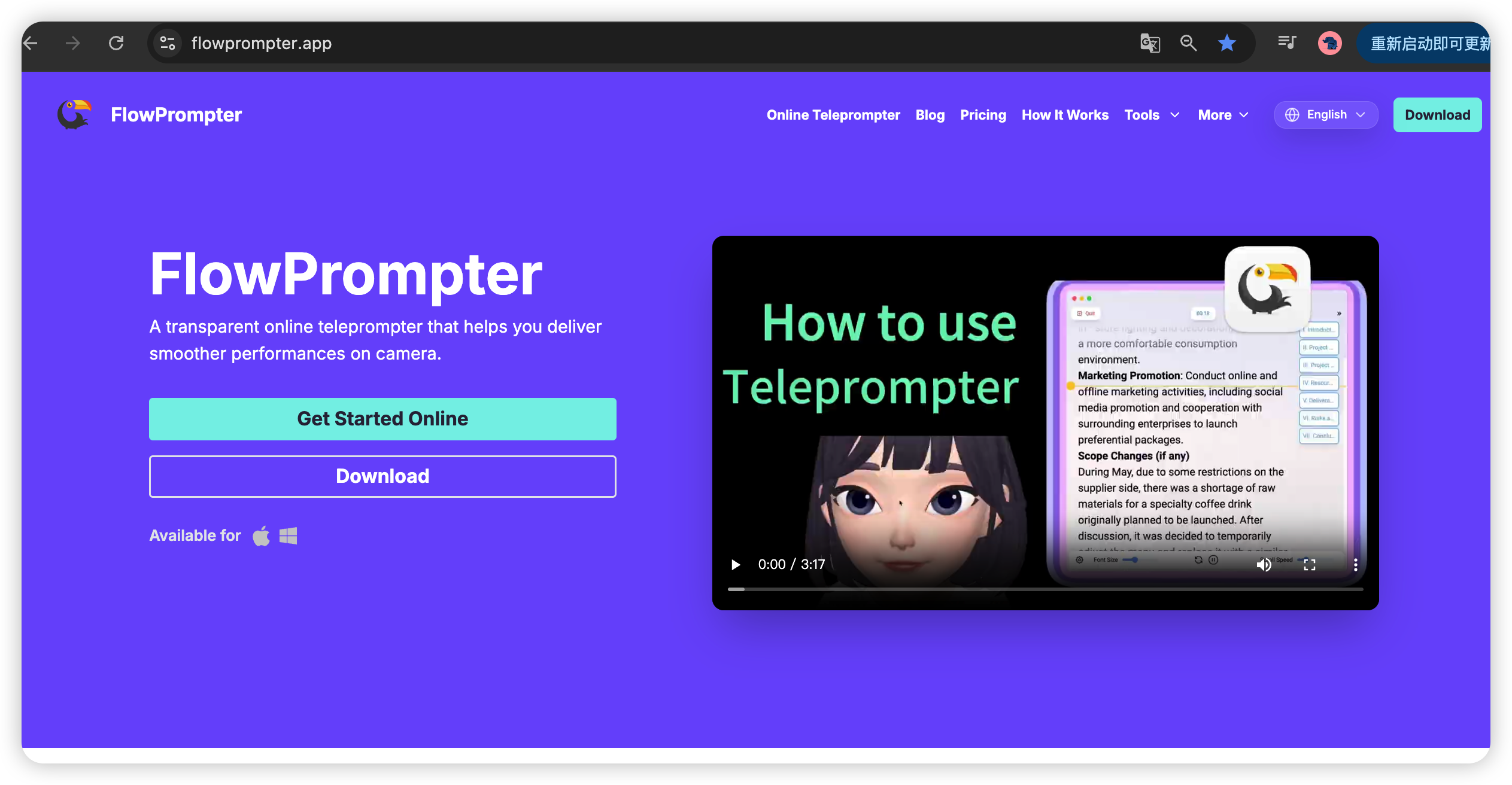
Platforms: Web, Windows, Mac | Price: Freemium
Why it's our #1 pick:
FlowPrompter stands out as the most versatile teleprompter solution in 2024. With support for Web, Windows desktop, and Mac desktop, it adapts to whatever workflow you prefer.
Key Features:
- ✅ Cross-platform availability (use it anywhere)
- ✅ Smooth scrolling with adjustable speed
- ✅ Mirror mode for teleprompter glass
- ✅ Clean, distraction-free interface
- ✅ Works with any browser or desktop app
- ✅ Free tier with generous limits
- ✅ No account required for basic use
Perfect for:
- YouTubers who switch between devices
- Content creators who value flexibility
- Beginners who want an easy start
- Teams using different operating systems
Where it shines: The web-based version means you can start using FlowPrompter instantly without downloading anything. When you need more power, the desktop apps provide enhanced features and offline access.
Verdict: 9.5/10 - The most accessible teleprompter for modern content creators.
2. CuePrompter
Platforms: Web only | Price: Free
CuePrompter has been around for years and is one of the original web-based teleprompters. It's simple, reliable, and gets the job done.
Key Features:
- ✅ Completely free, no signup
- ✅ Mirror mode support
- ✅ Adjustable font size
- ✅ Speed control
- ❌ No mobile optimization
- ❌ Dated interface
Perfect for: Quick, one-off recordings when you need something basic.
Where it falls short: No mobile support and the interface looks outdated compared to modern alternatives.
Verdict: 7/10 - Reliable but limited.
3. PromptSmart Lite
Platforms: iOS, Android | Price: Freemium
PromptSmart uses voice recognition technology to automatically scroll your script as you speak. It's a game-changer for presenters.
Key Features:
- ✅ Voice-controlled scrolling
- ✅ Script organization
- ✅ Remote control app
- ❌ Limited free tier
- ❌ Requires app installation
- ❌ Voice recognition can be glitchy
Perfect for: Presenters who want hands-free operation.
Where it falls short: The free version has significant limitations, and voice control isn't always reliable.
Verdict: 7.5/10 - Innovative technology, but comes with tradeoffs.
4. Teleprompter Pro
Platforms: Android | Price: Freemium
A solid Android option with a good balance of features and usability.
Key Features:
- ✅ Mobile-optimized interface
- ✅ Adjustable speed and font
- ✅ Mirror mode
- ✅ Works with front camera
- ❌ Android only
- ❌ Ads in free version
Perfect for: Android users creating mobile-first content.
Where it falls short: Platform limitation and ads can be distracting.
Verdict: 7/10 - Great for Android, but not cross-platform.
5. iTeleprompter
Platforms: iOS | Price: Freemium
The go-to teleprompter for iPhone and iPad users with Apple-quality design.
Key Features:
- ✅ Beautiful iOS design
- ✅ iCloud sync
- ✅ Remote control via Apple Watch
- ❌ iOS ecosystem only
- ❌ Expensive premium tier
Perfect for: Dedicated Apple users with an iPhone or iPad.
Where it falls short: Limited to Apple devices and premium features are pricey.
Verdict: 7.5/10 - Excellent iOS app, but exclusive to Apple.
6. BIGVU Teleprompter
Platforms: iOS, Android, Web | Price: Freemium
BIGVU combines teleprompter functionality with video recording and social media sharing tools.
Key Features:
- ✅ All-in-one solution (prompter + recorder + editor)
- ✅ Social media integration
- ✅ Team collaboration
- ❌ Complex interface
- ❌ Learning curve
- ❌ Watermark in free version
Perfect for: Teams who want an all-in-one content creation suite.
Where it falls short: Overkill if you just need a simple teleprompter.
Verdict: 6.5/10 - Powerful but complex for casual users.
7. Beast Teleprompter
Platforms: iOS + macOS | Price: Free
A straightforward, no-frills teleprompter that does what it says.
Key Features:
- ✅ Completely free
- ✅ Simple interface
- ✅ Works offline
- ❌ Ads
- ❌ Limited customization
- ❌ iOS only
Perfect for: iOS users who want something simple and free.
Where it falls short: Feature-light compared to competitors.
Verdict: 6/10 - Functional but basic.
8. Selvy Teleprompter
Platforms: iOS, Android | Price: Freemium
A budget-friendly option with decent features for the price.
Key Features:
- ✅ Cross-platform mobile
- ✅ Remote control support
- ✅ Script organization
- ❌ Clunky interface
- ❌ Limited free features
Perfect for: Mobile-first creators on a budget.
Where it falls short: User experience feels dated.
Verdict: 6/10 - Works, but not a joy to use.
9. Elegant Teleprompter
Platforms: Android | Price: Free (with in-app purchases)
Focuses on simplicity and ease of use for Android users.
Key Features:
- ✅ Clean interface
- ✅ Easy setup
- ✅ Offline support
- ❌ Android only
- ❌ Limited advanced features
Perfect for: Android users who want something straightforward.
Where it falls short: Missing some advanced features found in competitors.
Verdict: 6.5/10 - Simple and effective for basic needs.
10. Teleprompter+
Platforms: iOS, Android | Price: Freemium
A solid mobile option with good customization options.
Key Features:
- ✅ Font and background customization
- ✅ Mirror mode
- ✅ Speed presets
- ❌ Mobile only
- ❌ Premium features expensive
Perfect for: Mobile creators who want visual customization.
Where it falls short: Lacks desktop/web alternatives.
Verdict: 6.5/10 - Good for mobile, but not for everyone.
🏆 Comparison Table
App | Platforms | Free Tier | Mirror Mode | Our Rating |
|---|---|---|---|---|
FlowPrompter | Web, Windows, Mac | Generous | ✅ | 9.5/10 |
CuePrompter | Web | Full | ✅ | 7/10 |
PromptSmart | iOS, Android | Limited | ✅ | 7.5/10 |
Teleprompter Pro | Android | Limited | ✅ | 7/10 |
iTeleprompter | iOS | Limited | ✅ | 7.5/10 |
BIGVU | iOS, Android, Web | Limited | ✅ | 6.5/10 |
Beast Telepromter | iOS+macOS | Full | ✅ | 6/10 |
Selvy | iOS, Android | Limited | ✅ | 6/10 |
Elegant | Android | Limited | ✅ | 6.5/10 |
Teleprompter+ | iOS, Android | Limited | ✅ | 6.5/10 |
🎯 How to Choose the Right Teleprompter
Choose FlowPrompter if you want:
Maximum flexibility across devices
A modern, intuitive interface
To start using it immediately (no download required)
A free tier that doesn't feel restricted
Support for multiple platforms (great for teams)
Choose CuePrompter if you want:
Something completely free with no strings attached
A quick, web-based solution
No account needed
Choose PromptSmart if you want:
Voice-controlled scrolling
Mobile-only usage
A hands-free experience
Choose iTeleprompter if you want:
Apple ecosystem integration
iCloud sync
Apple Watch remote control
Choose BIGVU if you want:
An all-in-one video creation suite
Team collaboration features
Social media integration
💡 Pro Tips for Using Teleprompters
1. Practice Makes Perfect
Don't expect your first recording to be perfect. Practice with your teleprompter before your actual shoot to get comfortable with the scrolling speed and timing.
2. Find Your Optimal Speed
Start with a slower scroll speed and gradually increase it as you get more comfortable. Most apps allow you to adjust speed on the fly.
3. Use Mirror Mode Correctly
If you're using physical teleprompter glass, enable mirror mode. If you're just reading from a screen, keep it off.
4. Keep Scripts Concise
Break longer scripts into smaller sections. It's easier to manage and helps with engagement.
5. Eye Contact Matters
Try to look at the camera lens, not the screen. Position your teleprompter as close to the camera as possible.
6. Test Your Setup
Always do a quick test run before your actual recording to ensure everything works smoothly.
❓ Frequently Asked Questions
Q: Are free teleprompter apps really free?
A: Most offer a free tier with basic features. Premium features usually require a subscription or one-time purchase. FlowPrompter's free tier is notably generous.
Q: Can I use a teleprompter for live streaming?
A: Yes, many teleprompters work with streaming software like OBS. FlowPrompter's web version is particularly easy to integrate with streaming setups.
Q: Do I need special hardware for a teleprompter?
A: Not necessarily. You can use your phone, tablet, or computer screen. Physical teleprompter glass is optional.
Q: Which teleprompter works best with YouTube?
A: FlowPrompter is excellent for YouTube creators due to its cross-platform support and ease of use. The web version is perfect for quick recordings, while the desktop apps work great for longer, more polished videos.
Q: Can I use a teleprompter on TikTok or Instagram Reels?
A: Yes! Teleprompter apps work great for short-form content. Just make sure your setup allows you to keep the teleprompter near your phone camera.
🏁 Final Thoughts
Choosing the right teleprompter app depends on your specific needs, but FlowPrompter stands out as the best overall choice for 2024. Its cross-platform availability, generous free tier, and user-friendly interface make it accessible to everyone from beginners to professionals.
Whether you're creating YouTube videos, TikToks, Instagram Reels, or professional presentations, there's a teleprompter app on this list that will help you deliver your script with confidence.
Ready to start? Try FlowPrompter today - it's free to use and works in your browser instantly. No account required.
Have questions or suggestions? Let us know in the comments below!
Keywords: free teleprompter app, teleprompter for YouTube, best teleprompter software, online teleprompter, teleprompter for Mac, teleprompter for Windows, teleprompter for TikTok, teleprompter for content creators, FlowPrompter review
This article is regularly updated to ensure accuracy. Last updated: March 2026