FlowPrompter + Restream
One script, one take, every platform at once.
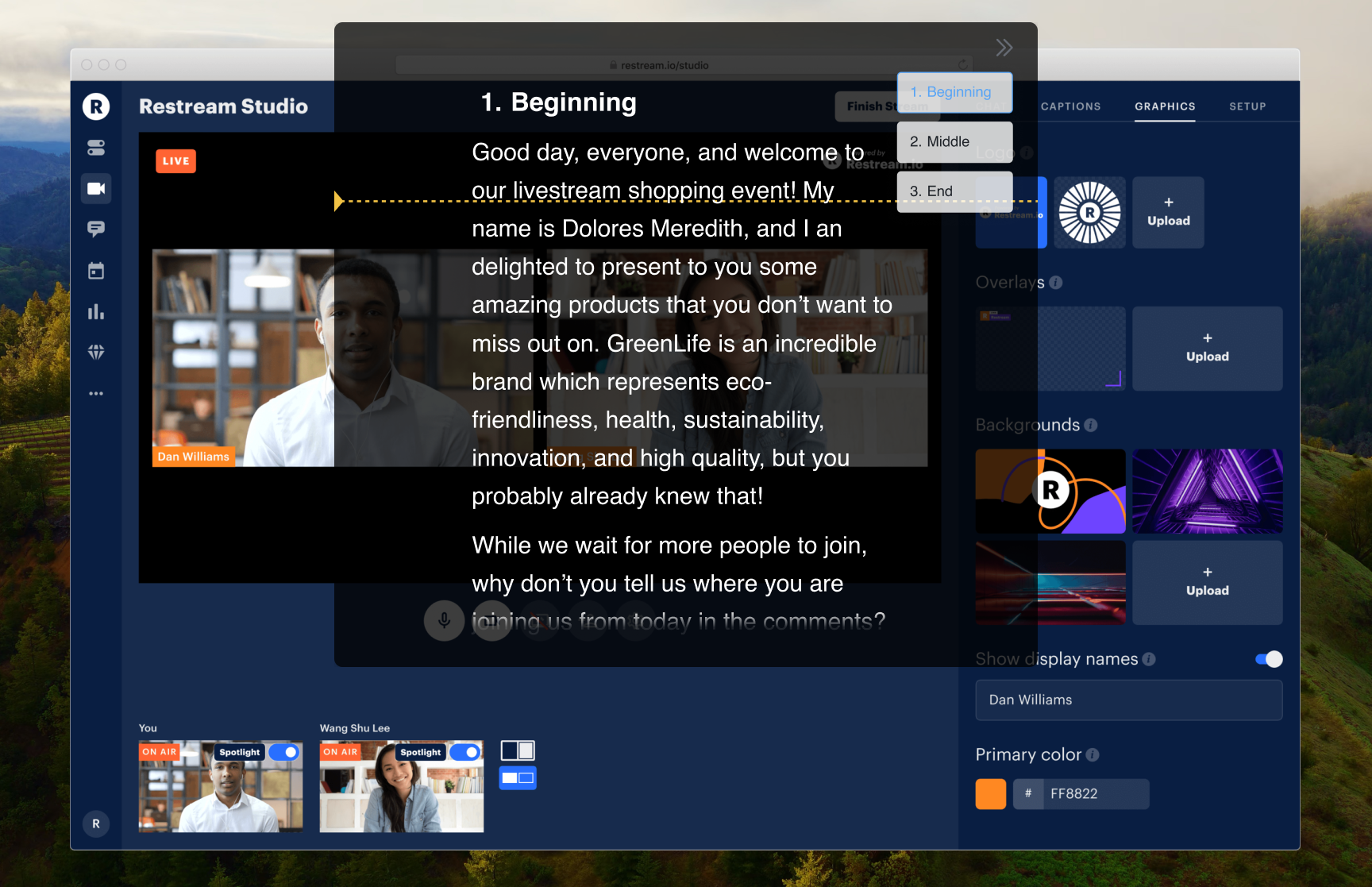
Restream's whole point is leverage: one broadcast goes out to YouTube, Twitch, LinkedIn, and Facebook simultaneously. Leverage cuts both ways — a fumbled announcement is fumbled on every platform at once, with no second take anywhere. FlowPrompter keeps the run-of-show scrolling beside Restream Studio while the merged cross-platform chat stays visible, so the parts that must land are read, not improvised.
How to Set Up
Script the segments that must land — intro, announcements, CTAs — in FlowPrompter
Open Restream Studio in your browser and connect your channels
Position the prompt near your camera, clear of the merged chat panel
Start the multistream and follow the scroll through each segment
Glance at the unified chat between segments; the script waits where you left it
Pro Tips
- 💡Restream Studio broadcasts your camera feed, so a prompt on your screen never reaches any platform
- 💡Different platforms expect different CTAs — script them separately ("subscribe" vs "follow") and read the right one
- 💡Treat announcements as one-take material: with a simulcast there is no platform where mistakes stay private
- 💡Going live through OBS into Restream instead? Enable Window Privacy so screen captures exclude the prompt
Common questions about FlowPrompter + Restream
- Can Restream viewers see my FlowPrompter script?
- Restream Studio broadcasts your camera feed, so the desktop prompt is not sent to viewers. If you use OBS or screen capture into Restream, enable Window Privacy.
- Why use a script for a Restream multistream?
- A mistake goes live on every connected platform at once. FlowPrompter keeps intros, announcements, sponsor reads, and platform-specific CTAs accurate across the simulcast.
- How should I handle different CTAs across platforms?
- Write the YouTube, Twitch, LinkedIn, and Facebook CTAs as separate lines in FlowPrompter, then read the right one at the planned moment.
Best Use Cases for FlowPrompter + Restream
- →Simulcast launches and announcements
- →Weekly shows distributed to every audience at once
- →Cross-platform Q&A sessions with scripted intros
- →Event coverage where every platform gets the same polish
Download FlowPrompter for Desktop and multistream with one clean script
Download Desktop for invisible screen sharing. Use Online when you only need a quick draft.