FlowPrompter + StreamYard
Run your live show from a script your viewers never see.
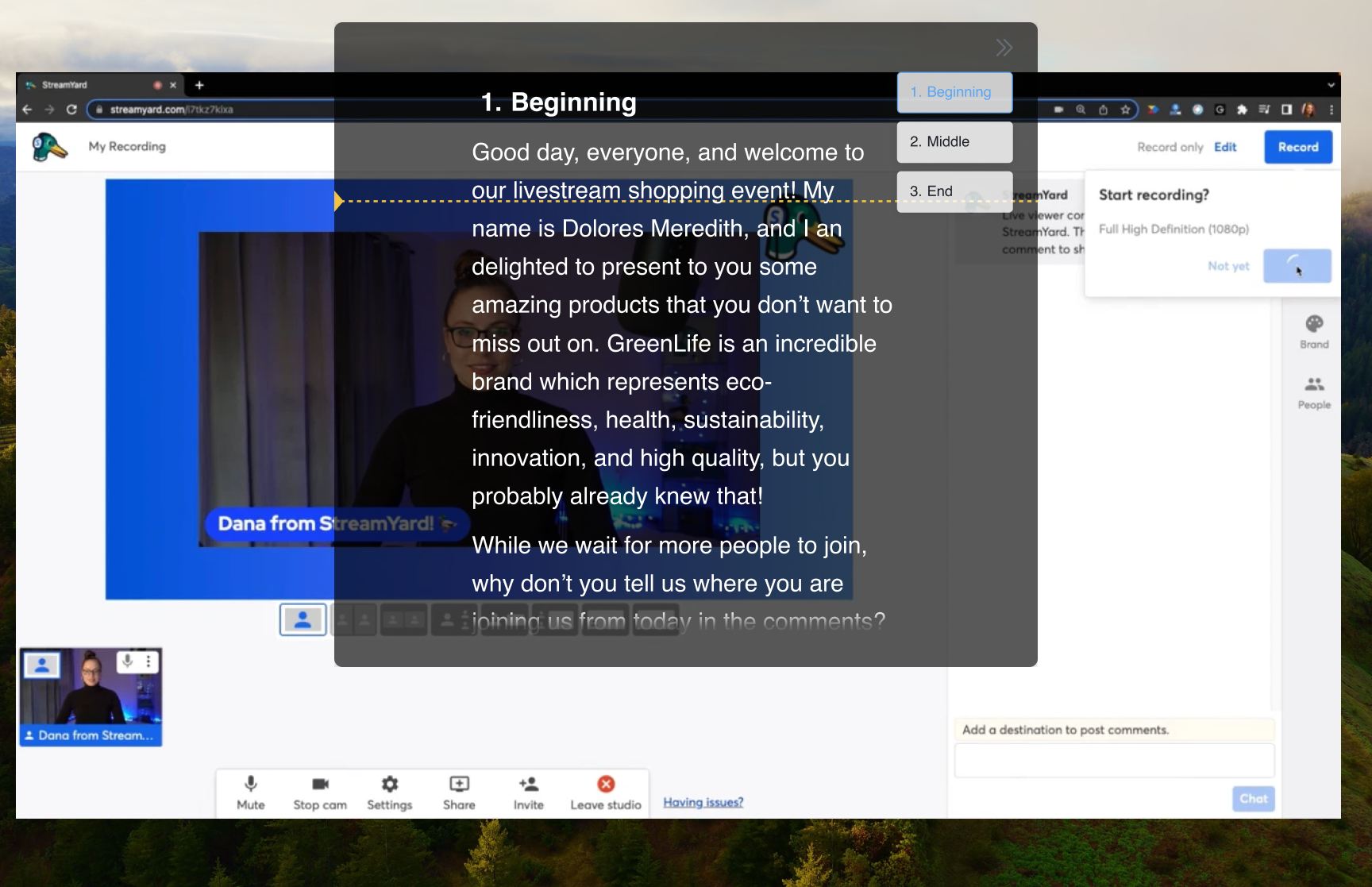
StreamYard broadcasts your camera feed from the browser — it doesn't capture your screen. That makes it a perfect match for a desktop teleprompter: FlowPrompter can sit right next to your StreamYard tab in plain sight, completely invisible to the audience. Hosts use it as a run-of-show: the scripted cold open, the guest's intro you must not fumble, the sponsor read with exact wording, the recurring call-to-action.
How to Set Up
Build a run-of-show in FlowPrompter: cold open, segments, guest questions, sponsor read, outro
Open your StreamYard studio in the browser and check your camera framing
Float the prompt at the top of the screen, as close to your webcam as possible
Go live and follow the scroll as the broadcast moves through its segments
When comments roll in, pause the scroll, respond, then pick the script back up where it waits
Pro Tips
- 💡StreamYard sends out your camera, not your screen — the prompt is invisible to viewers by design
- 💡Keep banners and comments inside StreamYard; keep the words you must not fumble in FlowPrompter
- 💡Script sponsor reads word-for-word — improvised reads are the thing sponsors complain about
- 💡Hosting guests? Keep each guest's intro paragraph ready so names and titles come out right
Common questions about FlowPrompter + StreamYard
- Can StreamYard viewers see FlowPrompter?
- No, StreamYard broadcasts your camera feed rather than your desktop prompt. Keep FlowPrompter near the webcam so you can read without sending the script to viewers.
- What should I put in a StreamYard run-of-show?
- Include the cold open, guest intros, segment transitions, sponsor reads, live CTAs, and outro. Put exact wording in FlowPrompter and keep spontaneous chat responses unscripted.
- Do I need Window Privacy for StreamYard?
- For a normal camera-only StreamYard show, no. Enable Window Privacy if you also share your screen or route the show through a screen-capture workflow.
Best Use Cases for FlowPrompter + StreamYard
- →Weekly live shows with a repeatable run-of-show
- →Interview streams with prepared guest intros and questions
- →Sponsored segments delivered with exact wording
- →Live product launches streamed to YouTube and LinkedIn
Download FlowPrompter for Desktop and host StreamYard shows on-script
Download Desktop for invisible screen sharing. Use Online when you only need a quick draft.