FlowPrompter + YouTube
Script the video, keep eye contact, and leave the prompt out of the final cut.
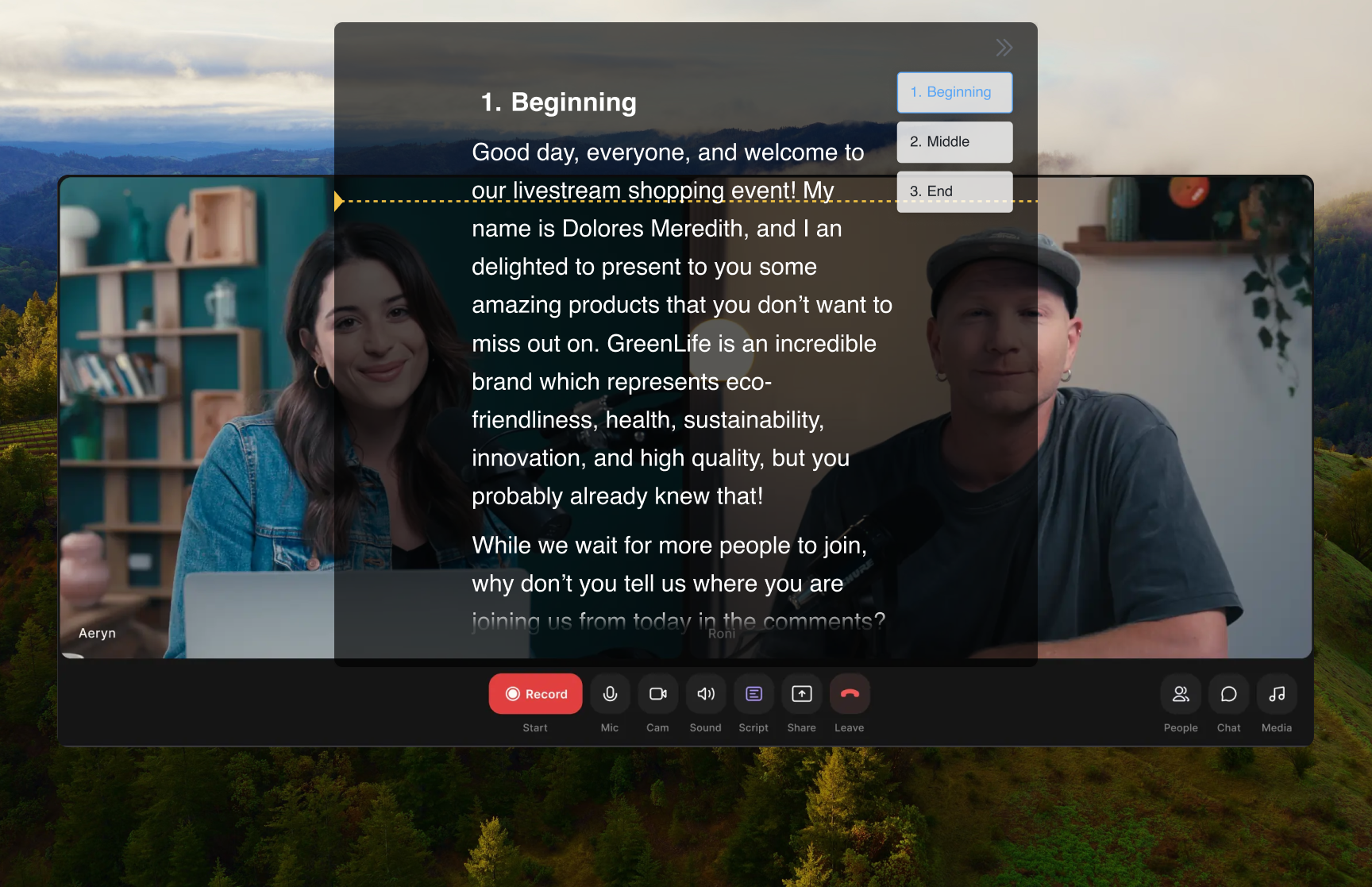
A YouTube video gives you one shot to hold attention: the hook, the sponsor read, the tutorial steps, the call to subscribe. FlowPrompter keeps those words floating beside your camera while you record in your favorite camera app, OBS, Zoom, or a browser studio. With Window Privacy enabled, the prompt stays visible to you and invisible to screen recordings and screenshots, so your final upload looks clean while your delivery stays tight.
How to Set Up
Write the YouTube script in FlowPrompter, separating hook, sections, sponsor read, and CTA
Turn on Window Privacy if you are recording your screen so the prompt can't appear in the capture
Open your recording setup: camera app, OBS, YouTube Live Control Room, or browser studio
Place the prompt near your lens or preview window and set a scroll speed that matches your natural pace
Record the take, pause for edits where needed, and keep the script moving through each segment
Pro Tips
- 💡Keep the first 10 seconds word-for-word; that hook decides whether viewers stay
- 💡Use bullet-point sections after the hook if you want a more conversational read
- 💡For screen tutorials, enable Click-through so you can operate the app underneath the prompt
- 💡Save sponsor reads and CTAs as reusable scripts so brand wording stays exact across videos
Common questions about FlowPrompter + YouTube
- Can viewers see FlowPrompter in my YouTube recording?
- No, not if you keep the prompt outside the camera frame. If you record your screen or route your setup through OBS, enable Window Privacy so the prompt stays visible to you and hidden from the captured video.
- Where should I place the script for YouTube videos?
- Place the prompt close to your camera lens or preview window. That keeps your eyes near the viewer while still giving you room to monitor framing, slides, or demo steps.
- Is FlowPrompter useful for YouTube Live?
- Yes. Use it for hooks, sponsor reads, segment transitions, and calls to subscribe. The script keeps the live show on track while you still have space to respond naturally to chat.
Best Use Cases for FlowPrompter + YouTube
- →Talking-head YouTube videos with scripted hooks
- →Tutorials and product demos recorded from a prepared outline
- →Sponsor reads, intros, and calls to subscribe with exact wording
- →YouTube Live shows where the run-of-show must stay on track
Download FlowPrompter for Desktop and record YouTube videos on-script
Download Desktop for invisible screen sharing. Use Online when you only need a quick draft.